
Participating Frequently
October 15, 2018
Answered

Thumbnails in Bridge went crazy after 2019 update

  • October 15, 2018
  • 69 replies
  • 22362 views

Okay, I installed all of the cc2019 updates and Bridge (worked normally on cc2018) started to behave crazy. I mean all works except preview thumbnails. I get some kind of "static interference" pattern instead of previews.

I completely uninstalled and reinstalled Photoshop and Bridge to solve the issue but no luck.

Computer is iMac Pro 27".

On my old iMac 27" (2011) it works normally after the update.
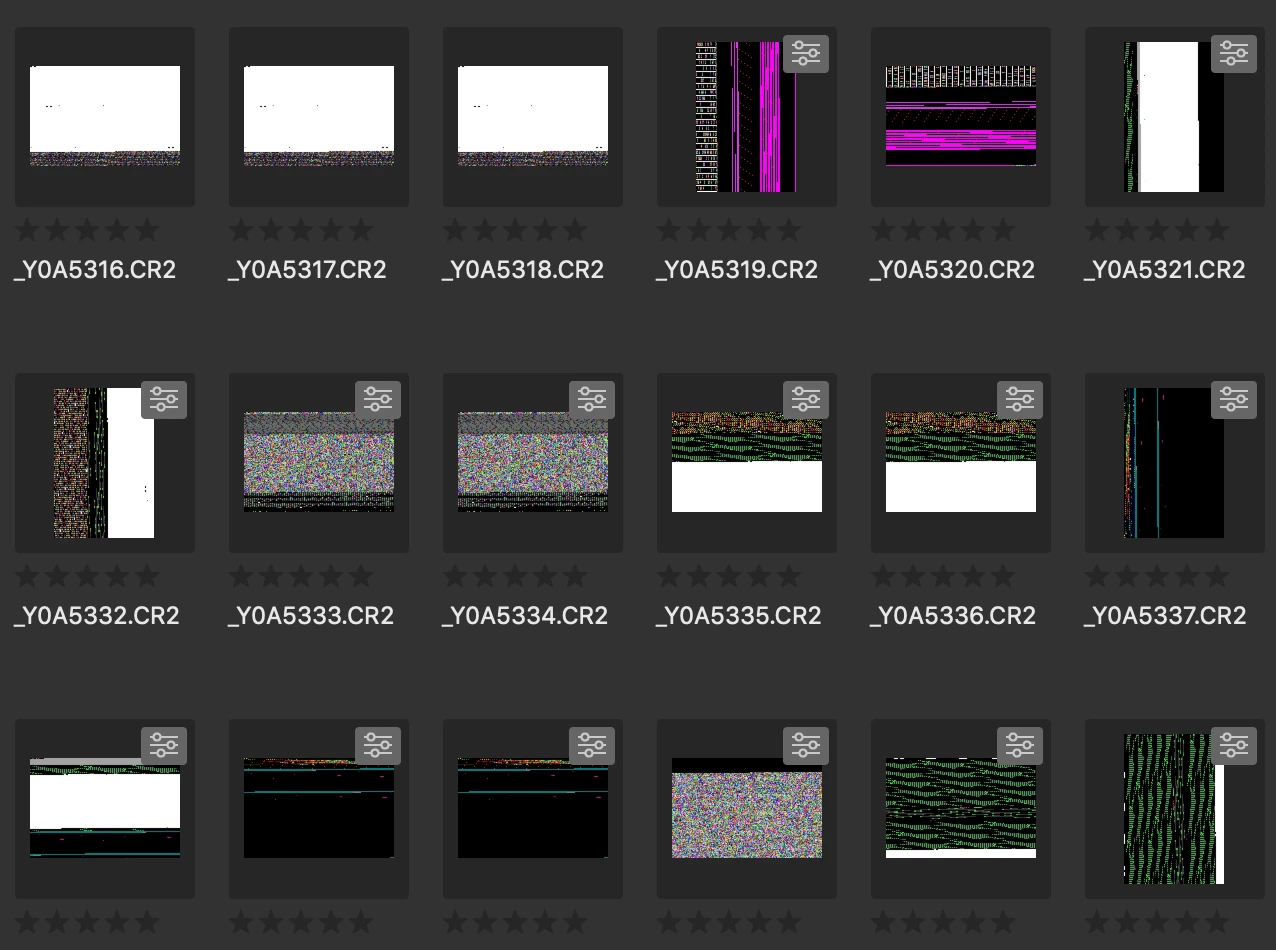
Any idea?

Thanks!

This topic has been closed for replies.
Correct answer siddharthsingh

Dear Users,

We have released a new version of Adobe Bridge (CC 2019) on 2nd November 2018. The new version build number is 9.0.1.216. This version is available to install via Adobe Creative Cloud application.

This Bridge update resolves the thumbnail rendering issue on iMac Pro devices and has few other bug fixes.

Please let us know if you face any issues.

Regards,

Siddharth

69 replies

Murseblonder
Known Participant
October 21, 2018

same problem as everyone, Bridge is unusable like this.

glennado
Known Participant
October 21, 2018

Same glitch here. Another oddity: If I change the size of the thumbnails, sometimes some will display properly for a moment, then switch back to pure black or the various sorts of colorful "noise" patterns others have posted here. Other times, changing thumbnail size just alters the noise patterns.

27” iMac Pro (2017)

Radeon Pro Vega 64 16368 MB

High Sierra 10.13.6

lsilipo
Participant
October 21, 2018

Hello Adobe support,

Can you please advice when a fix will be issued? It is clear that you have problems with the Vega drivers and any work around you suggested is useless on iMac pro, with any version of Mac OS. Please push this through your development because the problem is really annoying and renders Bridge NOT USABLE!

Thanks for your prompt fix on this problem.

Luigi

clintd72660376
Participant
October 20, 2018

Same problem here on my iMac Pro 2017

Inspiring
October 20, 2018

Today i have the SAME problem. For all images i download today on site rawpixel.

But my Bridge is the CC2018.

In Windows 10.

Inspiring
October 20, 2018

same here. Glad I'm paying for this stuff.

jbm007
Community Expert
Community Expert
October 20, 2018

Actually for what its worth..... Bridge is free.

But I get your point.

Participant
October 20, 2018

Same issue. Mac pro 2017 27" Mojave

Participant
October 20, 2018

Same issue, 10.14 Mojave - iMacPro 2017

Participant
October 20, 2018

I have the same issue with iMac Pro (2017)

Participating Frequently
October 19, 2018

Same here.  iMac Pro.

I can't believe that Adobe don't have all their staff running iMac Pro's for all their activities - after all it's the only way of getting Lightroom to ALMOST perform at an acceptable level.

Participant
October 19, 2018

I have exactly the same problems. 27" iMac Pro 2017. Tried all of the suggested fixes but none worked. Will downgrade until a fix is available.