


Known Participant
November 30, 2022
Question

FUJIFILM Profile doesn't render good...sometimes

  • November 30, 2022
  • 3 replies
  • 658 views

Dear community,

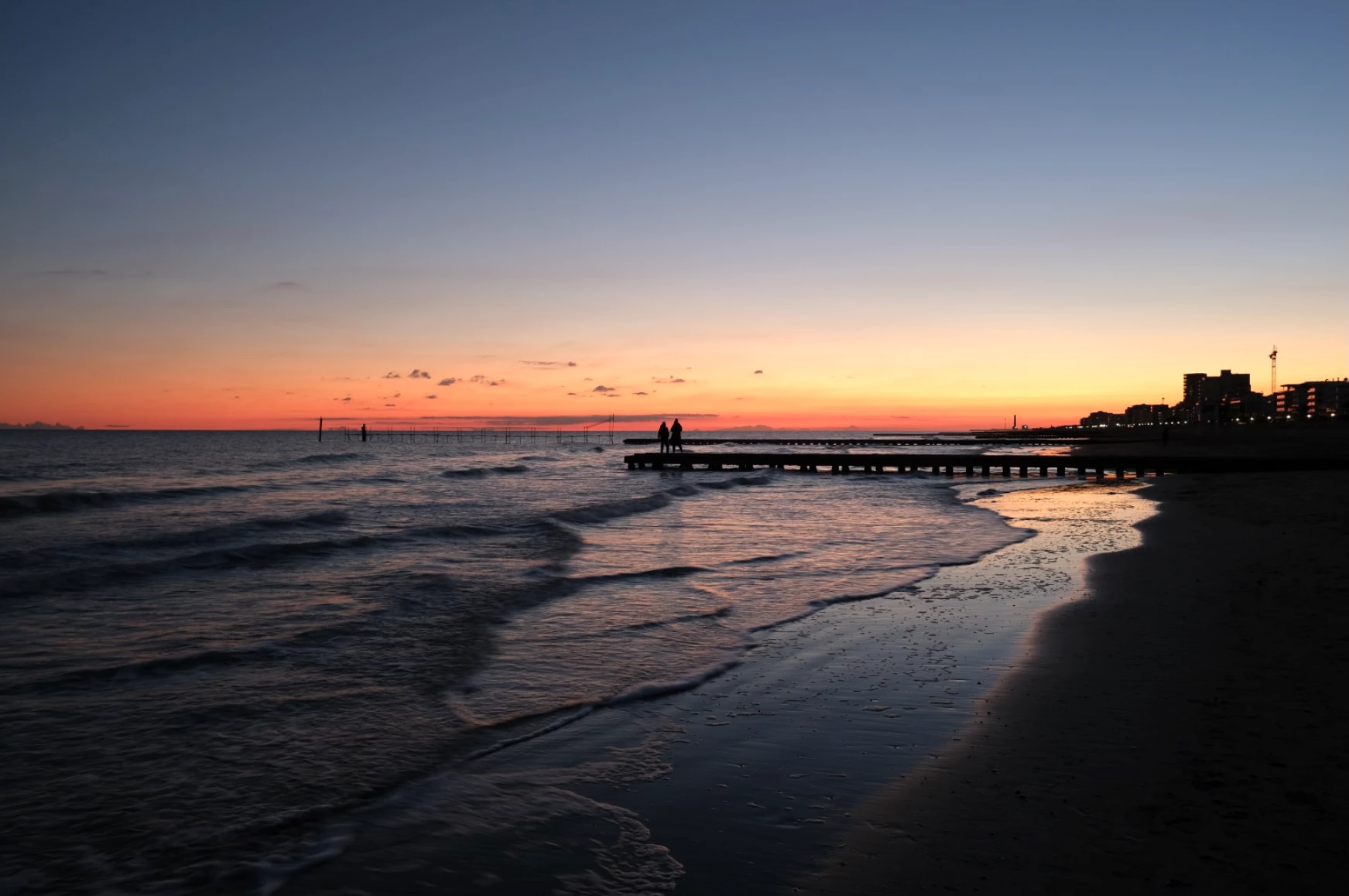
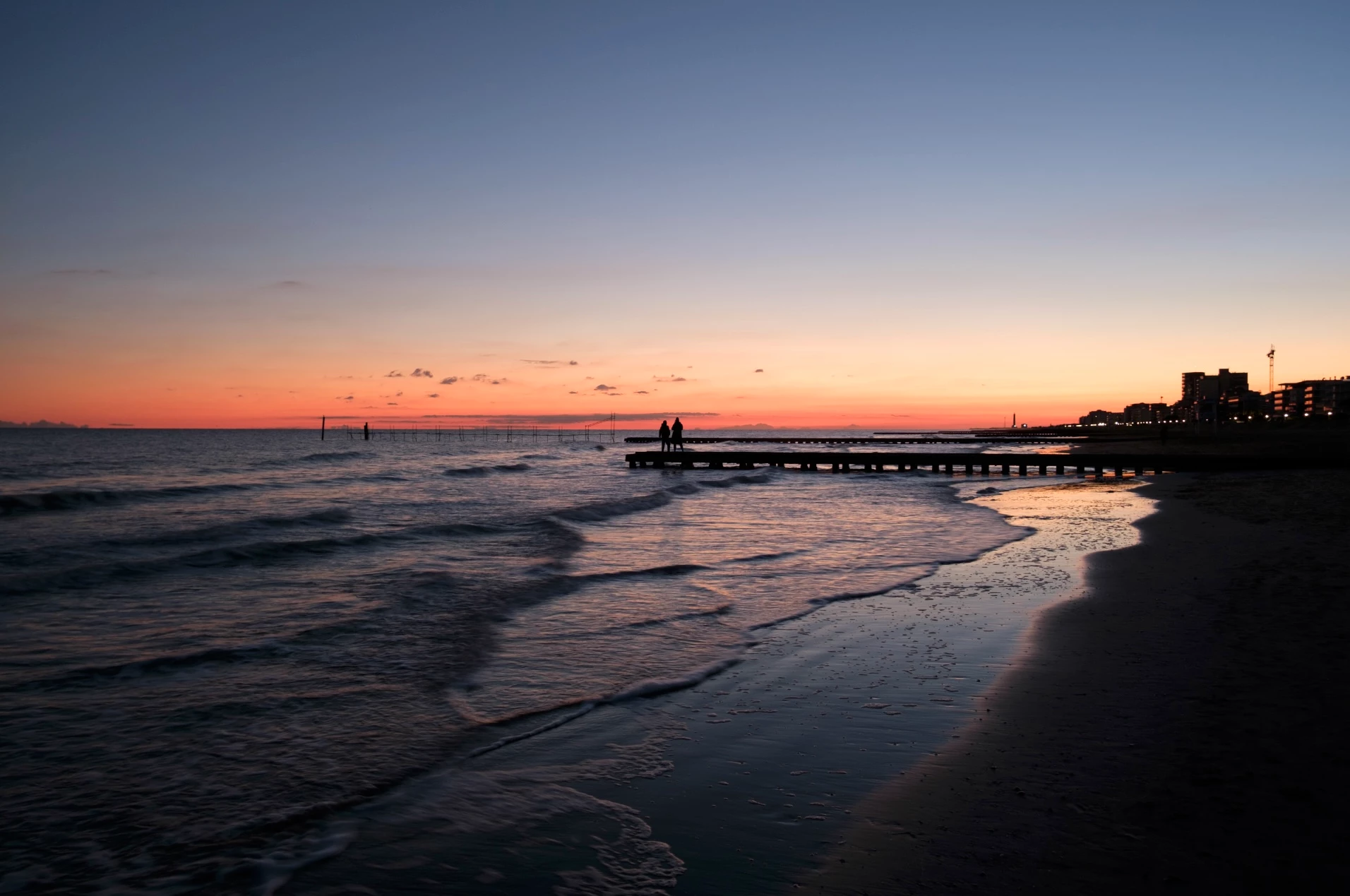
I shoot with Fujifilm and in some situation (like in this one) Fujiflm Profile doesn't render quite well.

Take a look at this picture shot with my xPro3, the sunset's colours are not rappresented correctly in any 'Film simulation'.


First the .tiff straight out my camera with FUJIFILM RAW STUDIO, CAMERA RAW 15 interpretation at second:
This topic has been closed for replies.

3 replies

TheDigitalDog
Inspiring
December 1, 2022

There's one other path you may want to take; editing the .dcp profiles to get 'closer' to your goals from what was supplied. 

There is a free, unsupported and for very modern OSs (certain on Mac) a bit buggy product from Adobe outlined here:

https://community.adobe.com/t5/lightroom-classic-discussions/finding-the-dng-profile-editor/m-p/12349876

I'm on the latest macOS; this old product did allow me to open one of my camera-matching profiles and do some edits, so it still works, but the GUI redraw is rather ugly. 

If you want to really get deep into the woods and are willing to purchase a far more robust editor (and build your own profiles, and edit them) see:

https://www.lumariver.com/lrpd-manual/#editlook


Author “Color Management for Photographers" & "Photoshop CC Color Management/pluralsight"
TheDigitalDog
Inspiring
November 30, 2022

One thing to keep in mind with OOC JPEGs is this is simply one rendering of the raw data that you may or may not prefer; it is proprietary, and in no way is this 'correct' or ideal. Just as setting up three film cameras to capture the same scene with Velvia, Ektachrome and Agafachrome will all differ. Rendering in all cases is subjective. 

The main reason to shoot raw is so you can render the image as you desire with utmost control and options. 

This long but really critically important white paper, originally on the Adobe site is a must read:
http://www.digitaldog.net/files/Langs_Render_to_Print.pdf

Author “Color Management for Photographers" & "Photoshop CC Color Management/pluralsight"
deejjjaaaa
Inspiring
November 30, 2022

if you want 100% exact rendering as OOC JPG (or camera manufacturer's own raw converter) - then use OOC JPG (or camera manufacturer's own raw converter) ... Adobe can't deliver 100% similar rendering in all cases... this is the case... if you can't tweak it w/ ACR/LR tools then learn to like it or move on to a different raw converter... 


TheDigitalDog
Inspiring
November 30, 2022
quote

if you want 100% exact rendering as OOC JPG (or camera manufacturer's own raw converter) - then use OOC JPG (or camera manufacturer's own raw converter) ... Adobe can't deliver 100% similar rendering in all cases...

If you can't tweak it w/ ACR/LR tools then learn to like it or move on to a different raw converter... 


By @deejjjaaaa

But you'll tell us what 3rd party raw converter will produce 100% “similar”rendering in all cases???

Author “Color Management for Photographers" & "Photoshop CC Color Management/pluralsight"
deejjjaaaa
Inspiring
November 30, 2022

I will not - it is a big secret, not to be shared ...