


Audio/Animation sync tool not allowing import of script
Hello,
I just purchased Presenter 9 after using 7 for years. Formerly, when syncing audio with animation, the sync dialogue box offered me the opportunity to import script from the ppt file; either just a single slide or all slides. With Presenter 9, I am not able to do so. I did see in a few YouTube tutorials that this is supposed to be possible; that there should be a small script import button on the right side of the small, black sync wizard. Instead of the import button, my sync wizard only has an "Import Audio" button. You can see this import audio button in the screen shot, attached.
But, I have already imported audio to the presentation. Without the script, it is very difficult to accurately sync a slide with many animations.
Is there a way to change the import audio button to the import script button? 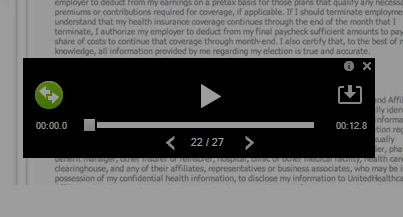
Thanks for any help!
 AdChoices