


Captivate 2019 (SCORM 2004 3rd Ed) has CSOD LMS Transcript showing In-Progress despite Completion
I created a compliance course with an 8-question quiz in Captivate 2019. When I upload the course on CSOD LMS, the Course shows In-progress under two scenarios.
1) Course completed successfully with 80% pass percentage, but CSOD Transcript shows course is still in progress
2) Course was not completed successfully, in the sense that user could not score 80%, decided to click the Review Quiz button, after which the Retake button disappeared, and clicking the Continue button didn't take the user to the last slide, which was the Thank You slide, and CSOD Transcript again shows course is still in progress.
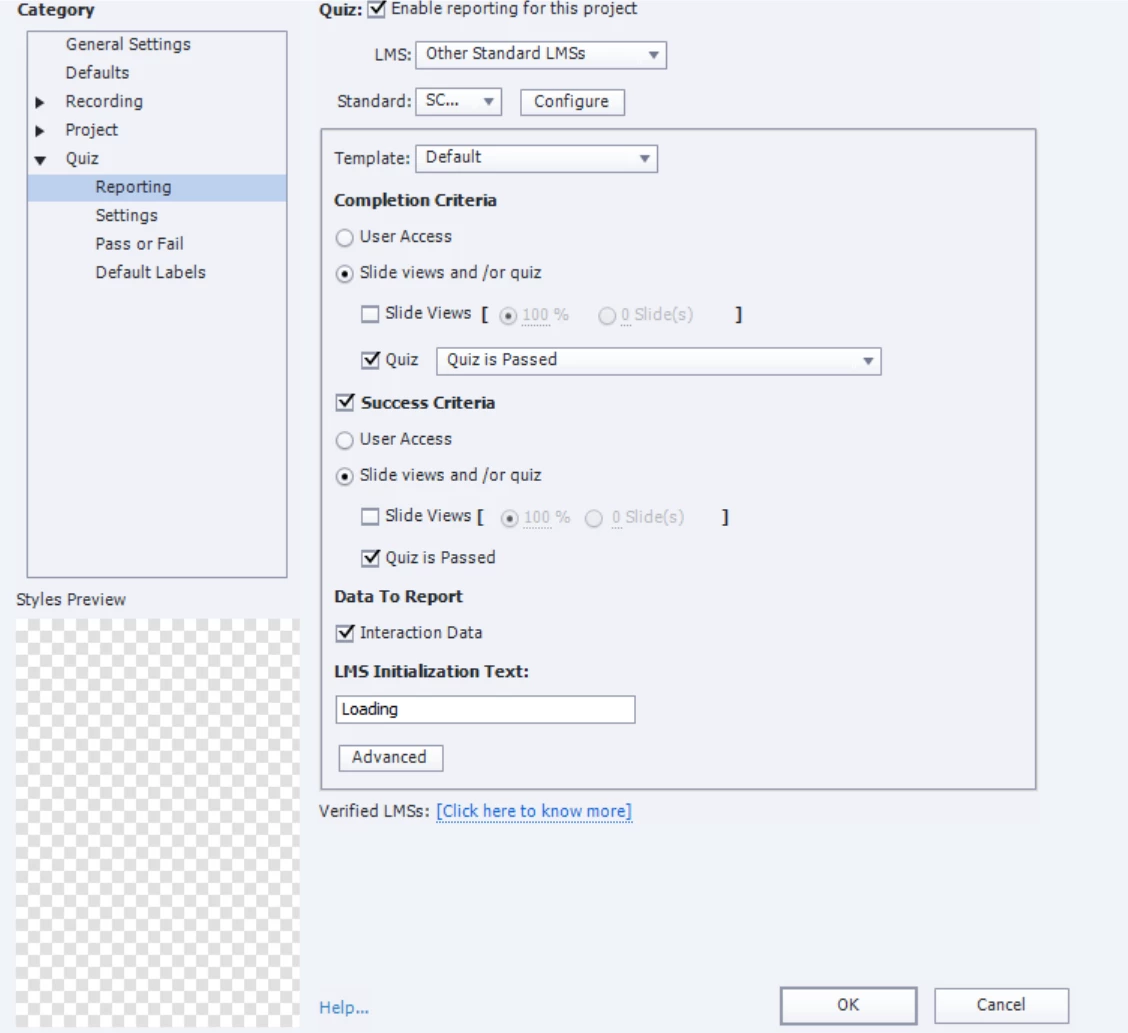
Here are some Quiz Settings screenshots for review from my Captivate 2019 file:
For the Standards fields in the below screenshot, I selected SCORM 2004, and selected 3rd Edition through the Configure button.
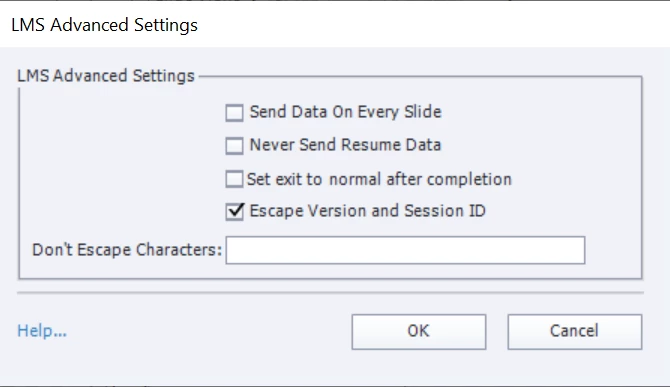
Below are the Advanced settings. In the below screenshot, would checking the first and third boxes from the top as well, make a difference?
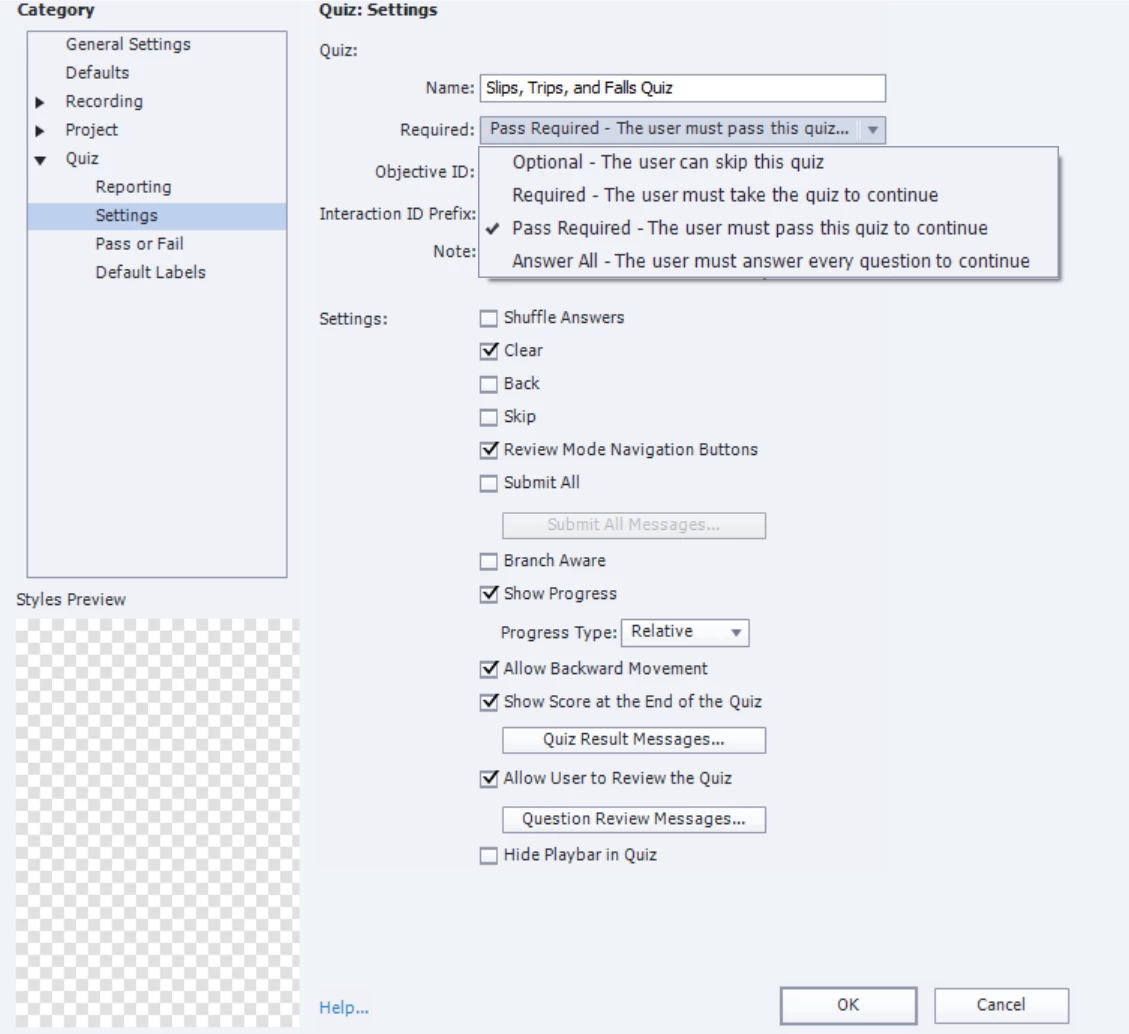
In the below screenshot, is selecting "Pass required - The user must pass the quiz to continue" preventing the user from continuing to the Thank you slide at the end, if the user clicked the Review Quiz button, after all their attempts at passing the quiz failed. Should I select "Required - The user must take the quiz to continue" instead, to enable the user to proceed to the Thank You slide, if the user clicks the Review Quiz button before passing any of their attempts?
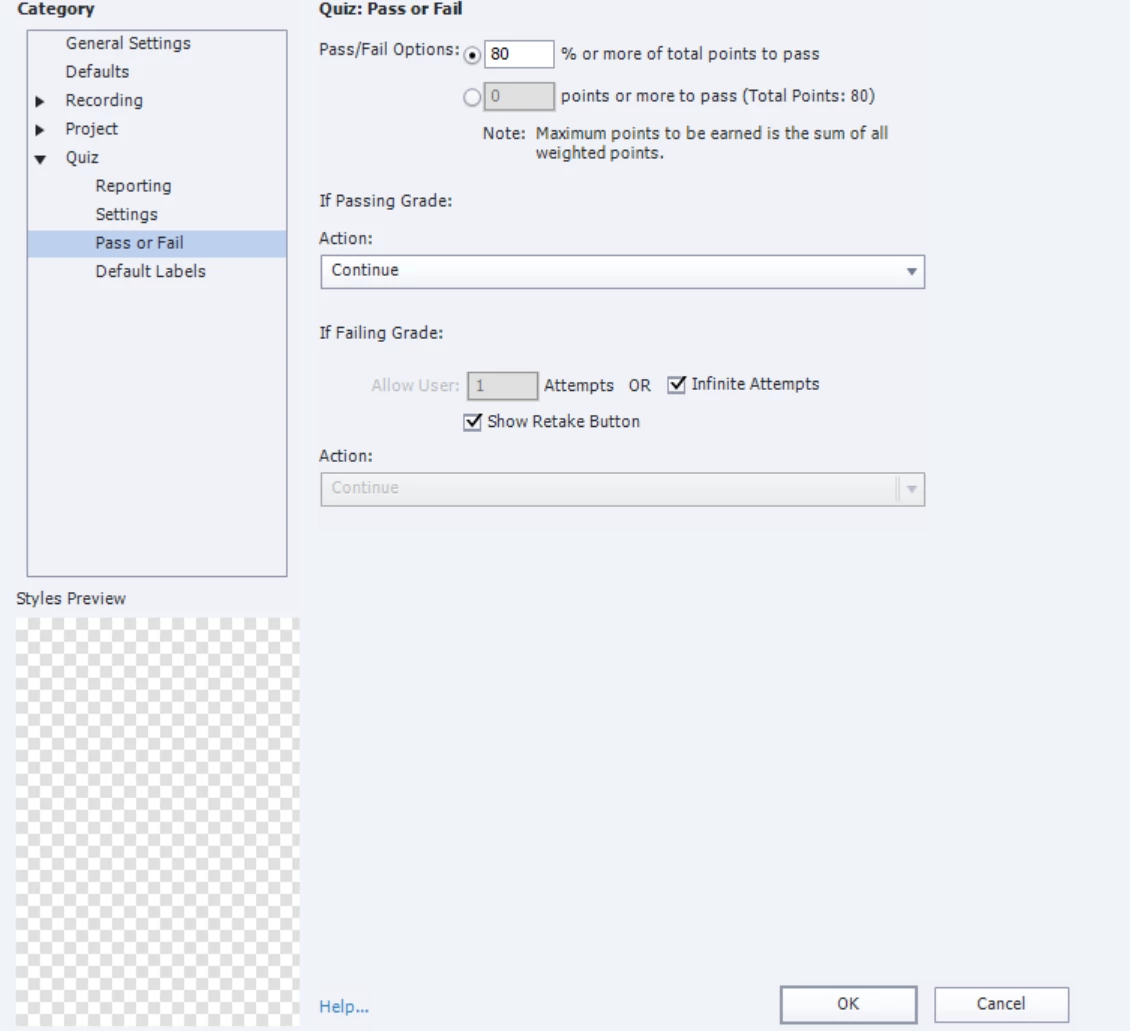
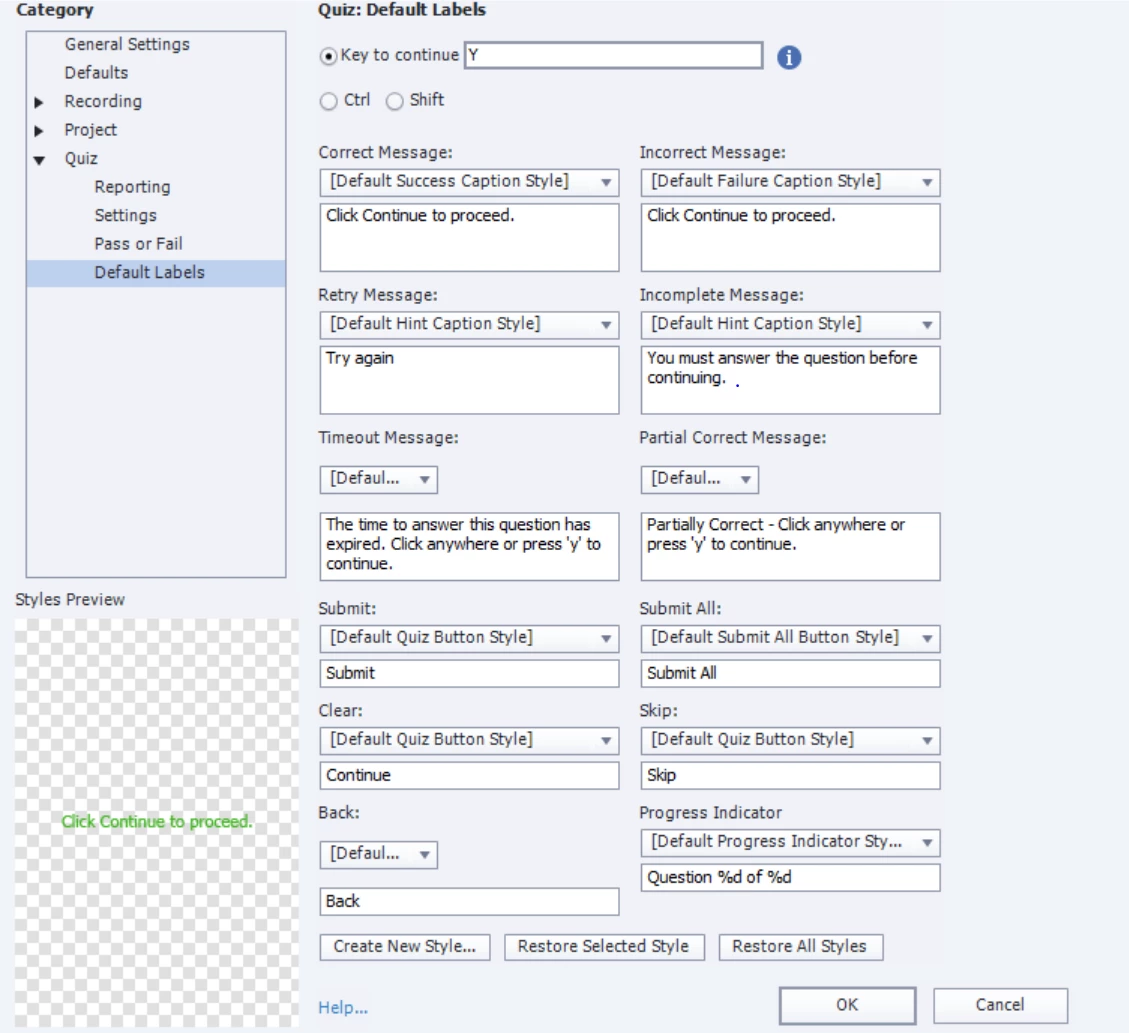
Regardless, these compliance courses must show up as complete and not in-progress, whether the quiz was completed and passed or the quiz was completed and failed.
Is there anything I can edit here in the Advanced Interactions panel to check if the scoring has been set up correctly?
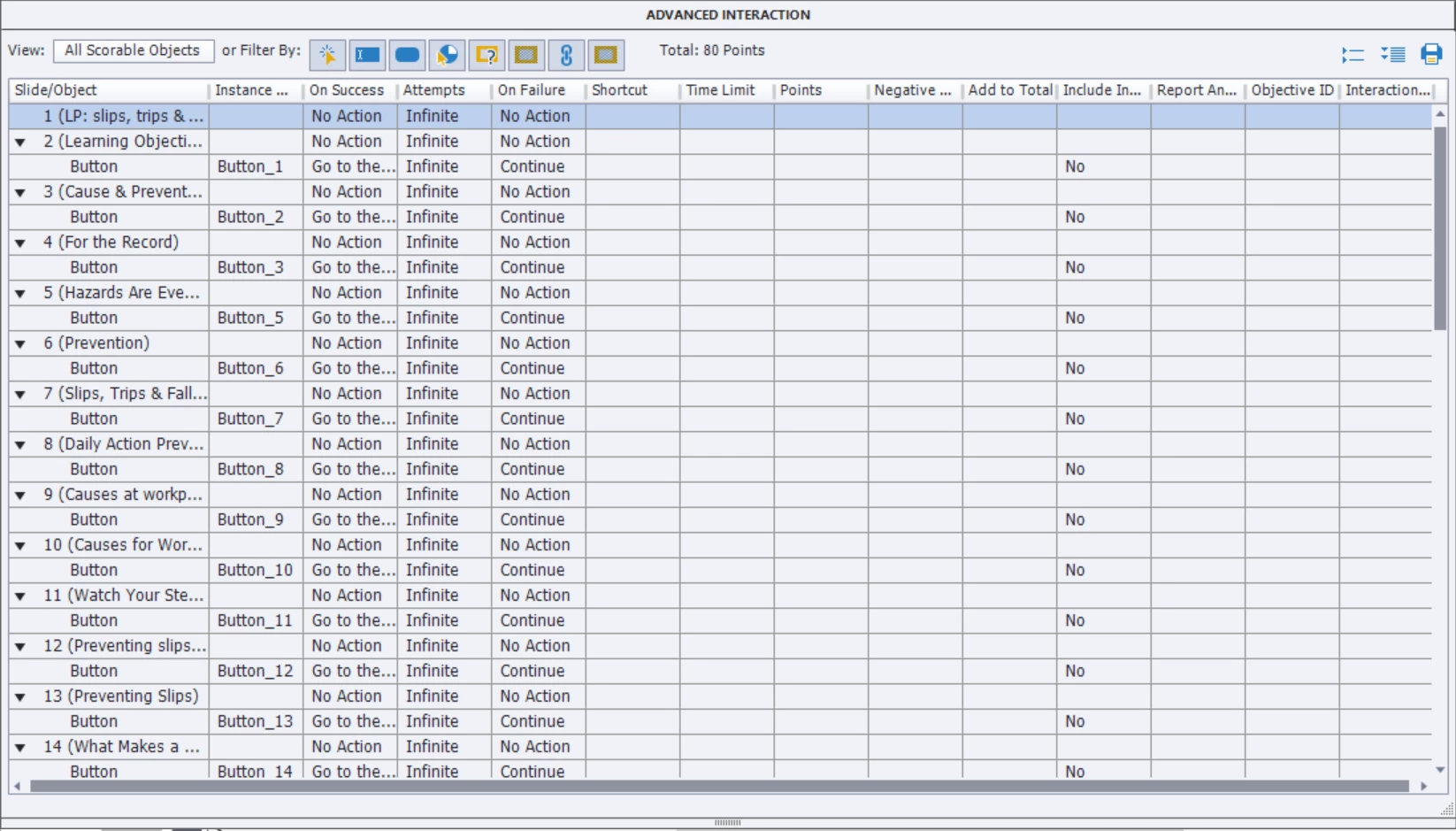
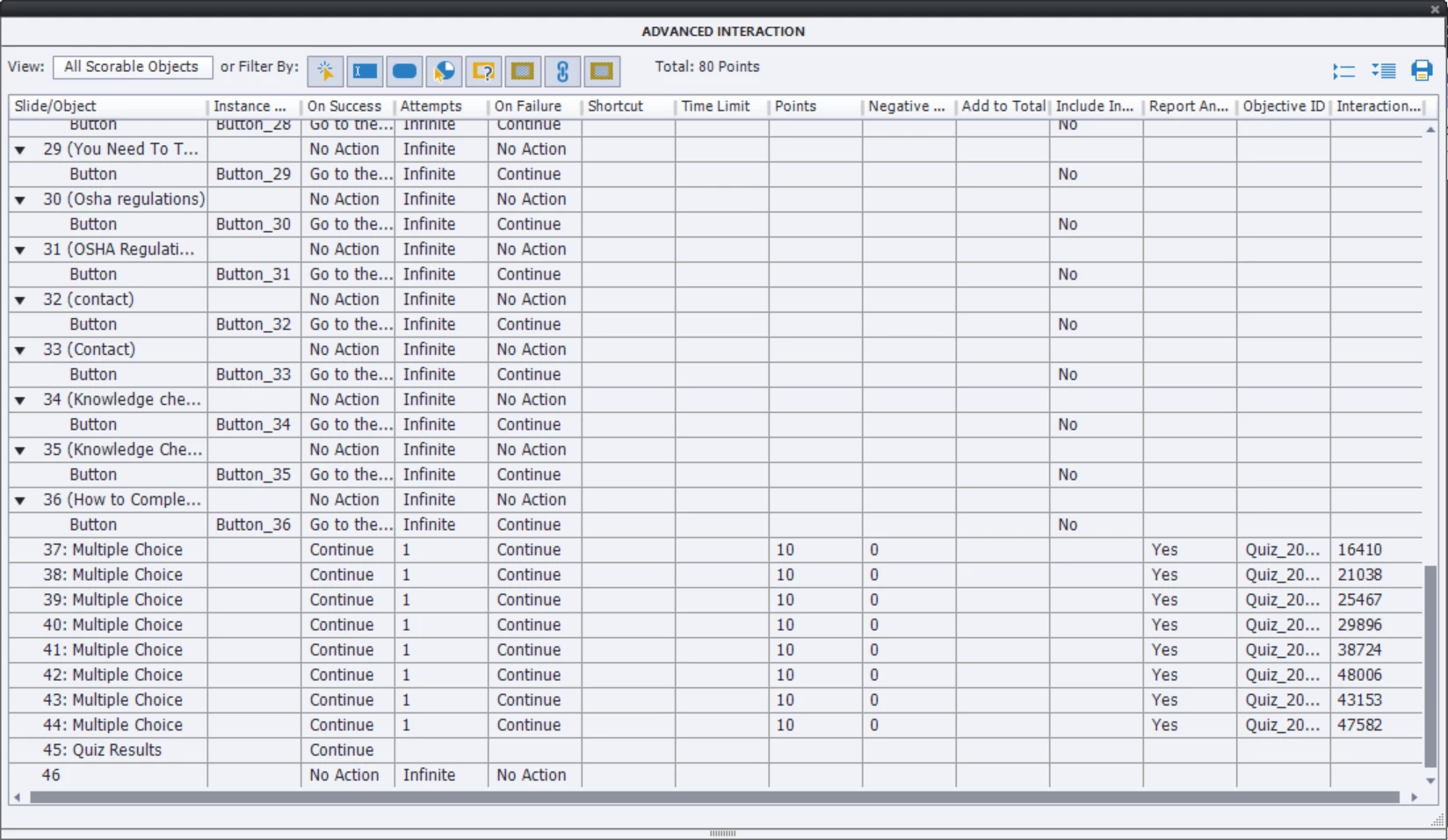
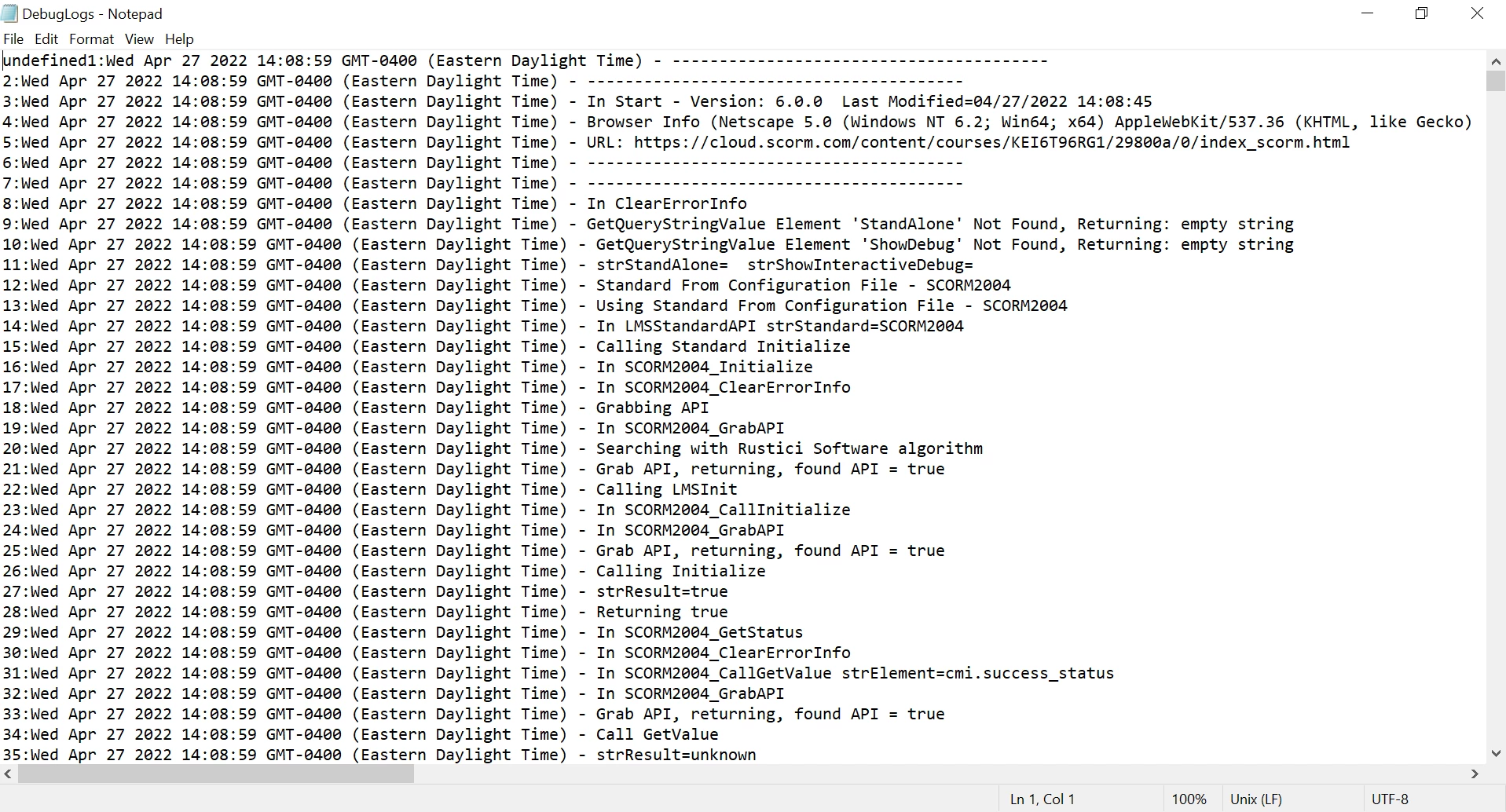
I clicked the Preview icon in the toolbar and clicked the Preview in SCORM Cloud option. Not sure how to debug the project in preview mode, but I basically went through all slides of the ptoject in Preview in SCORM Cloud mode, ensured I answered every quiz question correctly, saw that the quiz score was 100%, then downloaded the Communication Logs, screenshot below (but I have also attached, the entire Debug Logs file itself also for review, in case that helps with fixing the Captivate file, for communicating Course Completion to the CSOD LMS.
Upon closing the Communications Log, I also took a screenshot of the SCORM Cloud Test Results:
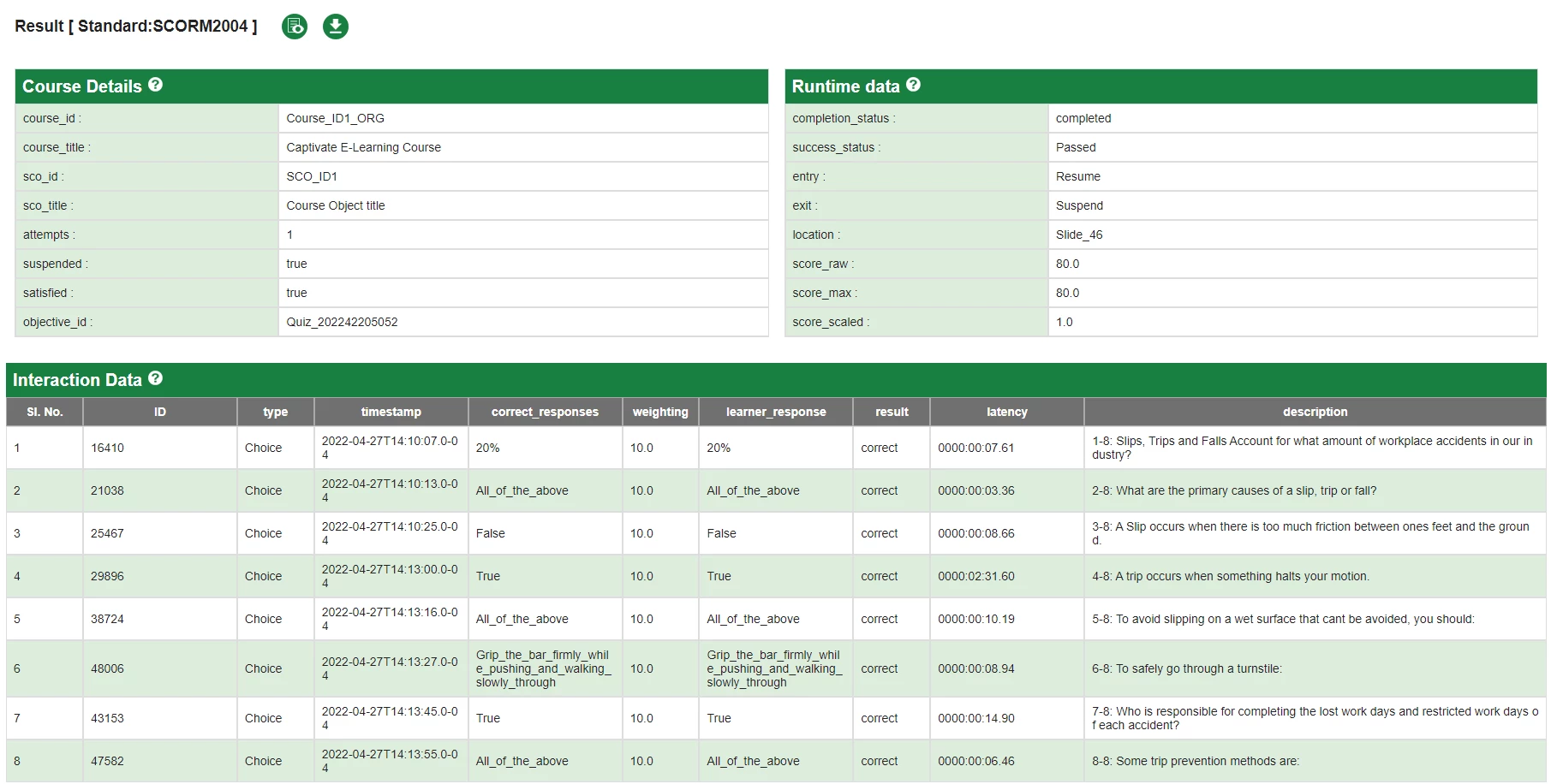
So looks like the course appears to be of "Completed" status and the Success Status is "Passed" at least on SCORM Cloud. Am I correct in coming to this conclusion?
Is there anything I can fix in the Captivate file to communicate this completion and passed status, possibly with date of completion, to the CSOD LMS?
Or is this a CSOD LMS settings issue?
Please advise.
Best Regards,
Arnica
 AdChoices