Dexter2012
Known Participant
January 20, 2023
Answered

How to enable the close button from the popup once the audio from the popup is completed

  • January 20, 2023
  • 1 reply
  • 3084 views

Hello Madam/Sir,

Good Morning/Good Evening,


There is a issue with my project, please find the explanation below:

Explanation:

1) There are 4 buttons on the main slide, and the 4 buttons have 4 pop ups with 4 close buttons on the same main slide.

2) These 4 popups have audio's inside them.

3) Once the audio's from the 1st popup is done playing then only the close button from the 1st popup should activated to close the popup. Till then it should be disabled. It is the same for the remaining 3 popups.

4) When all the popup audio's are finished playing next button should be enabled.


Is there a way to write a advanced action for this case?
    This topic has been closed for replies.
    Correct answer Lilybiri

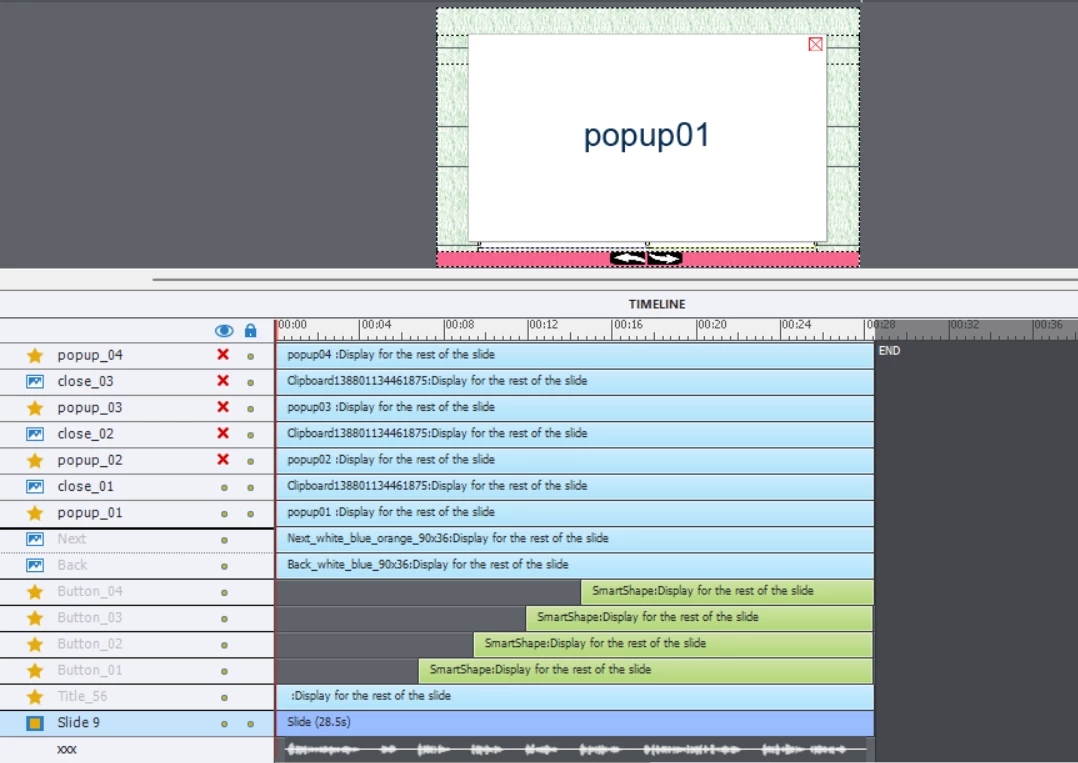
    This is the screenshot mam


    Lot of the objects are not even in a fluid box. Please switch to a non-responsive project.

    It looks like the popups are in the same location, so my recommendation to replace them by a multistate object and ONE close button is reinforced that that knowledge. You can have a multistate object with an empty Normal state (Opacity and Stroke set to 0), and the content text in a state. The action to open such a popup would be reduced at:

       Change state of.... to

       Play audio
       Delay next actions by ...    which is the duration of the audio clip
        Assign v_x with 1           (you'll need a user variable for each button)

       Show button             close button, will now always have same ID

    This can easily be converted to a shared action as well. To prevent the later appearance of the Close button 


    1 reply

    Lilybiri
    Legend
    January 20, 2023

    Sure that is possible but I would first like to know:

    • How do you create the popups: are they states in a multistate object or are they individual objects?
    • How do you open a popup?
    • Do you use the same close button for all the popups or do you have an instance of that button for each popup?
    • Is it possible for the learner to open the same popup multiple times? That is important for the action to be used showing the Next button when all popups have at least opened once and audio has played fully for them.
    • If a learner opens a popup for the second (or later) time, is it still compulsory to listen to the full audio clip?
    • What is in the popup besides the clos button: image, text....? 
    • If you use an instance of the button for each popup, did you group that button with the popup?
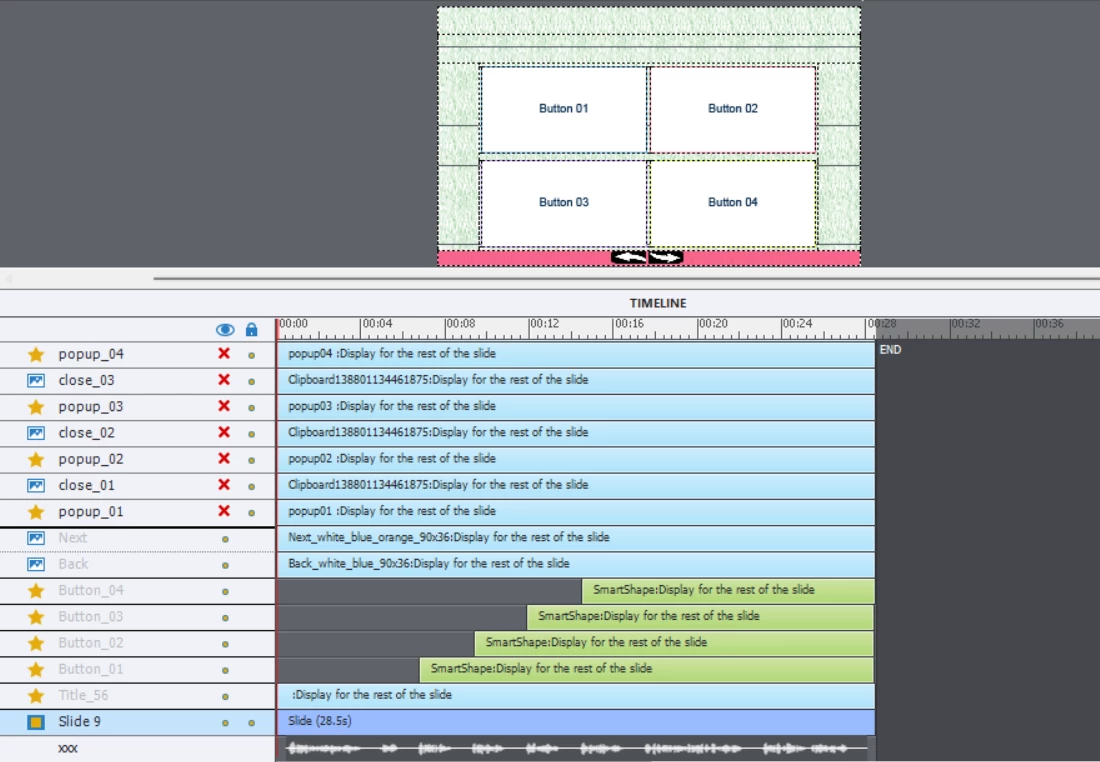
    • Can you post a screenshot of the Timeline?
    Dexter2012
    Known Participant
    January 23, 2023

    Please find the explanation below: 

    1) Mam, the popups are individual objects made from smartshapes.

    2) Popups are opened by clicking the individual buttons. Eg. When button 01 is clicked popup 01 will open. I guess this is wat you were asking.

    3) Each popups have different close buttons. Eg. Popup01 will have close 01 button, popup02 will have close 02 buttons. Popup03 for close 03, popup04 for close 04.

    5) Yes, it is possible for the learner to open the popup multiple times, but the next button should only be activated when all the popups are finished playing.

    6) Mam the learner should not listen to the audios of the popups when the learner revisits for the second time. And the close button should be activated for the second time for all the visited popups.

    7) Inside the popups there are texts with audio's.

    😎 Mam I dint group the popup and the close button as this is a responsive project. 

    9) Screenshot of the timeline


    Lilybiri
    Legend
    January 23, 2023

    Moreover you also have slide audio!  What needs to happen when slide audio is playing and the learner clicks a button which would start object audio? This is becoming a very complicated question, especially since you are probably on a Fluid Boxes (not a Breakpoint views) responsive project.

    You don't want to force the learner to repeat the forced view on a second visit, but what about the slide audio? Do they need to listen to that audio before seeing the Next button?


    I really fear to try to offer you help, because I also would need to see the full set up of the Fluid Boxes.  

    Here are some links that could explain my 'fear':

    https://blog.lilybiri.com/play-audio-once-on-first-visit

    https://blog.lilybiri.com/combining-slide-audio-and-play-audio

    https://blog.lilybiri.com/force-first-slide-view-micro-navigation