Known Participant
March 20, 2025
Question

Real automation to create questions into the pools

  • March 20, 2025
  • 1 reply
  • 275 views

Hi Folks,


Thank you in advance to help me to solve my limitations! So...


NEEDS

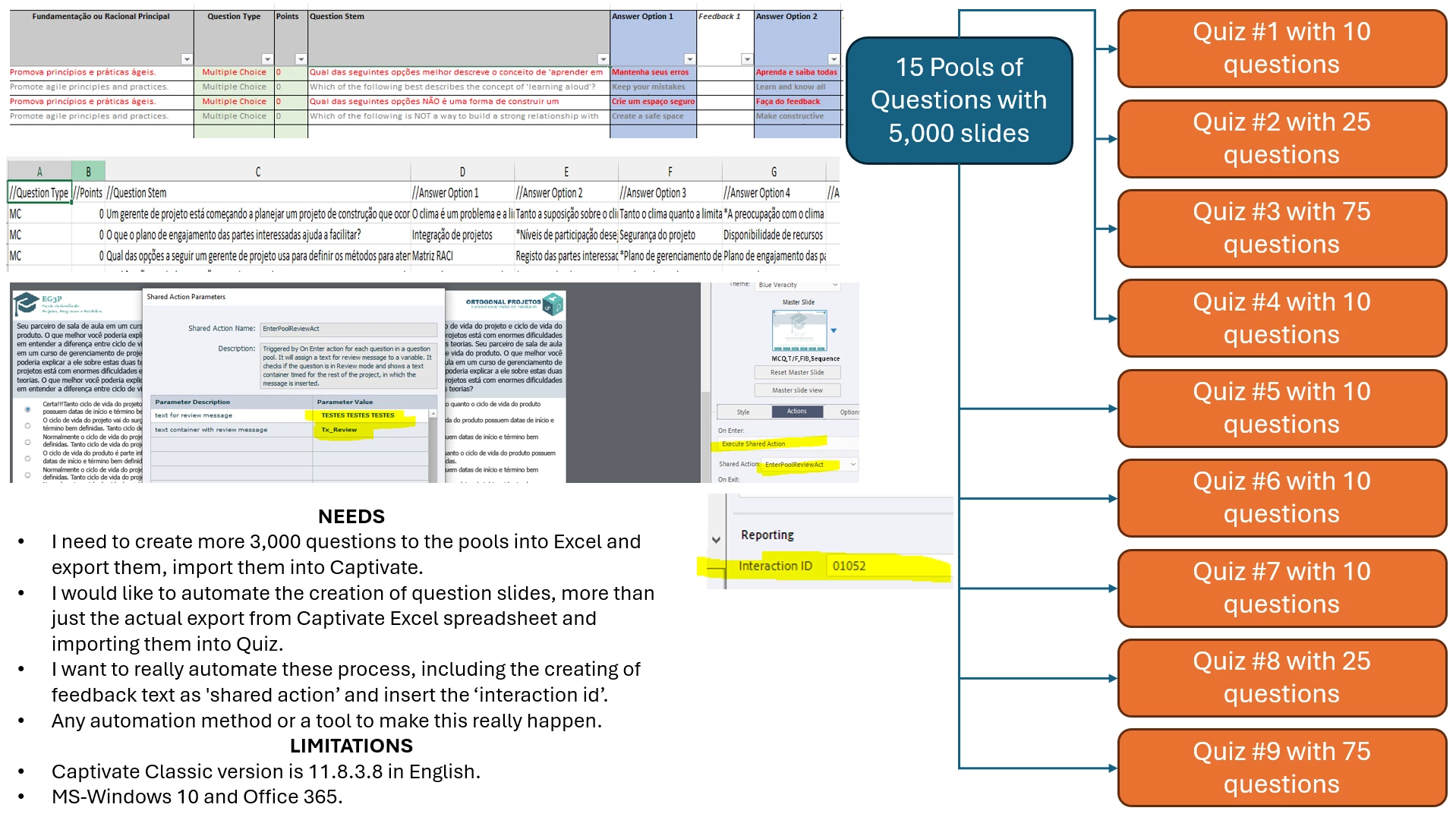
  • I need to create more 3,000 questions to the pools into Excel and export them, import them into Captivate.
  • I would like to automate the creation of question slides, more than just the actual export from Captivate Excel spreadsheet and importing them into Quiz.
  • I want to really automate these process, including the creating of feedback text as 'shared action’ and insert the ‘interaction id’.
  • Any automation method or a tool to make this really happen.

LIMITATIONS

  • Captivate Classic version is 11.8.3.8 in English.
  • MS-Windows 10 and Office 365.


    1 reply

    Participating Frequently
    March 21, 2025

    @Wladimir Dezembro5E9D ,


    What have you tried so far?


    I'm actually not sure how Adobe Captivate will be able to support that many questions. However, while 3,000 is a lot of questions, start small. I would start by understanding how to:


    1. Create/Import a CSV file (that also contains individual feedback text)
    2. Create Master Slides
    3. Create question pools


    Start by importing the sample file that is shipped with Adobe Captivate Classic (typically found here: C:\Program Files\Adobe\Adobe Captivate Classic x64\Gallery\Quiz\SampleQuestions.csv). See how it works, especially Question 1 with individual feedback based on how they respond. Look at the format of that CSV file; and in the same folder is an XLSM macro file that you can also review. It may help in the creation of your CSV or GIFT file. Use that file as your basis, but you may want to scale down the CSV for testing to just one or two question types.


    Then understand how to modify the Master Slides, so each question type has your unique look/feel


    Finally, understand how to create question pools; and pull questions from each of the pools to build your final quiz.


    What specific questions do you have?


    -Andrew

    Known Participant
    March 21, 2025

    Thanks Andrew for the response, let me give more details answering your questions.


    1. I'm using the Excel spreadsheet to generate the .CSV files. Done
    2. I'm importing the .CSV files to Captivate pools as well. Done
    3. I'm using master slides of the question. Done
    4. We have many pools with a lot of questions. However, we are going to create more.

    The process to manually generate the .CSV, manually import it into the pool, manually reapply the standard of master slide to adjust small things, manually input the feedback text for each question, and add the iteration ID manually to each question is so sloo and manually, even after create the best questions to challenge their students knowledge.


    So, my needs are:

    • I want to really automate these process, including the creating of feedback text as 'shared action’ and insert the ‘interaction id’;
    • Any automation method or a tool to make this really happen?


    Thanks in advance.

    Participating Frequently
    March 21, 2025

    I am not aware of any such automation tools.


    Have you seen this lilybiri's blogs, including this one: https://blog.lilybiri.com/custom-review-text-for-random-questions. It discusses Shared Actions, though I don't know if it meets your requirements. I am not sure how to use your own Interaction IDs during import. 


    -Andrew