
Noodles2456
Participant
July 19, 2021
Question

Internal error code: (1109000933:351+8)

  • July 19, 2021
  • 1 reply
  • 789 views

I'm trying to import a character into CA, and it keeps spitting up this error message
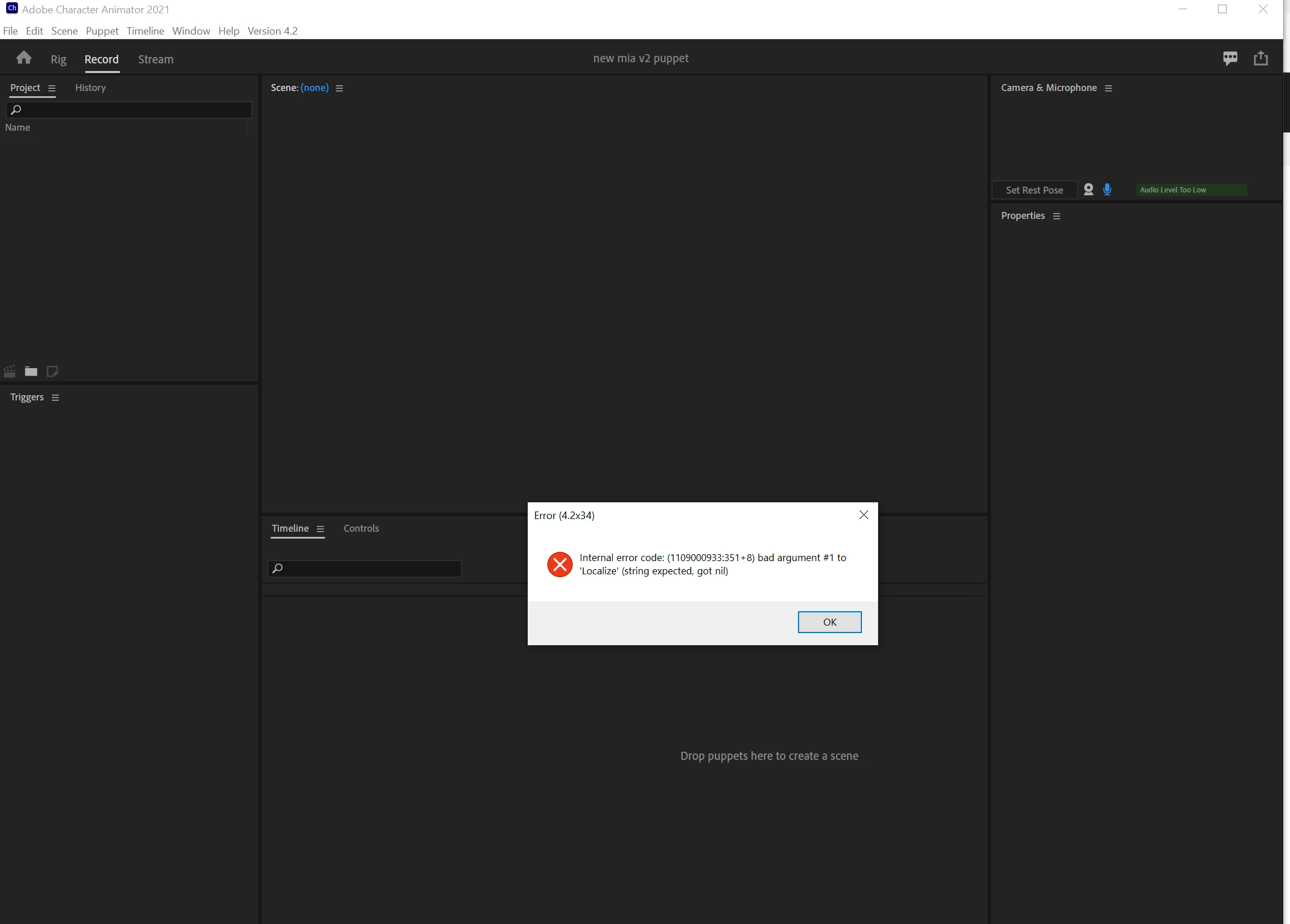
 I followed the suggestion in this post and put both the project file and the puppet on my local computer, but that hasn't fixed the issue.  Any idea what else it could be?

This topic has been closed for replies.

1 reply

Kat Kremser
Community Expert
Community Expert
July 19, 2021

I am also getting this error constantly, among several others.  I cannot start a new project, insert any of the sample puppets or even work with puppets I have saved to my local drive.  The program is unusable since the last update.  I have tried uninstalling and reinstalling with no luck.  I have also made sure to exclude the Character Animator folder from syncing with DropBox so I'm not sure what's causing the issues.

oksamurai
Legend
July 20, 2021

Yes, putting files on non-local drives can create a number of issues if things don't sync correctly. And moving them back to local, while a good step, probably won't fix the old existing sync error.


If all else fails, your best bet is to DM @DanTull for further help.

Kat Kremser
Community Expert
Community Expert
July 20, 2021

Thanks Dave, I'm still experimenting with what's actually causing the errors, I'll give that a try if I can't make any progress today!