
Inspiring
January 10, 2022
Question

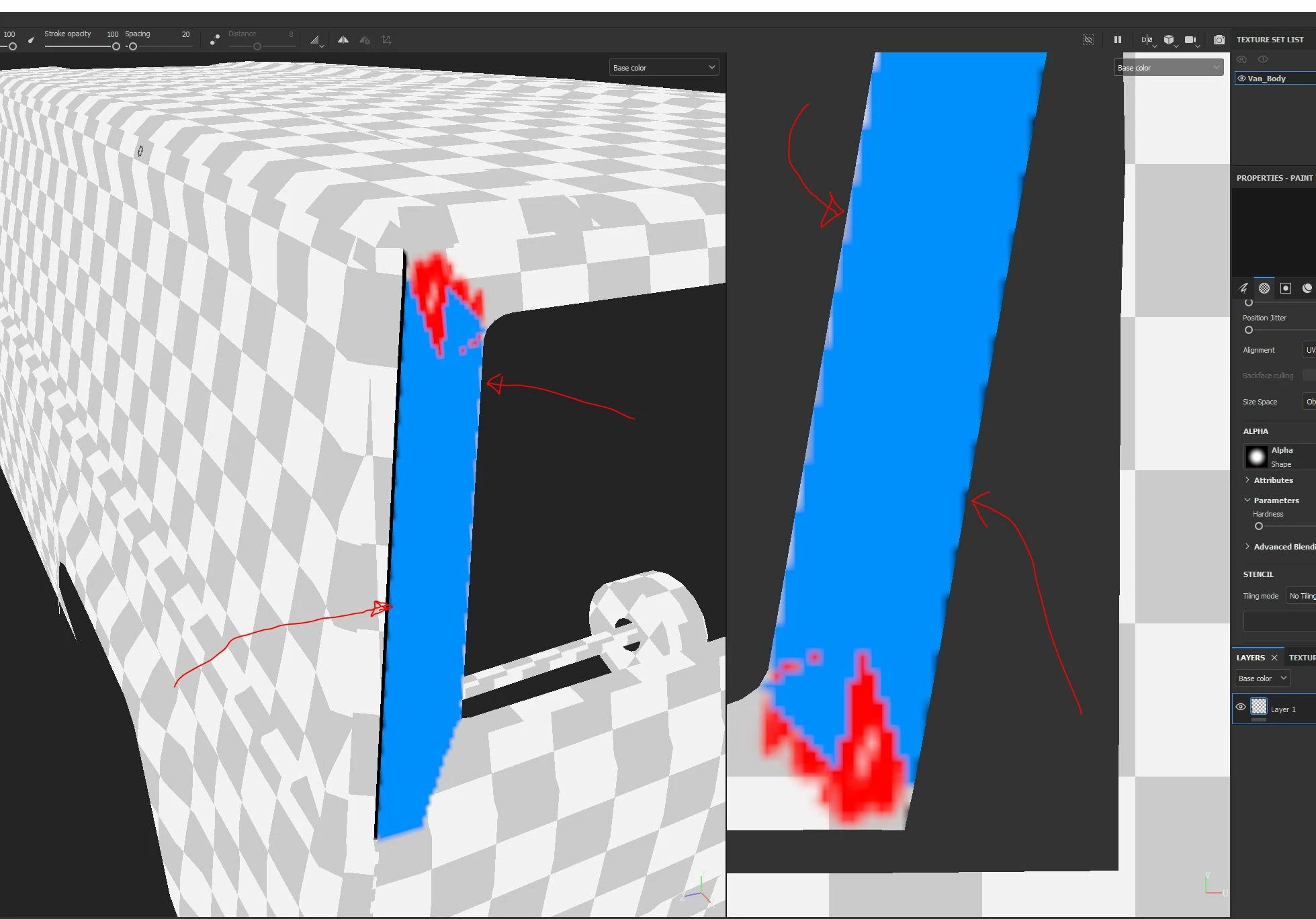
Edge Bleeding - can't resolve it
  • January 10, 2022
  • 1 reply
  • 637 views


Video: https://www.youtube.com/watch?v=1p1l-cAd0Nc


I am getting pretty nasty edge bleeding, and I can't resolve it.

I tried so far all all different Alignment methods.

  • UV
  • Camera
  • Tangent Wrap
  • Tangent Planar


and all different Siye Spaces:

  • Object
  • Viewport
  • Texture


None of it could resolve the bleeding.


What am I missing here?


Thanks for any little help, appreciate it!

This topic has been closed for replies.

1 reply

PixelFunAuthor
Inspiring
January 13, 2022

Anyone? I am getting the same jaggy edges and artifacts even on large faces.


GeoffroySC
Community Manager
Community Manager
January 13, 2022

Hi,

Those jagged edges are due to the resolution of the texture. What you are seeing are the individual pixels. 

To avoid/diminish this issue, you have several solutions :

- Use a higher resolution texture

- Separate your mesh into several texture sets

- Use the uv tile workflow

Maybe you are trying to do this for a game. In that case, you could look up the material mask workflow.

I hope this helps,

Kind Regards,

Geoffroy SC

PixelFunAuthor
Inspiring
January 13, 2022

Hi Geoffry,


thank you. All of above is already considered. 

But one point that is unclear you mentioned, is the UV tile workflow.

What specifically are you refering too?


Thank you, appreciate it!