



Shisa82
Known Participant
December 19, 2021
Question

Failed to decode bitmap

  • December 19, 2021
  • 4 replies
  • 13855 views

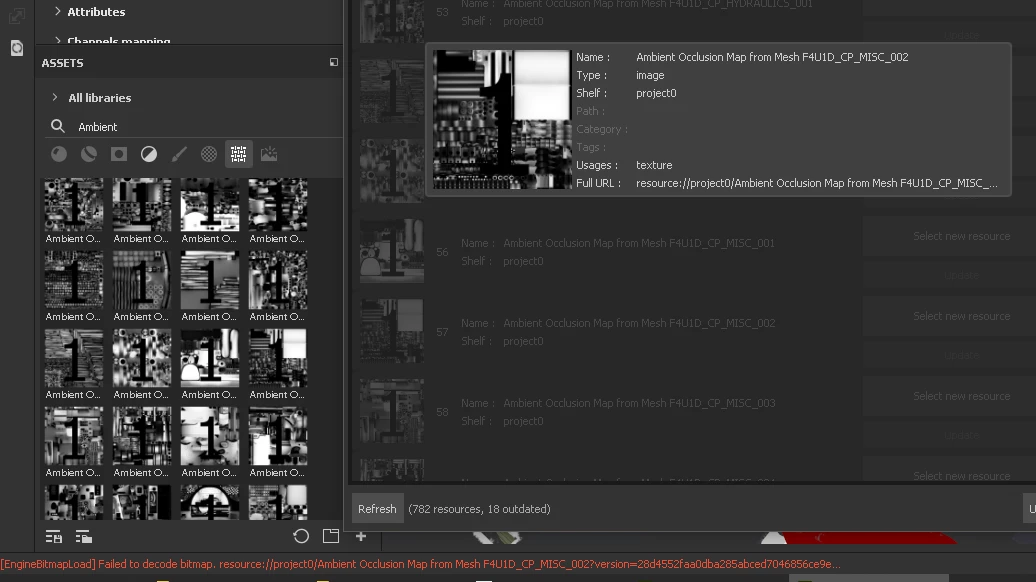
Since updating to Adobe's version of Substance Painter, I've been seeing the error message of "Fail to decode bitmap" followed by the name texture.  Mostly of which are my AO maps baked by Substance.


I've tried rebaking the AO mas and still receive the same errors.
My resources are up-to-date and I ran a cleaning session about a wek ago in hopes of fixing the issue.

Any thoughts?


4 replies

Participant
August 19, 2024

Was this ever solved? I see this even after re-baking mesh maps.

Participating Frequently
September 28, 2024

I have the same problem - rebaking sometimes fixes the issue but not always.  Mac Studio - MacOS 15.0 and MacOS 14.7, I will try teh renaming work around mentioned the above posts.

Participating Frequently
September 28, 2024

The renaming workaround works sometimes, but then the error reappears on a renamed file.  Visually the AO's look good, just the error bothers me.

Participant
December 20, 2021

Getting the same problem using Substance 3D Painter, version 7.4.1
Build 1418 - 7c8c2fc4fdff1f8e3d4000066a023321898b6277


Project was upgraded from 2020, to 2021, to 2022.


Assets in question are quite literally everything.  PNGs from Inkscape, GIMP; PNGs and JPGs from the internet; even freshly-baked meshes go corrupt immediately after being generated.


I am no longer recommending that my colleagues update to 2022.

GeoffroySC
Community Manager
Community Manager
December 22, 2021

Hi,

I'm currently looking into the issue. Could you share with us your color management settings? I'm not able to reproduce the problem on my side.

Kind Regards,

Geoffroy SC


Shisa82
Shisa82Author
Known Participant
December 23, 2021

Hi Geoffroy, I'm using the default color profile provided with the "pbr-metal-rough-with-alpha-blending" shader.


Liam Collod
Participant
December 19, 2021

Hello,


Same here, using version 7.4 on Windows.

This happened when importing this EXR texture: https://github.com/colour-science/colour-nuke/blob/master/colour_nuke/resources/images/ColorChecker2014/sRGB_ColorChecker2014.exr in the shelf.

Got the exact same error.


Cheers.

Liam.

Cedric Marchessoux
Community Manager
Community Manager
December 20, 2021

Hi

if you project is not UDIM - UV Tile workflow, then better to name your images resources with 001 ... in the prefix of the resource.
Check some resource might be corrupted.

Driver settings status detection failed.
Error in the installation of the profile in Painter from settings NVIDA. Update or reinstall your driver

Duplicate material name

Material name double in mesh import , so a piece will be ignored for the creation of texture sets.

Invalid File URL
Empty path and maybe a corrupted resource.

Liam Collod
Participant
December 20, 2021

Hello, thanks for the answer !


Here is a few more test I did:


test01

- Download the sRGB_ColorChecker2014.exr from the link in my previous message

- Create a copy named with the 2014: sRGB_ColorChecker.exr

- Open sample project "Jade Toad"

- Drag the 2 textures created before in the shelf, import them as texture, validate.

- Got this message:

[Project management] The project image "sRGB_ColorChecker" loaded from "G:/temp/sp_failed_decode_bitmap/sRGB_ColorChecker.exr" was replaced with the image at "G:/temp/sp_failed_decode_bitmap/sRGB_ColorChecker2014.exr" because they have the same name.

- In my shelf I only see one texture named "sRGB_ColorChecker", still got the decode bitmap error when I try to use it.


test02

- Download the sRGB_ColorChecker2014.exr from the link in my previous message

- Rename it without the "2014": sRGB_ColorChecker.exr

- Open sample project "Jade Toad"

- Drag the textures created before in the shelf, import it as texture, validate.

- Use it in fill layer: it works


So it indeed seems to come from numbers in filename, but why this kind of file worked before without issue and since the new updates it doesn't work anymore ?


Cheers.

Liam.

Shisa82
Shisa82Author
Known Participant
December 19, 2021