Participant
May 3, 2022
Answered

Ho to paint ONLY on one UV-shell without touching another
  • May 3, 2022
  • 3 replies
  • 20072 views

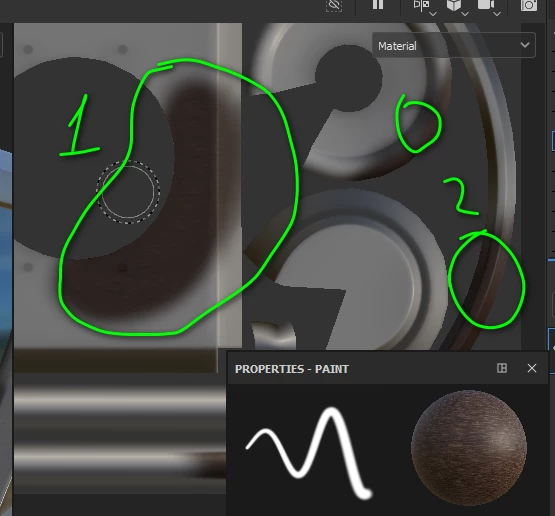
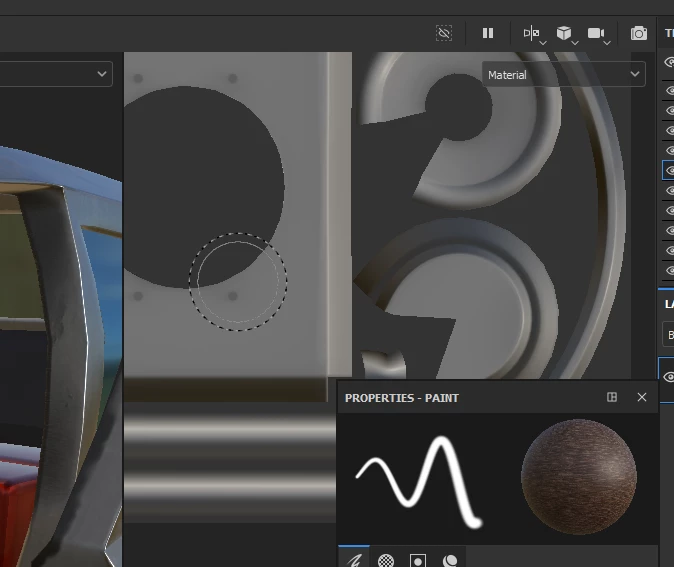
  Like you can see here, I did paint only once on one UV-shell, and it painted another as well. Their UVs not touching each other. I can assume it happens becaurce they're one model. But I thought that's why we use UVs, to make one tecture file with different materials inside

Correct answer christianh80011326

I bit too late, but I think this is the solution yu were looking for (at least I was):

To avoid the bleeding on other UV islands when painting in the 2D view simply change the Alignment setting in the tool parameters:

https://helpx.adobe.com/substance-3d-painter/technical-support/workflow-issues/tools-issues/paint-tool-bleeds-on-other-uv-islands.html

3 replies

christianh80011326
christianh80011326Correct answer
Participant
August 10, 2023

I bit too late, but I think this is the solution yu were looking for (at least I was):

To avoid the bleeding on other UV islands when painting in the 2D view simply change the Alignment setting in the tool parameters:

https://helpx.adobe.com/substance-3d-painter/technical-support/workflow-issues/tools-issues/paint-tool-bleeds-on-other-uv-islands.html

Inspiring
May 11, 2022

Use the power of the mask, my friend. polygon Fill is the key

Cedric Marchessoux
Community Manager
Community Manager
May 11, 2022

Hi if your UV shell (islands) are separated in the 2D viewport, then you can use the polygon tool to select them individually and apply a material.