

Participant
April 20, 2023
Answered

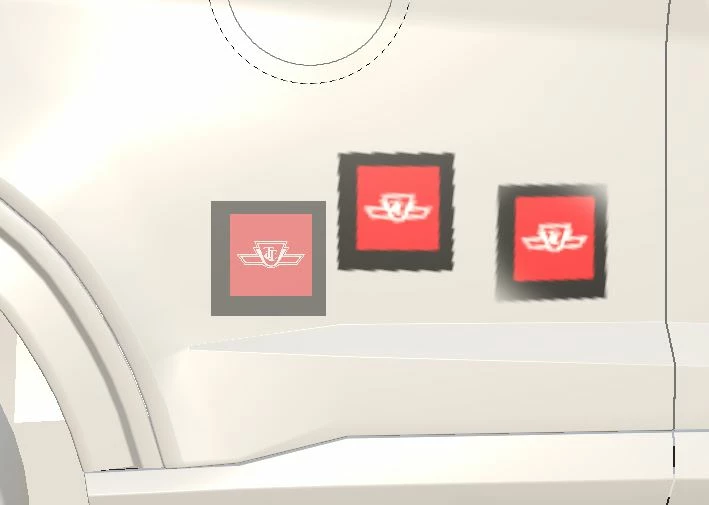
Projection for stickers is faded all the time

  • April 20, 2023
  • 1 reply
  • 462 views

Hi,


I got a sticker from photoshop with (4096*4096) and 72PI. But, I dont know why the projection is so faded on the surface of mesh.


Any help appreciate it.
 

This topic has been closed for replies.
Correct answer Cyril Dellenbach

Hello @AhmedKarim,


Thanks for the question.


This is due to the size of your Texture set. The sticker can be as big as you want, if you apply it on a few pixels, only these few pixels will represent the image. Therefore you'll need to increase the size of your texture set, or to use multiple UDIM.


Best regards,


1 reply

Cyril Dellenbach
Community Manager
Cyril DellenbachCommunity ManagerCorrect answer
Community Manager
April 20, 2023

Hello @AhmedKarim,


Thanks for the question.


This is due to the size of your Texture set. The sticker can be as big as you want, if you apply it on a few pixels, only these few pixels will represent the image. Therefore you'll need to increase the size of your texture set, or to use multiple UDIM.


Best regards,


Cyril Dellenbach (Micro) | QA Support Artist | Adobe
Participant
April 20, 2023

@Cyril Dellenbach Thanks for taking your time, Now, when I want to UDIMs, there are some errors about the faces, may I ask how should I resolve these errors? I am using blender for meshes and faces.


davescm
Community Expert
Community Expert
April 20, 2023

@AhmedKarim take a look at your unwrap in Blender and make sure that individual UV islands are restricted within each UDIM tile, are not overlapping,  and are not sitting across the 'join' between UDIM tiles.

Dave

