


Participant
November 6, 2024
Question

Weird normal map lines when antialiasing is enabled

  • November 6, 2024
  • 1 reply
  • 636 views

Hi,
I am trying to bake a simple cube with the high poly mesh being the same as the low poly mesh, but when I turn on antialiasing I get this weird lines in the normal map is this normal behaviour?
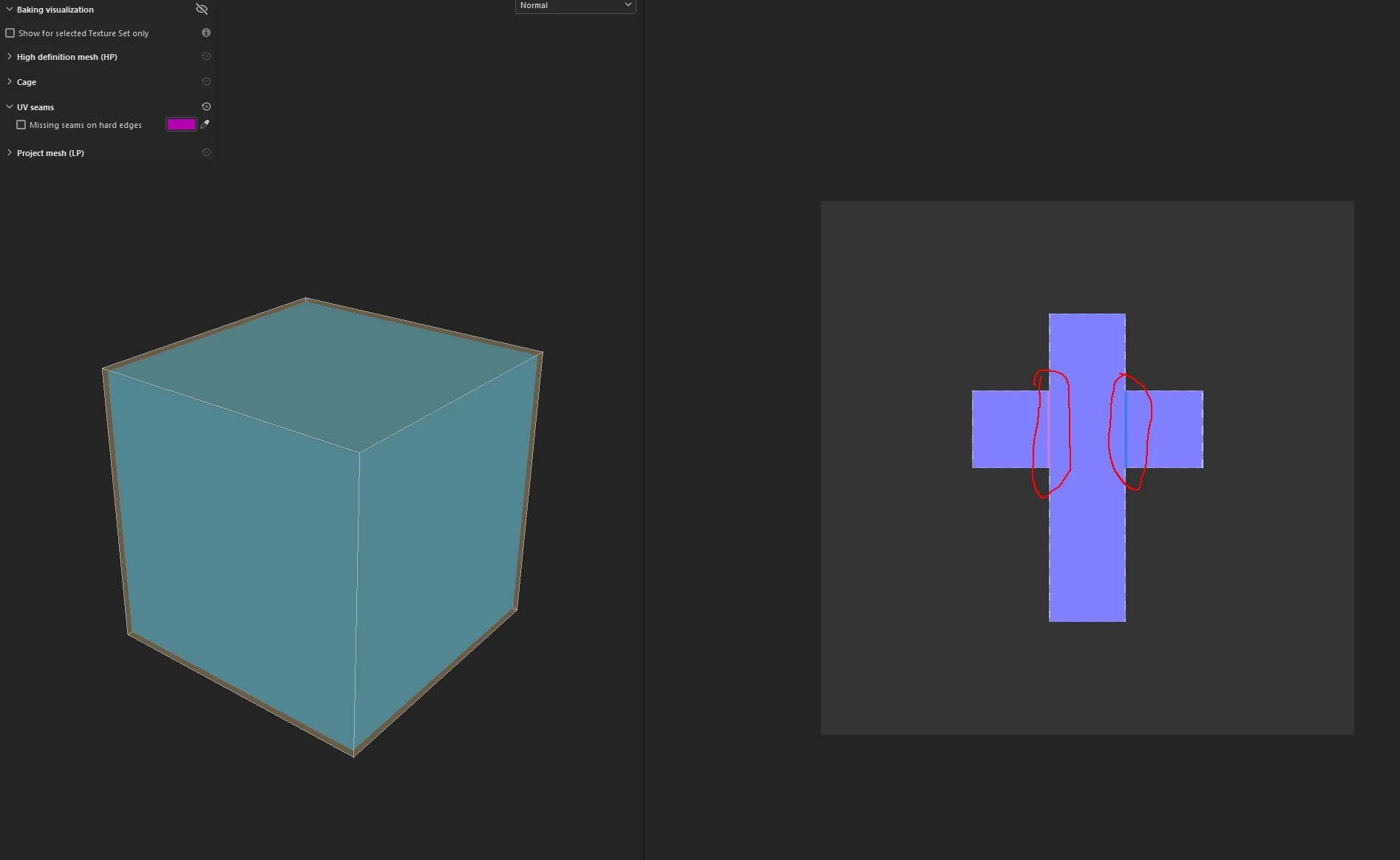
This topic has been closed for replies.

1 reply

davescm
Community Expert
Community Expert
November 7, 2024

I've just tried but I'm not seeing that here. Can you show the bake settings?

Dave

AdrianM.Author
Participant
November 7, 2024

Thank you for your response.


After extensive troubleshooting, I was able to partially resolve the issue by aligning (pixel-snapping) the UVs in Blender.

The issue appears when UVs are not aligned precisely to the pixel grid and anti-aliasing is enabled, especially at lower resolutions.


To replicate the issue:

1. In Blender, move and scale the UVs for the default cube, then export the cube.
2. Open Substance Painter and import the cube. Under baking settings Select "Use Low Poly mesh as High Poly Mesh" or import the same mesh as High Poly.
3. Set anti-aliasing to 4x or higher.
4. Bake only the normal map.

Depending on the alignment of your UVs, you may or may not see the issue. If nothing appears, try adjusting the position and scale of the UVs again.


I'm not sure if this is expected behavior or a bug, but hopefully, my solution will be helpful to others facing a similar issue.