


Participant
October 15, 2024
Answered

Creative Cloud UI Glitching Red and yellow

  • October 15, 2024
  • 13 replies
  • 2218 views

Hi first time posting,  I wasn't sure where to direct this problem or what community discussion to put into.

A week ago this started happening to my Creative Cloud Software.
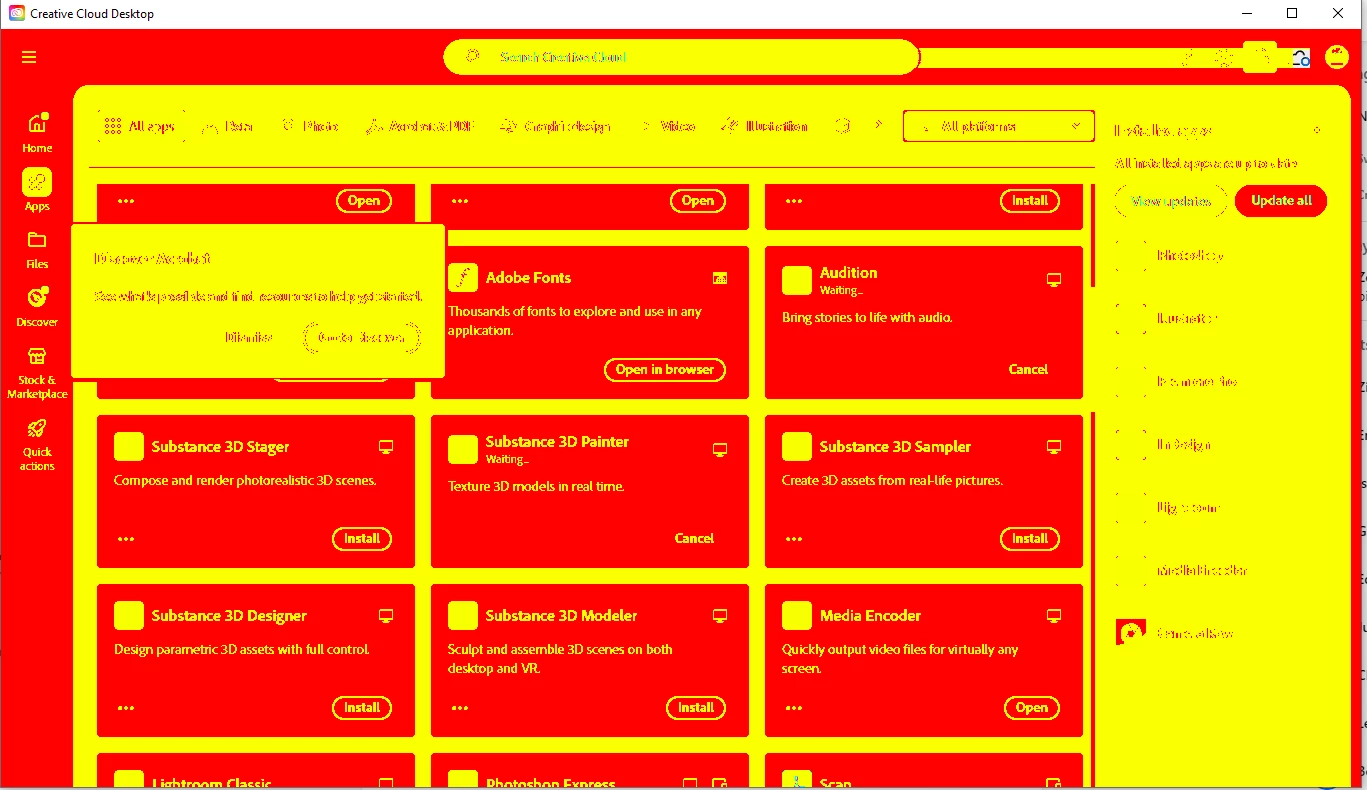
This problem is mostly present in CC and Premiere.

  • Premiere
    • The timeline is glitching and won't play forward despite the video preview working. But can be previewed normally once the timeline in the Preview window is manipulated. 
Though, other software like Photoshop, Illustrator, and Acrobat are okay.

Resolutions done:

  • Repair CC.
  • Fresh Reinstalls for all Adobe Software.
  • PC Load tested
  • Change Interface Colors.


By any chance has anyone experienced this? 

Thanks in advance, and apologies again if this isn't the right forum to post into

Correct answer Adorable786

Same thing I was facing too. After doing several steps, nothing was working for me. In the end, I just switched the Nvidia Driver from Game Ready Driver to Studio Driver. And that's instantly worked for me. 

13 replies

kglad
Community Expert
Community Expert
August 18, 2025

@Adorable786 thanks.

Adorable786Correct answer
Participant
August 18, 2025

Same thing I was facing too. After doing several steps, nothing was working for me. In the end, I just switched the Nvidia Driver from Game Ready Driver to Studio Driver. And that's instantly worked for me. 

kglad
Community Expert
Community Expert
June 24, 2025

thanks for confirmation.

Participant
June 24, 2025

Efectivamente, el problema es el "RTX Dynamic Vibrance" de Nvidia.

Participating Frequently
June 20, 2025

I did an clean install for the same issue - After a clean install of the driver, the issue was fixed as all customizations were reset. After re-enabling features one by one, the issue seems to be caused by Nvidia's "RTX Dynamic Vibrance" Setting

Participating Frequently
June 20, 2025

I'm having the same issue and just found your post - Do you happen to have HDR enabled on your display by any chance - Trying to isolate the problem variable 🙂 

kglad
Community Expert
Community Expert
April 6, 2025

reset the cc desktop app by making sure it's in the foreground, then press:

Win: Ctrl + Alt + R
Mac: Cmd + Opt + R


if that fails, repair per https://helpx.adobe.com/download-install/kb/creative-cloud-install-stuck.html


if that fails and you have windows, open your control panel > add/remove programs > cc desktop app > repair

if that fails, uninstall using the correct uninstaller from https://helpx.adobe.com/creative-cloud/help/uninstall-creative-cloud-desktop-app.html#sa_src=web-messaging and then reinstall using*


if that fails, do a clean cc install carefully following each applicable step:

uninstall every cc app including preferences per https://helpx.adobe.com/creative-cloud/help/uninstall-remove-app.html

then uninstall the cc desktop app, again using the correct uninstaller per https://helpx.adobe.com/creative-cloud/help/uninstall-creative-cloud-desktop-app.html#sa_src=web-messaging

clean your computer of cc files per http://www.adobe.com/support/contact/cscleanertool.html

check for, and if available, update your os

if windows is your os, repair all ms visual c++ versions that can be repaired (use google if you don't know how to do this)

if windows is your os update your ms visual c++, if it can be updated (use google if you don't know how to do this)

restart your computer (don't skip this)

reinstall the cc desktop app using the "alternative download links" at the bottom of the page at https://helpx.adobe.com/download-install/kb/creative-cloud-desktop-app-download.html

use the desktop app to install your cc programs/trials>

if that fails, you probably have a corrupt user account. google your os and how to create a new one.

Participant
April 6, 2025

i have this issue too! my grapich card also updated to last version

kglad
Community Expert
Community Expert
October 20, 2024

thanks for the follow-up.

Participant
October 20, 2024

AMD Driver issue, gone after update