
When I open a (psd) in Photoshop from Adobe Bridge the colors are over saturated.
This just happened with the last Photoshop Update on August 29, 2026. In addition, I’ve been using Photoshop for over 10 years, and this has never happened before.
(I just updated NVIDIA several weeks ago, and everything was fine at that point. I do need to recalibrate my monitor; but again, everything was fine until the PS Update on August 29, 2026.)
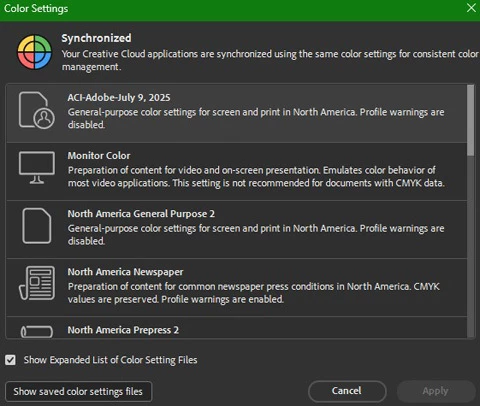
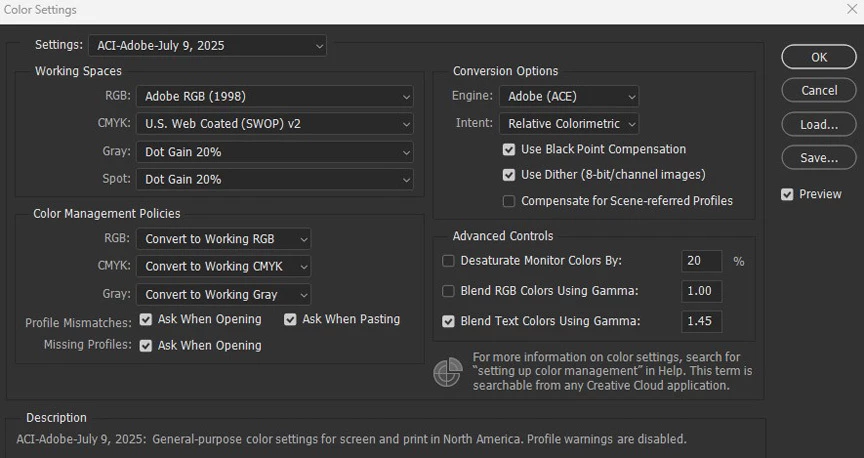
My color settings in Photoshop are set up for ACI (America Color Imaging), and I checked Adobe Bridge to make sure they are the same and they are the same. Is there some “AI” setting I need to turn off in Photoshop, or has Adobe changed something I am not aware of? I also have “Pro Editor” selected; not, “AI Assisted” in Photoshop.
Please note: These are screen shots, and I realize the photo of the man in Photoshop looks better than the one in Bridge, but that is not the case when viewing them in PS & Bridge!
Thank you,
Julius





 AdChoices