

Cannot turn file sync on
I raised this in a previous thread but no reply from Adobe.
My issue is I cannot get file sync to turn on. Fonts sync perfectly fine.
I initially get this screen when I go the Assets > Files
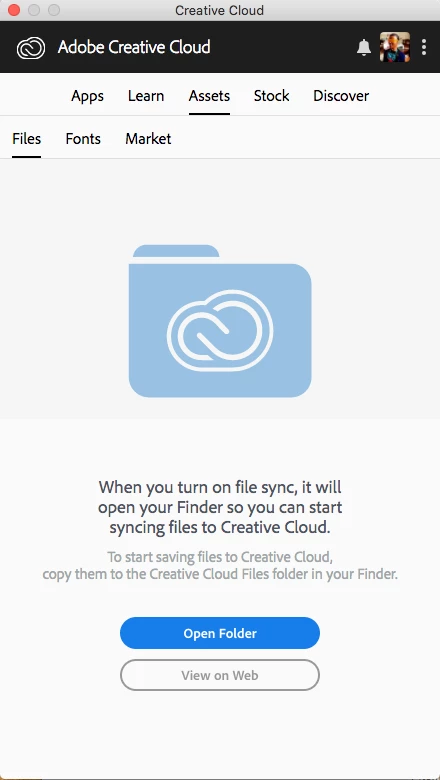
If I go to the Preferences > Files the Creative Cloud Sync is already checked.
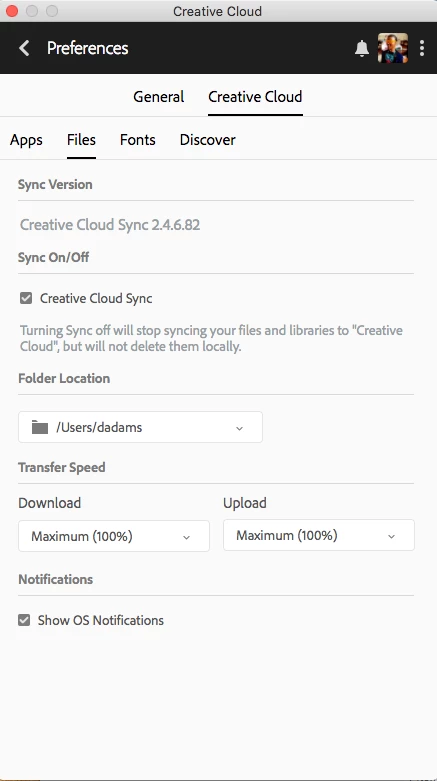
If I un-check it and go back to Assets > Files I get the next screen.
If I click on the Start Syncing button it just goes back/switches back to the initial screen. In the preferences the check box is checked but no file syncing.

I have tried most of the methods mentioned:
1. Complete uninstall and re-install of Adobe products
2. Disable other cloud based storage like Dropbox and Google Drive3. Logged into assets.adobe.com
4. Installed CC on another Admin user (after another complete Adobe product uninstall)
5. Unchecked "Use passive FTP mode " in my Network settings.
None of these work! I can send log files if needed but I would really like this problem solved.
As you can see from the interface I'm using a Mac
Using High Sierra - 27-inch iMac 2.93Ghz i7 - 16GB Ram
Creative Cloud Sync 2.4.6.82
Creative Cloud 4.4.1.298
 , lets get clarification on what the file limit actually is for. It could mean a folder limit. I doubt it would be the entire CC storage capacity (fingers crossed). We have a 100GB storage with our CC subscription and share a lot of files. 25,000 for the whole of CC would effectively make that useless...

 AdChoices