Participant
Nov 11, 2026 9:40 AM UTC
Answered

CC Libraries no showing graphic preview - MacOS

I’m working in Adobe products such as InDesign, Photoshop and Illustrator using CC Libraries frequently but throughout at 8hr day I’m experiencing an issue where the preview of the graphics disappears and just shows the CC logo.


If I double click on them or drag them into the project they do open everything correctly but you just can’t see what you are selecting as there is no preview.


I have already tried many troubleshooting steps but to no avail:

  1. Quick restarts to Creative Cloud and Adobe apps - works but tedious when having to do it 5+ times a day.
  2. Reinstalled the component and cleared thumbnail caches 
  3. Force quit and restarted processes relevant to CC Libraries and assets
  4. Updated Creative Cloud
  5. Renamed the libraries folder in attempt to have a fresh created

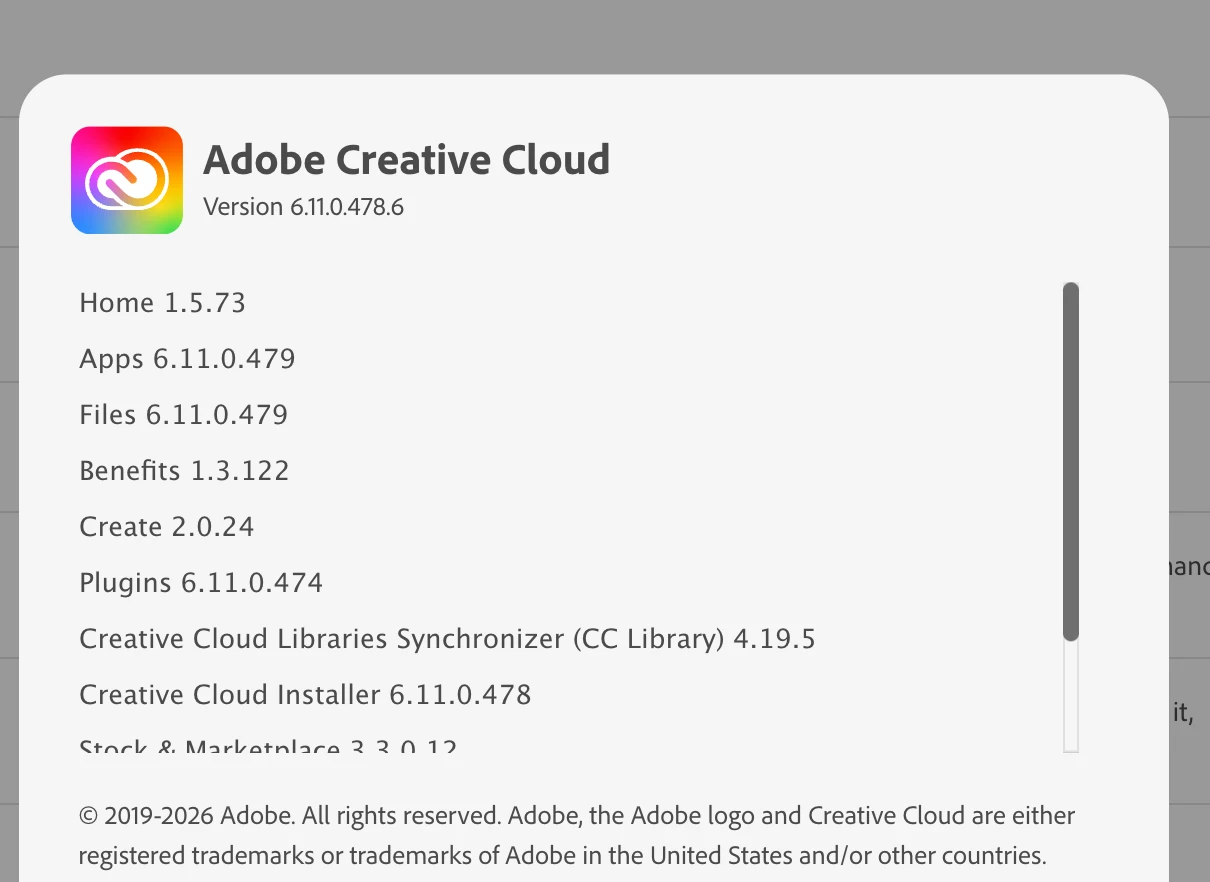
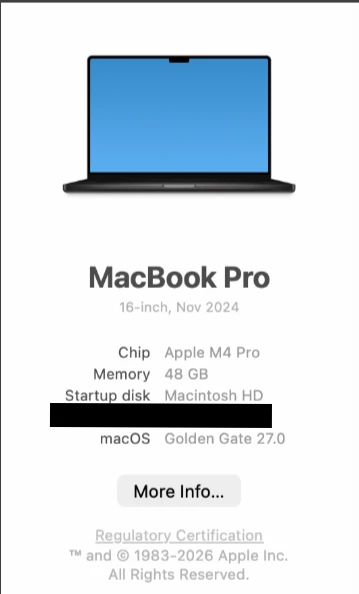
Here are the versions I am running for Adobe and MacOS
 

    Jeff_A_Wright
    Jeff_A_WrightCorrect answer
    Community Manager
    Nov 11, 2026 3:38 PM UTC

    @angular_think5d77 I appreciate your continued concern for your friend.


    The entire behavior described in this discussion is likely due to a misconfiguration in the organization's implementation of access to our services.

    We do have a Community for Enterprise and Teams subscriptions. Your friend is welcome to post their question at https://community.adobe.com/enterprise-teams-622. The Adobe Employees in that community can also help connect people with their Creative Cloud plan administrator if they are unsure whom to contact for help.

    7 replies

    kglad
    Community Expert
    Community Expert
    Nov 11, 2026 1:50 PM UTC

    reset the cc app when the issue occurs to see if that resolves the issue.


    To reset the Creative Cloud desktop app, make sure it's in the foreground, then press: Win: Ctrl + Alt + R Mac: Cmd + Opt + R


    Translate
    Participant
    Nov 11, 2026 2:37 PM UTC

    Thanks for your response. As mentioned above it does fix it every time but when it is happening 5+ or more in an 8hr working day it becomes tedious. I was hoping for a more permenant solution. 

    Translate
    Jeff_A_Wright
    Community Manager
    Community Manager
    Nov 11, 2026 2:51 PM UTC

    Thank you for the update ​@angular_think5d77, and thank you to ​@kglad  for jumping in with the reset steps.


    I can understand how frustrating this must be. While resetting Creative Cloud restores Library previews, having to interrupt your work and repeat the process 5 or more times during an 8-hour workday certainly isn't a practical long-term solution.


    I don’t see an active subscription associated with the account you’re using to post here. Since you mentioned that this is a work computer, could you clarify:

    • Is your Adobe subscription provided by your employer or organization?
    • When you sign in, do you see both a Business/Company profile and a Personal profile?
    • If so, which profile are you using when the issue occurs?


    This information will help us better understand how your Creative Cloud subscription and Libraries are being accessed and determine the appropriate next steps.


    In the meantime, you can also work through the Creative Cloud Libraries troubleshooting steps here:

    https://helpx.adobe.com/creative-cloud/apps/troubleshoot/library-and-file-management-issues/error-access-library-panel.html


    Since you’re using macOS, it would also be helpful to confirm whether the Creative Cloud Libraries Synchronizer continues to run normally when the previews disappear.


    Please let us know what you find, and we can continue from there, ​@angular_think5d77.

    Translate