
CORE SYNC HELPER ABSOLUTE SYSTEM RESOURCE DRAIN. Creative Cloud System Bloat and Resource Drain
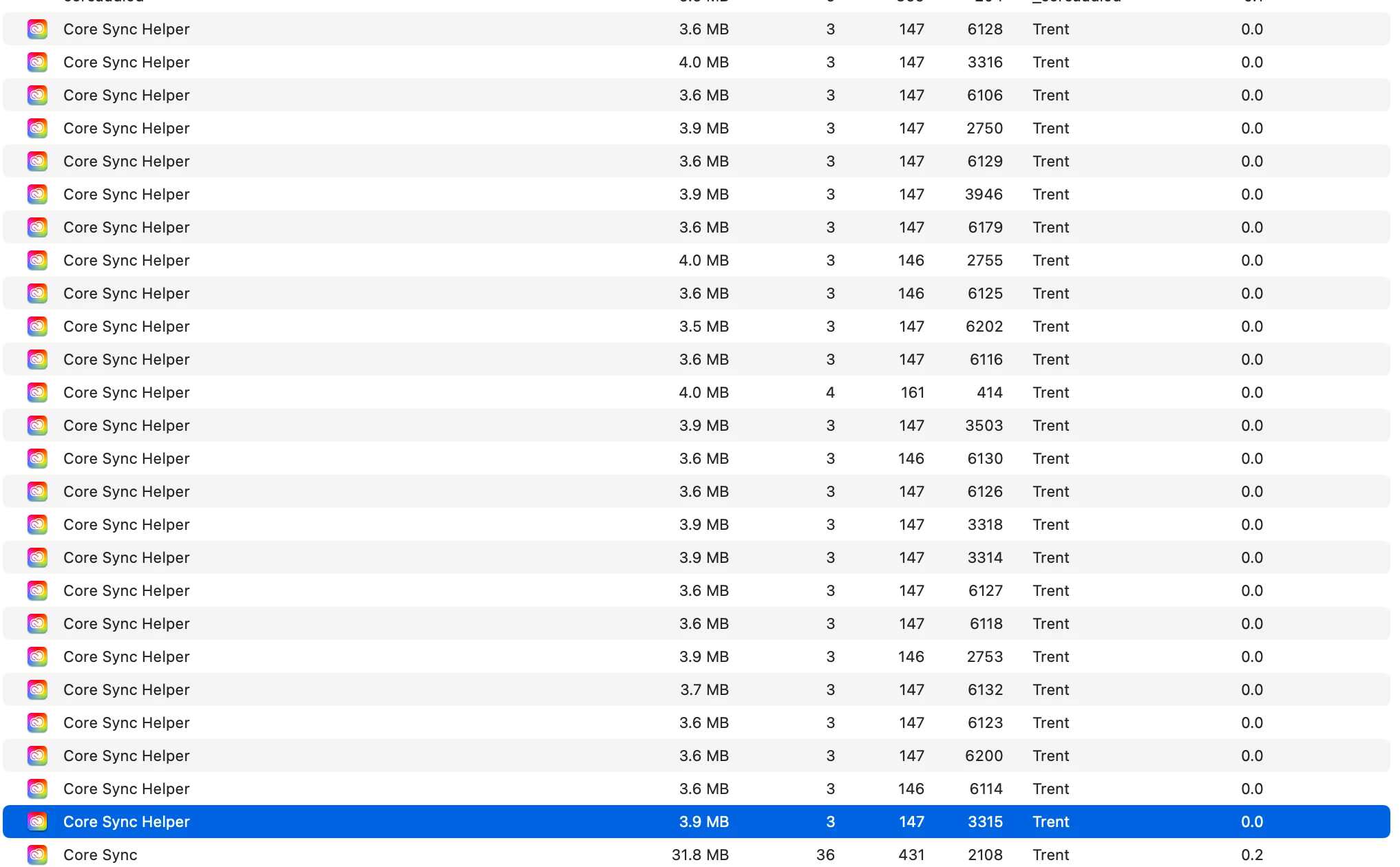
I've tried uninstalling everything Adobe several times now, completely having everything removed using the Adobe system uninstaller even used 3rd party tools to ensure everything is removed. Then I reinstall from scratch and still run into the same problem. Creative cloud is an absolute hog on system resources, it takes over my system even when I have not run photoshop or lightroom after a fresh system reset. Absolute dumpster fire of a system. Speaking with Adobe support they actually just recommend I close these manually, (every single time?) I remind them that this occurs even when I have not started photoshop or lightroom off a fresh reset and this is the quality support I receive. The Adobe support says these are necessary to keep everything up to date, I do not understand why Adobe creative cloud needs to sync 24/7 and use system resources even when I use photoshop only a couple times a week. Why do we need 24/7 update monitoring, this is overly aggressive especially given I am a very light user of photoshop and lightroom., it absolutely sabotages old 2014 systems like mine... just brutal. Every single day I go through this. Just madness. Look at the image to see how many I have to close every single day.


 AdChoices