




Answered
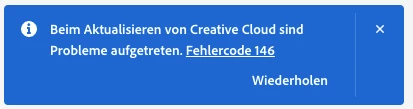
Creative Cloud update with error code 146 on macOS 13.5.2 (Ventura)
This should be in the Creative Cloud Desktop Forum, sorry for posting in the wrong one.
Recently my Creative Cloud is not able to update and shows error 146. I can update my apps and even the desktop app updated because I have all the new icons and navigation (Quick Actions etc.). I also tried the repair tool but that did not help.
I run older versions so I really don’t want to uninstall everything to being able to reinstall the Creative Cloud Desktop app. Any tipps? I’m on a MacBook Pro 2018 with an 2,9 GHz 6-Core Intel Core i9, 32GB RAM.
Where can I find the log file on the mac so I can see which directory is affected? There is no error summary in the alert pop up.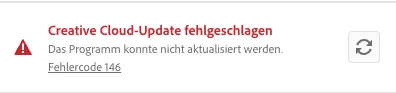
 AdChoices