
Community Expert
March 13, 2021
Question

OSX 10.13 and above CPU overload

  • March 13, 2021
  • 2 replies
  • 348 views

For the last few days my backup Mac, still running 10.13.6 is being overwhelmed when I startup. A reboot does not help. The CC app shows Cloud storage activity, which would not be that bad, but the CPU is locked at 98.9% or more. Here's the activity monitor shortly after a reboot and about 20 minutes later.
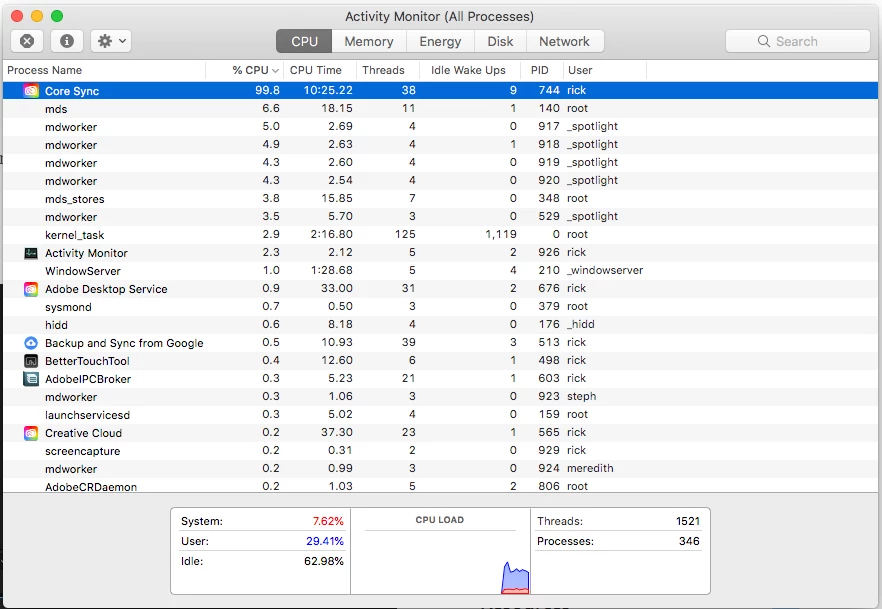
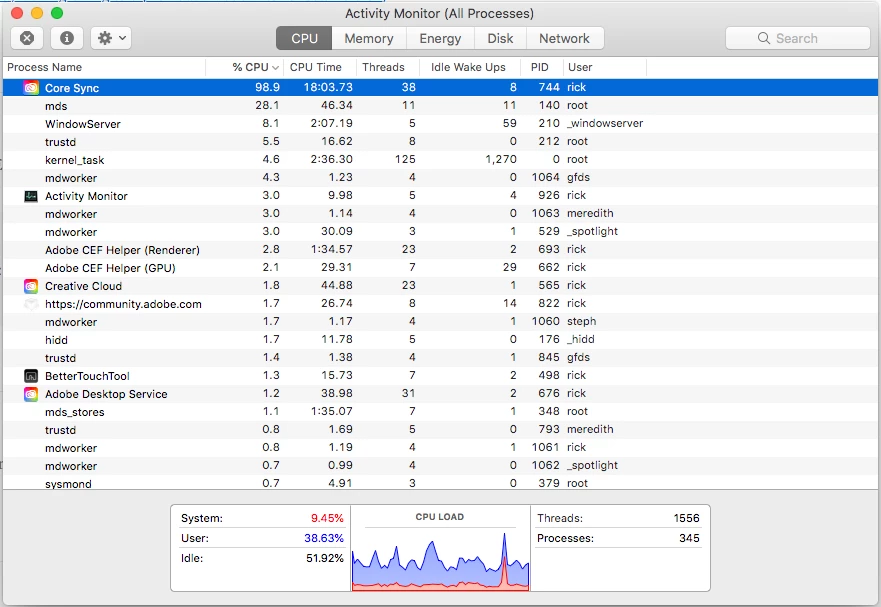
This makes the machine completely unusable. 


My MacBook Pro running 10.14 is also having the same problem, but it's a little more powerful so I can still struggle through. 


Does anybody know what is going on. 

This topic has been closed for replies.

2 replies

loyal_scientist98C6
Inspiring
March 14, 2021

I'm having the same issue on my Windows 10. I noticed this happening after the last update of Adobe CC about two weeks ago.
What I know for now is that it is happening when CC is trying to load Aobe fonts on my PC. The CPU and energy usage is always above 90% when this is happening. After it finally loads the fonts, it wents to normal. But for these few minutes I can barely use my PC even though it is a powerful machine.
But the pain doesn't stop there. Adobe CC signs me out after just a few minutes and then I have to go through the entire process again which makes any work IMPOSSIBLE. Adobe, please fix this! It is completely killing the creative process and taking any productivity to 0! 

kglad
Community Expert
Community Expert
March 14, 2021

for win 10 you should start here, CoreSync showing high CPU usage on my Windows machine (adobe.com) and, if that fails, start your own thread.  conducting debugging for mac and win on the same thread quickly becomes unwieldly.

kglad
Community Expert
Community Expert
March 14, 2021

you're not alone.  there are lots of posts about this.


this is a good place to start,  Core Sync Constantly At 100% CPU Usage. - Adobe Support Community - 9992823


if that doesn't help, pause syncing and if that doesn't help disable adobe fonts.  you may need to restart your computer or manually terminate core sync (from your activity monitor).