

What is taking up my cloud storage
My Creative Cloud Storage is supposedly full, even though I only have about 5 GB of files in it. It might be my Lightroom catalog, but I can't find any way to see how much of my storage is used by what application - only the info that it is full and the link to buy an upgrade for my storage (lol). Lightroom itself won't let me delete any images but that's another issue (they just stay greyed out when I hit delete but my storage usage does not change).
Is there any transparent (!) way to get to know how exactly I am using up my cloud storage?
At least something like this:
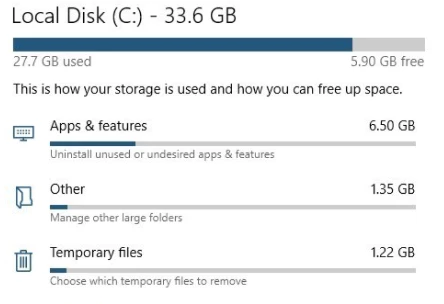
Thanks a lot in advance, I am really frustrated by CC constantly nagging about my storage being full but not helping in any way to resolve this (besides by paying more $$$)


 AdChoices