


Participant
March 25, 2022
Answered

Animating a Dimension model?

  • March 25, 2022
  • 4 replies
  • 539 views

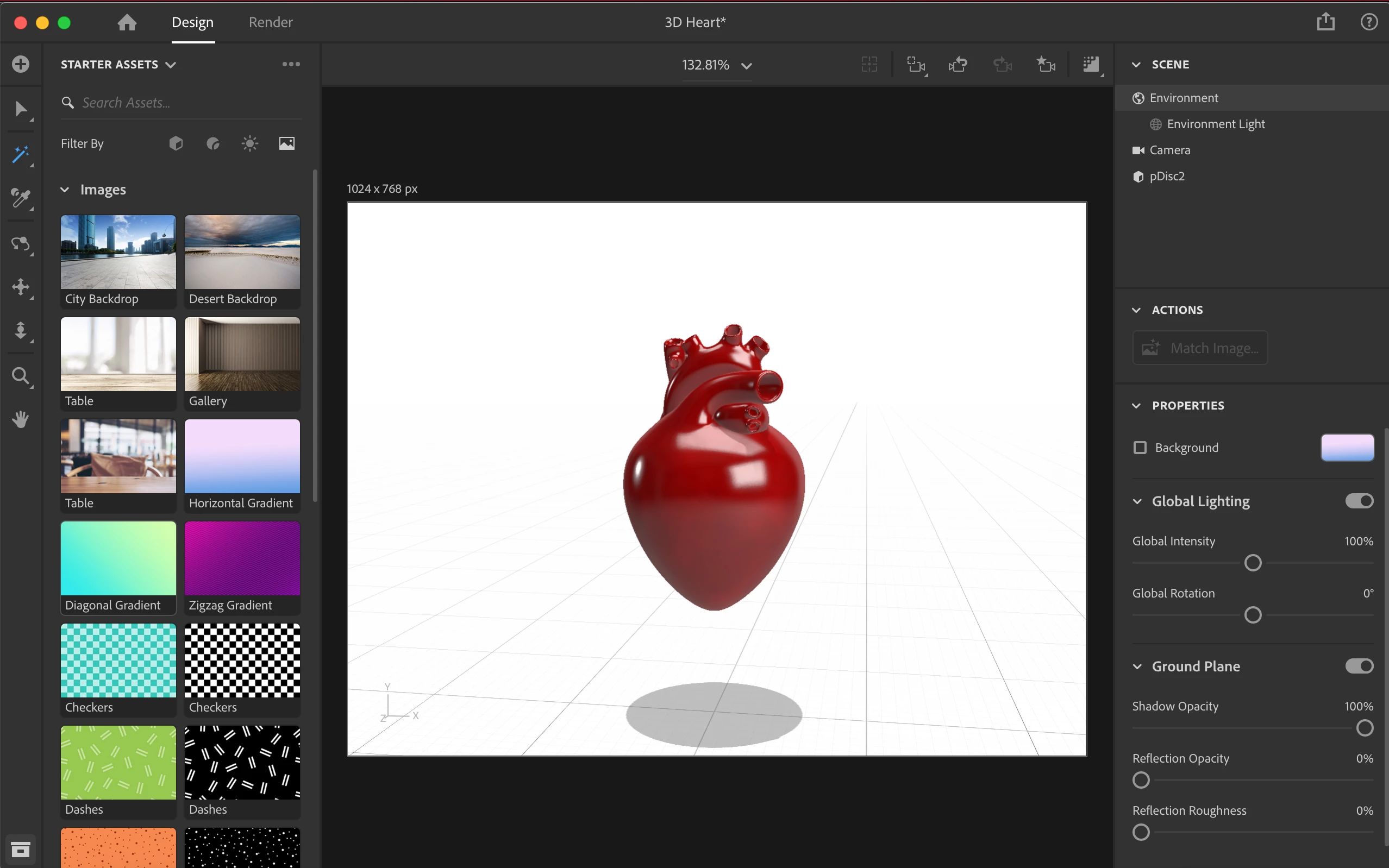
I need take this model of a heart and make it slowly rotate for a video project I'm working on. Is it possible to export the file to another application to do this? If so, what application and what file type does it need to be? I'm brand new to Dimension so forgive me if this is a stupid question.
 

This topic has been closed for replies.
Correct answer ashleyk51077825

Thanks for your help! Took some time learning Blender, but I got it working!


4 replies

Ussnorway7605025
Legend
March 29, 2022

well done... yes Blender is well worth the time invested

Ussnorway7605025
Legend
March 26, 2022

Blender can open any standard file type so thats Fbx, Obj or Glb... basically anything but Dn

ashleyk51077825AuthorCorrect answer
Participant
March 28, 2022

Thanks for your help! Took some time learning Blender, but I got it working!


Ussnorway7605025
Legend
March 25, 2022
quote

make it slowly rotate for a video project


By @ashleyk51077825

what is in the background of this video project you are making... is it just against a white or blank background like you show here?

yes = edit it in rush or prem-pro, the old 3D Photoshop, Blender or a dozen other 3rd party apps


no there is something in the background = you need a Machinima; Iclone, Unreal [Windows] or Unity [Mac users]

Participant
March 26, 2022

Yes, it is against a white background. I have downloaded Blender. What file type should I save the project so I can import into Blender? I saved it as an OBJ file and tried to import into Blender and it wouldn't work.

Ares Hovhannesyan
Community Expert
Community Expert
March 25, 2022

Blender is one of the free apps that you can use. Download — blender.org\

Also you can use Microsoft Paint 3D. Open exported model into app and save as Video