Inspiring
February 22, 2023
Answered

Blend modes?

  • February 22, 2023
  • 3 replies
  • 623 views

If I add a graphic to an object, is there a way to set a blend mode so that the texture of the object shows through? Similar to Photoshop?

This topic has been closed for replies.
Correct answer Ares Hovhannesyan

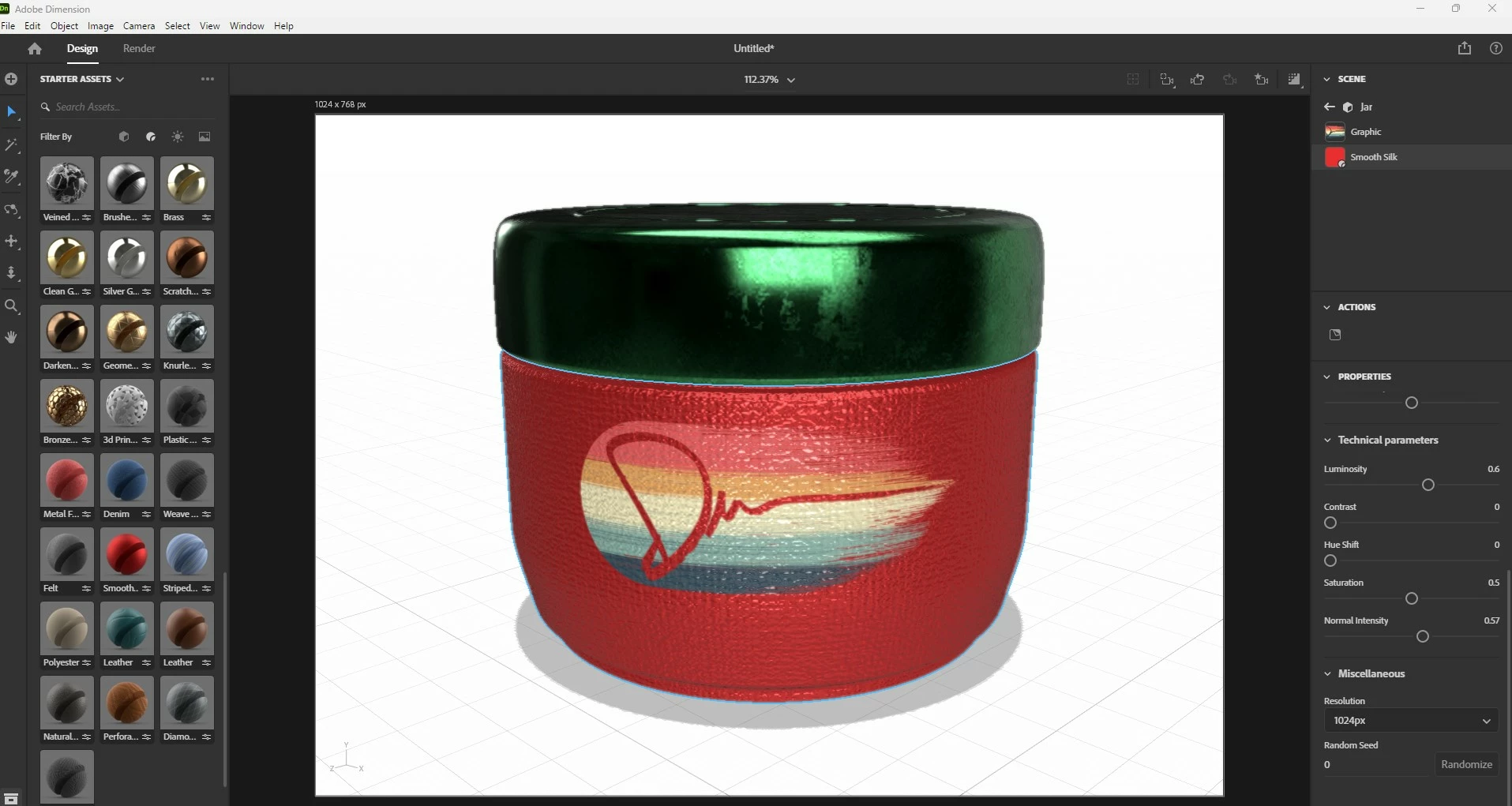
The only thing that you can do with graphic is to customize  its opacity or (opacity map). IMHO the another possibility is to use color light or Substance Material that include some custom material properties. See capture. Also you can render PSD file and add blend there.


3 replies

Ussnorway7605025
Legend
February 23, 2023

translucent vs opacity... there is no blend

it was an option in early builds of Dimension and there are still some base materials on Adobe stock that you can make into what you need but true "translucent" was dropped when Adobe moved to metal drivers instead of Nvidia standard


note thats across the entire Adobe range from Fuse, Dimension, Photoshop etc that shows 3D... there are workarounds depending on what % you want to show but if you are following an older Adobe tutorial [and don't have that build] then you are out of luck now

Imaginerie
Community Expert
Community Expert
February 22, 2023

What @Ares Hovhannesyan said!

You could also"capture" the material from the object using ha! Adobe capture 😉, and create a material from there. You could then import it to Dimension and not content yourself with ready-made materials (or have to acquire Substance sampler).
Unfortunately, as far as I know you cannot use the capture module in Photoshop to create material, you can only use the mobile app (but it's included with your CC sub)

However, there is now a material panel in Photoshop where you can apply materials (as a pattern) onto your artwork. You jut can't create a material from scratch...

Ares Hovhannesyan
Community Expert
Ares HovhannesyanCommunity ExpertCorrect answer
Community Expert
February 22, 2023

The only thing that you can do with graphic is to customize  its opacity or (opacity map). IMHO the another possibility is to use color light or Substance Material that include some custom material properties. See capture. Also you can render PSD file and add blend there.