Participant
January 22, 2021
Answered

Bug appears when creating cylinder object in Form Z and importing to Dimension

  • January 22, 2021
  • 2 replies
  • 639 views

Hi, I have a problem with modeling hollow cylinders and importing it to Dimension without bugs (the programmers for Form Z can't find any fault in their program). 


The hollow cylinder is exported to an object. Then imported into Dimension. Without doing anything else the program makes a square on top of the hole in the cylinder. This happens to any cylinder-object I make, both simple or detailed models. 


Is there anyone that has experienced the same problem or someone who can think of a way to avoid this?

We have tried to fix the UV-map, but that is very complicated and does not fix it a 100%.


I have attatched a picture of the object in Form Z and one from Dimension with the square.

Adobe would not let me upload the OBJ-file unfortunately. 


All help is much appreciated! 

This topic has been closed for replies.
Correct answer Ussnorway7605025

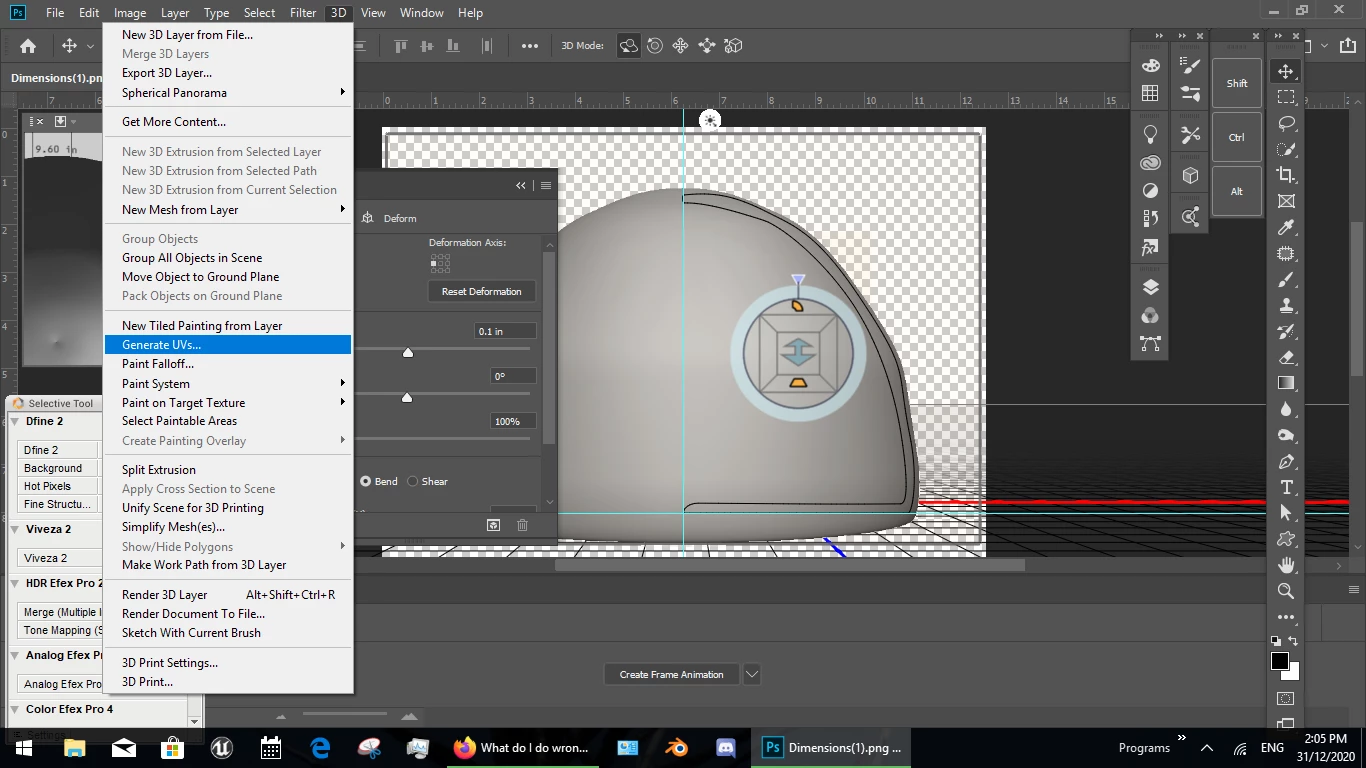
the square is an UV map error so I would open the model in Photoshop... assuming that rendors right its fixable by generation of a new UV map and export as wavefront Obj however Dimension, Photoshop or Blender all have cylinder shapes so maybe just stop using Z?

2 replies

Ussnorway7605025
Legend
January 25, 2021

if the shape is that complex you may want to cut it up into smaller parts... another workflow is Blender which gives more control over UV unwrapping


anyway good luck

Ussnorway7605025
Ussnorway7605025Correct answer
Legend
January 22, 2021

the square is an UV map error so I would open the model in Photoshop... assuming that rendors right its fixable by generation of a new UV map and export as wavefront Obj however Dimension, Photoshop or Blender all have cylinder shapes so maybe just stop using Z?

Participant
January 25, 2021

Hi, that worked on simple objects, but not more complex. But thanks for the help 🙂