Participant
March 26, 2020
Answered

Changing textures

  • March 26, 2020
  • 1 reply
  • 1238 views

Hi there,

Is it possible to import a 3D object => apply Addobe assets materials => save and close the .dn file => open the .dn file => apply my own materials?

If I import a 3D object, I can easily change the textures / materials using my own materials or an Adobe Asset material. 

However, if I apply an asset material, the materials options disappear and only the asset's options remain and it is not possible to apply my own materials to the same object.

Any idea?

Thank you in advance.


This topic has been closed for replies.
Correct answer Ussnorway7605025

step 1 = select the model or use the magic wand tool to select just part of the model

step 2 = pick one of the non-Substance materials like plastic or metal

step 3 = now that the material is not a Substance material you can replace the colour with your texture i.e, the ui is different

1 reply

Ares Hovhannesyan
Community Expert
Community Expert
March 26, 2020

It must be possible.Can you describe more in details what you mean saying "if I apply an asset material, the materials options disappear and only the asset's options remain" thank you. Can you share a screenshot?

melalkAuthor
Participant
March 26, 2020

Hello Ares_Hovhannesyan,

Thank you for your answer.


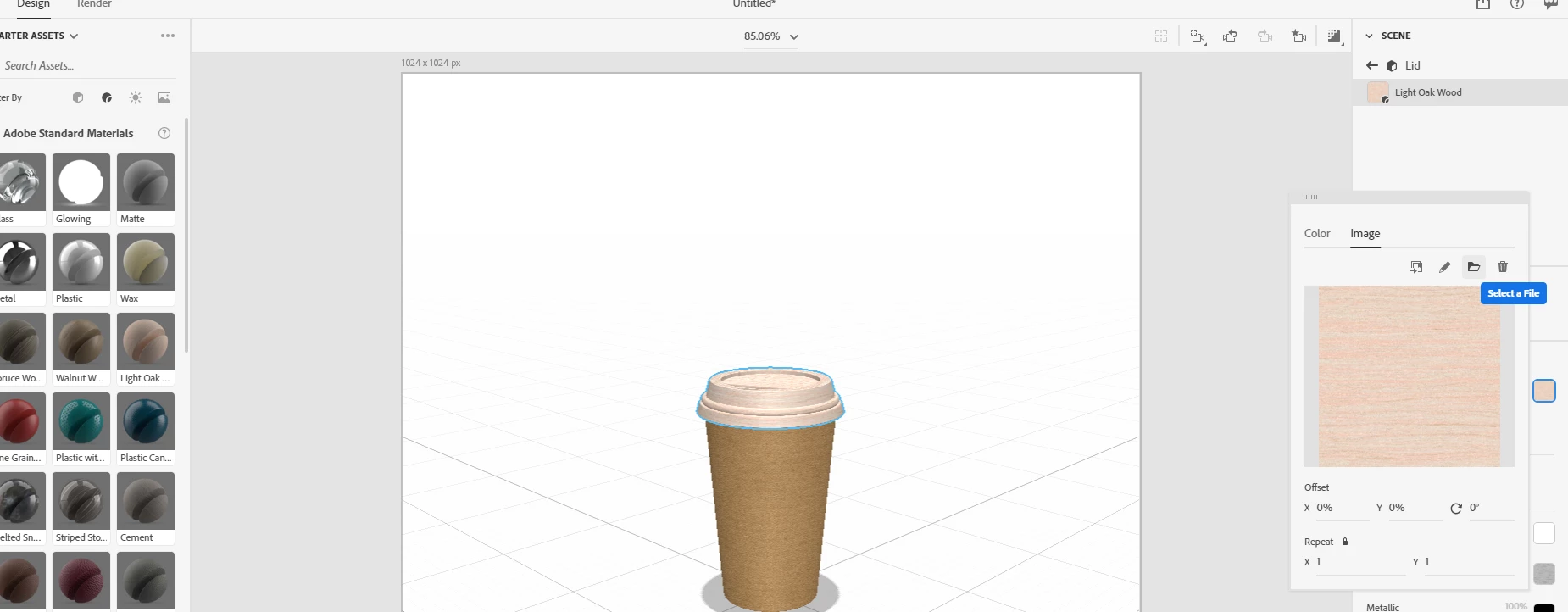
In this first image, I imported a 3D model and I added a custom texture. I have my textures in a folder of my computer and I can easily access this folder using the icon outlined in green in the image. I select my texture and I apply it on the model without problems (pointed with red arrows in the image)


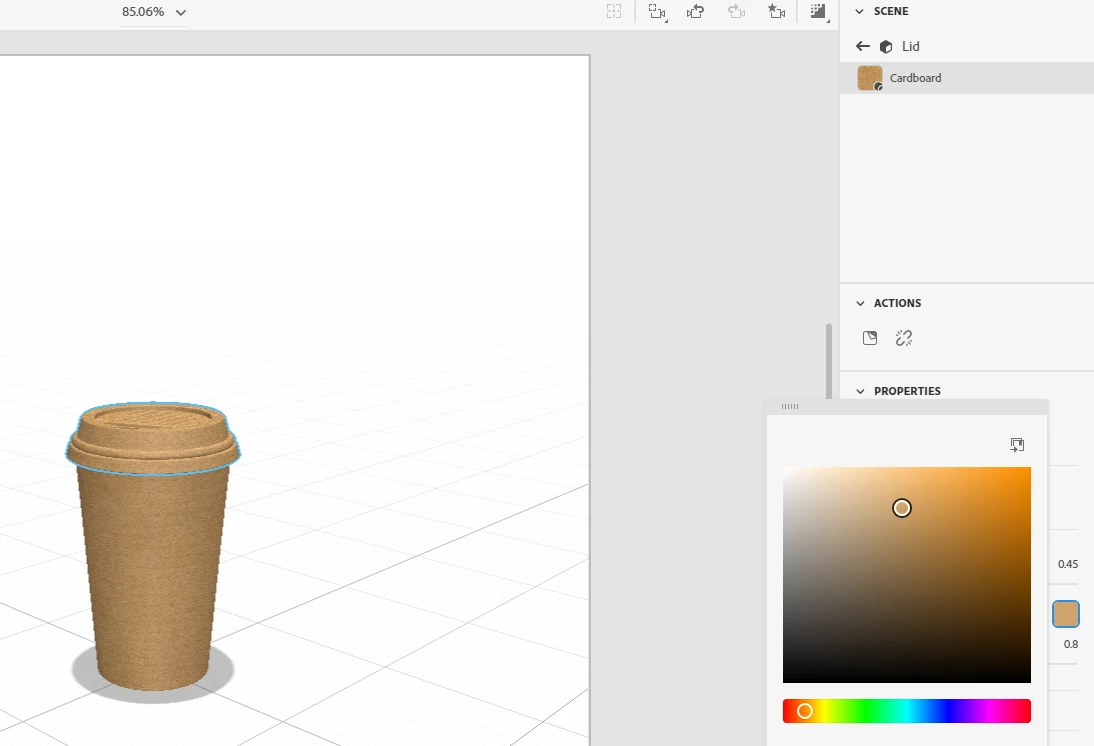
Now in this second image, I applied a Substance Material (Cardboard) pointed with blue arrows in the image. The texture is applied without problems. 

After I applied the "cardboard" material from assets, I don't see the folder icon outlined in green in the first image and I don't see a way to apply my custom materials.

Any suggestion?

Ussnorway7605025
Legend
March 26, 2020

Substance materials are not designed for image textures... they would take up space and Substance is really for game design where things have to be kept to a min


you could use the magic wand to select part of the model and add say plastic [with your texture] over the top of the Substance cardboard... you would need to make it at least a little transparent if you still want some of the cardboard to show but that will increase how much Ram | Cpu the system needs to rendor the image so prob not worth it