


Participant
July 12, 2021
Answered

Decal appearing on both sides of non trasparent material

  • July 12, 2021
  • 2 replies
  • 248 views

Hi there!
If i place delal on some object it shows inside same as outside. Like on transparent material. But material is not transparent (papper, 4 example).
That is what i mean:
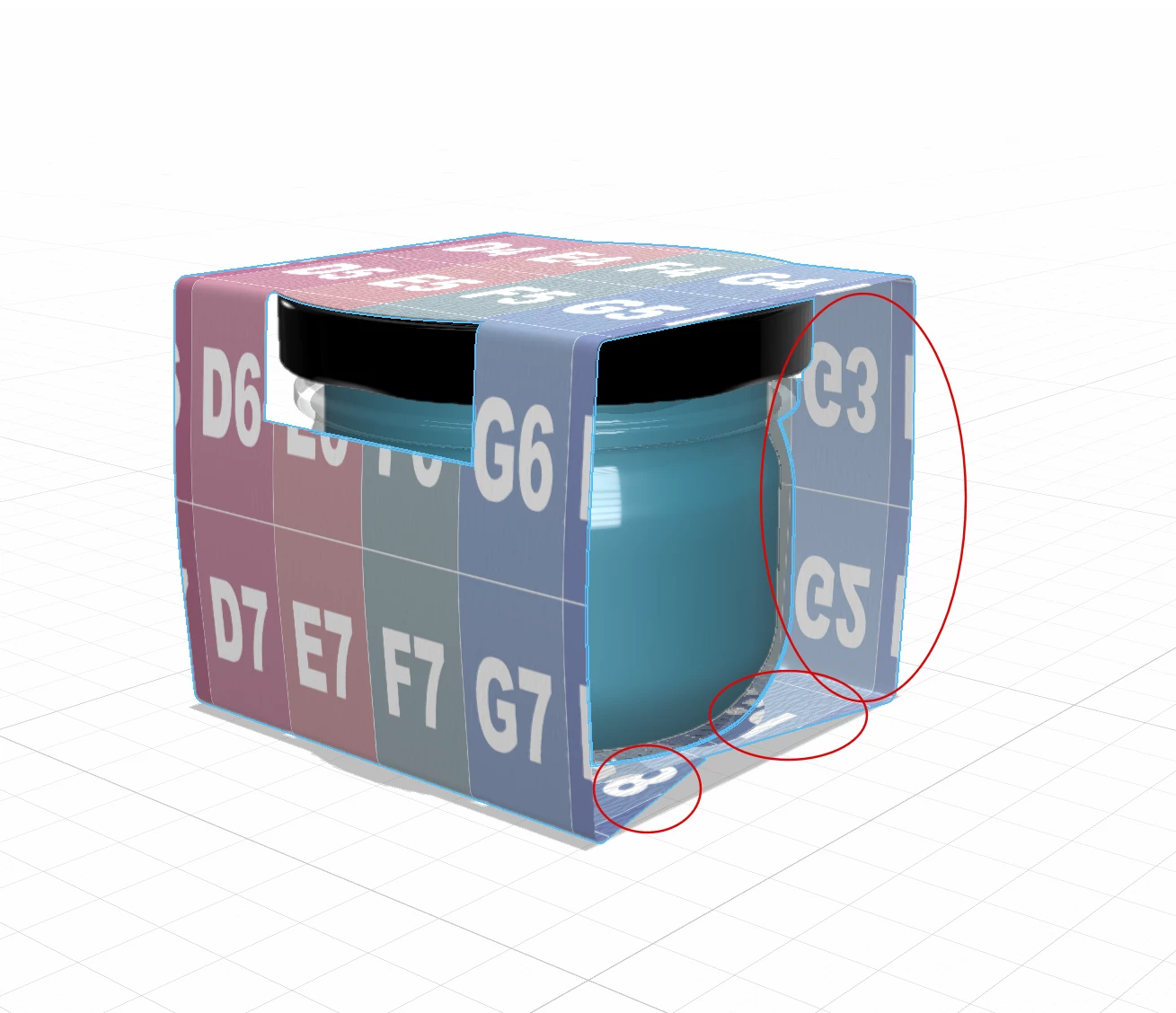
 

Any suggesions?

This topic has been closed for replies.
Correct answer Ussnorway7605025

transparent material shows though to the over side and that is not happening here... if you take a better look you will see that the inside is different and that means this is a UV map issue i.e, the model was made this way


option 1 export the UV map from Dimension and adjust in Photoshop

option 2 make \ remake a new UV map in the model making software of your choice

2 replies

Ussnorway7605025
Ussnorway7605025Correct answer
Legend
July 12, 2021

transparent material shows though to the over side and that is not happening here... if you take a better look you will see that the inside is different and that means this is a UV map issue i.e, the model was made this way


option 1 export the UV map from Dimension and adjust in Photoshop

option 2 make \ remake a new UV map in the model making software of your choice

Participant
July 13, 2021

Allright. That means that it's a model problem. Got it. Thanks!

Ares Hovhannesyan
Community Expert
Community Expert
July 12, 2021

Didyou try to play with translucency? 

Participant
July 12, 2021

Glossy Paper (standart material) is not transparent, and even don't have a transparency control.