This topic has been closed for replies.
Correct answer Ussnorway7605025

the problem is your models does not have a UV map which Dimension can read so there isn't anything to put the decal on

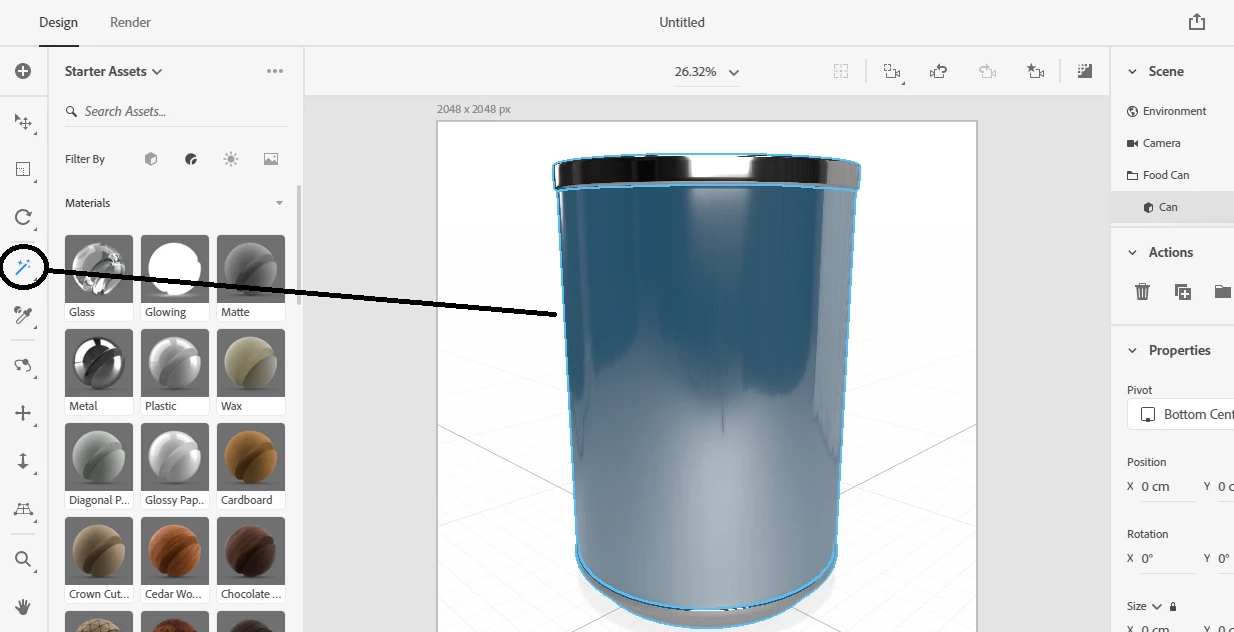
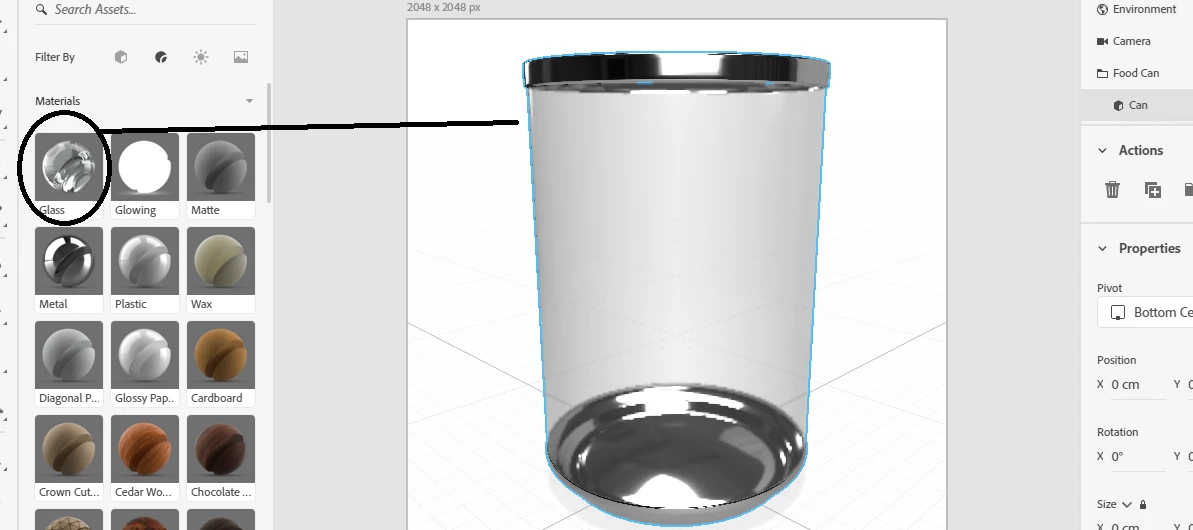
  • option 1 = use the magic wand to select part of your model then pick a new material, as long as this new material is different then Dimension will also auto-generate a new UV map for this new part of the model
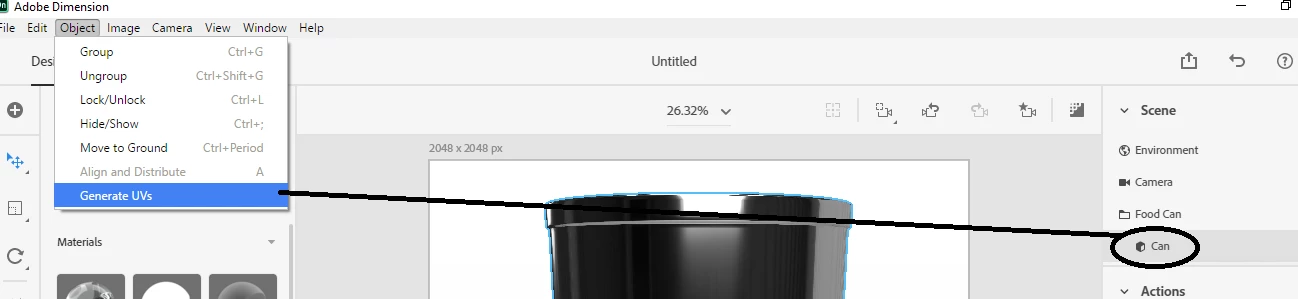
  • option 2 = simply select the entire model and ask Dimension to build you a new UV map


if you get stuck share the Dn file and I'll fix it for you at my end

3 replies

Participant
March 11, 2022

So in Blender you need to apply the Smart UV present, you get there by:
1. clicking on a menu item called "UV Editing", click on it and the screen will split into two viewports.
2. In the right viewport, at the top, you will see another menu bar, and in it will be an item labeled "UV". Click on it and select "Smart UV Project" from the dropdown.
3. A window will pop up that says "Smart UV Project", don't change any of the settings, just select "OK"
4. Then go to File>Export> and select Wavefront (.obj)
5. You are good to go! Go find the newly imported file and add it into your Adobe Dimension project and it will take Decals no problem!

For further info: https://support.shapr3d.com/hc/en-us/articles/4409589482258-I-want-to-export-OBJ-files-to-Procreate-How-do-I-add-UV-mapping-

This is where I got the information that I shared with you.

Ussnorway7605025
Legend
December 16, 2022

no in Blender what you get from a smart UV map will autogenerate and depends on the model so a complex shape made from joining two or more Fbx files and exporting those as Obj will be unlikely to work in Dimension


on basic shapes yes you should be ok

Ussnorway7605025
Legend
January 7, 2021

thanks for letting us know how you got on mate

Ussnorway7605025
Ussnorway7605025Correct answer
Legend
January 2, 2021

the problem is your models does not have a UV map which Dimension can read so there isn't anything to put the decal on

  • option 1 = use the magic wand to select part of your model then pick a new material, as long as this new material is different then Dimension will also auto-generate a new UV map for this new part of the model
  • option 2 = simply select the entire model and ask Dimension to build you a new UV map


if you get stuck share the Dn file and I'll fix it for you at my end

NMD UK
NMD UKAuthor
Inspiring
January 7, 2021

Yes, that's correct. I attached a UV map in blender and reimported. Everything works great now. Thank you!