


Participant
May 2, 2018
Answered

Does Dimension have a Maximum Canvas Size?

  • May 2, 2018
  • 2 replies
  • 1944 views

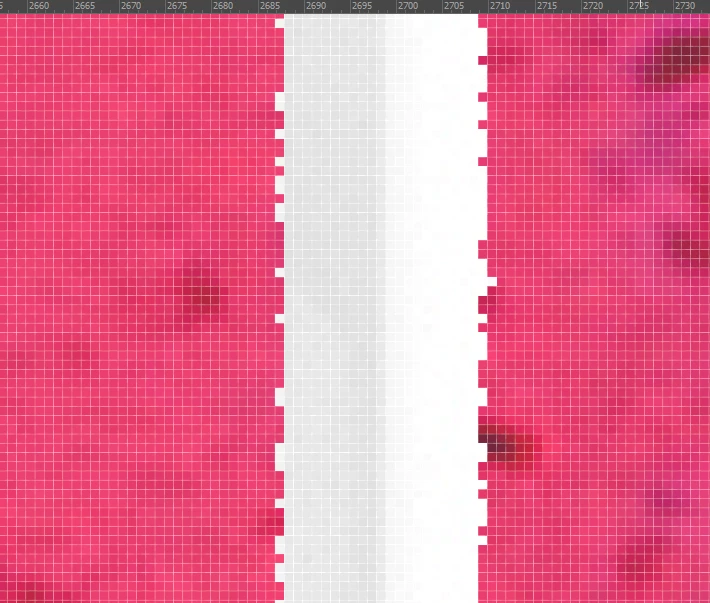
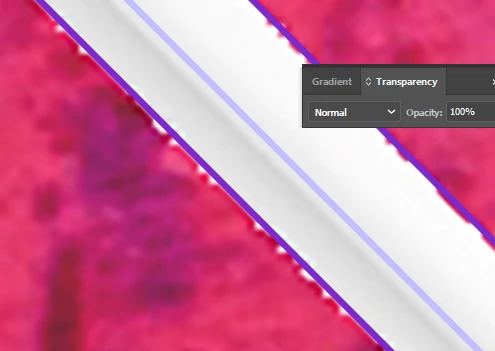
I am trying to render an image at a very high resolution so that I can lay a vector graphic on top of it later. I have two issues. First, Dimension doesn't seem to be able to render straight lines (there is a 3-4 pixel jitter), to make up for this I tried to increase the canvas size to 10,000 x 20,000 (this is a 20" x 40" image), but the program seems to ignore that size and renders at the resolution set prior to the change (1024 x 724). Any Advice?
    This topic has been closed for replies.
    Correct answer JeanetteMathews

    Ooh, this is an interesting one.  I haven't seen this sort of pixely offset before on straight lines and haven't been able to repro off hand.  Any chance you can share the .dn scene?  If so you can e-mail to tickets@adobedimension.com (if less than 10 MB) or send as a Dropbox, Google Drive, etc,. link if it's larger.  I'd love to see what's going on there!

    Our Canvas actually has 2 limits that it uses depending on how powerful your GPU use.  The limit will either be 8k x 8k or 16k x 16k depending on your machine.  You probably fall under the 8k x 8k limit.  We use the CPU to do the rendering and the GPU to display the results so if it's larger than your GPU can handle it would probably show up blank.  Rendering at a lower resolution is a definite bug though.  I realized we don't have any messaging or documentation on this so I've added a ticket to get that implemented for our next release.

    2 replies

    Participant
    May 2, 2018

    I just sent the file, but I just realized after reading your post that the final rendered image does look fine. It is the object selection mask that is causing the pixel offset problems here.

    JeanetteMathews
    Adobe Employee
    JeanetteMathewsCorrect answer
    Adobe Employee
    May 2, 2018

    Ooh, this is an interesting one.  I haven't seen this sort of pixely offset before on straight lines and haven't been able to repro off hand.  Any chance you can share the .dn scene?  If so you can e-mail to tickets@adobedimension.com (if less than 10 MB) or send as a Dropbox, Google Drive, etc,. link if it's larger.  I'd love to see what's going on there!

    Our Canvas actually has 2 limits that it uses depending on how powerful your GPU use.  The limit will either be 8k x 8k or 16k x 16k depending on your machine.  You probably fall under the 8k x 8k limit.  We use the CPU to do the rendering and the GPU to display the results so if it's larger than your GPU can handle it would probably show up blank.  Rendering at a lower resolution is a definite bug though.  I realized we don't have any messaging or documentation on this so I've added a ticket to get that implemented for our next release.

    Participant
    May 4, 2018

    I just now realized I replied to myself, and I wasn't sure if you were notified that I sent the file. I don't usually use the forums that often so I am kind of new.

    JeanetteMathews
    Adobe Employee
    Adobe Employee
    May 7, 2018

    I did!  Thank you for sending it!  Didn't get a chance to look into it last week though.
