Inspiring
May 31, 2018
Answered

Few lighting spots?

  • May 31, 2018
  • 3 replies
  • 611 views

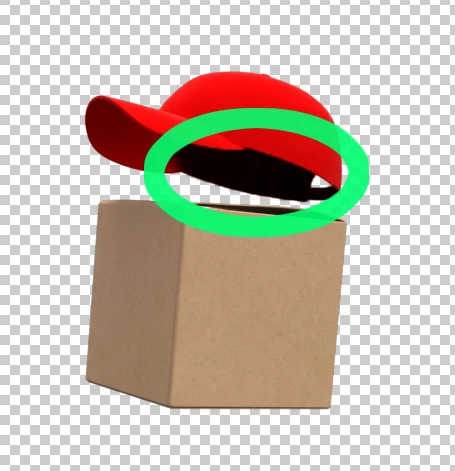
Is there an option to add few lighting spots? I trying to render brand character, he is wearing hat (hat is floating), and i can't reduce dark place under hat image below. Light from ground could helps me, but how to do it in dimension CC?

This topic has been closed for replies.
Correct answer JeanetteMathews

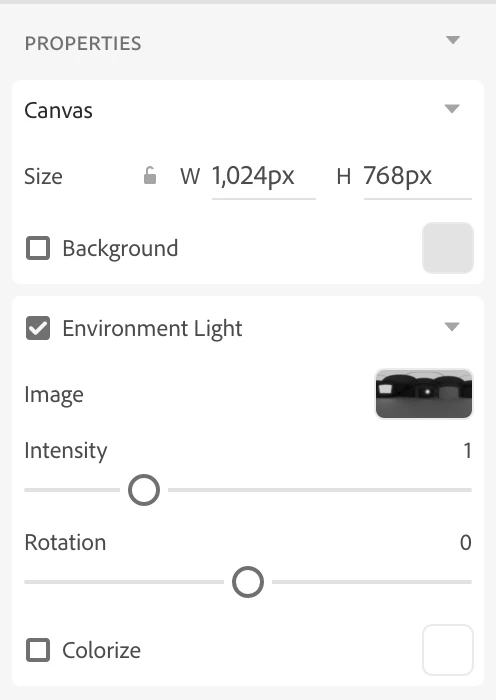
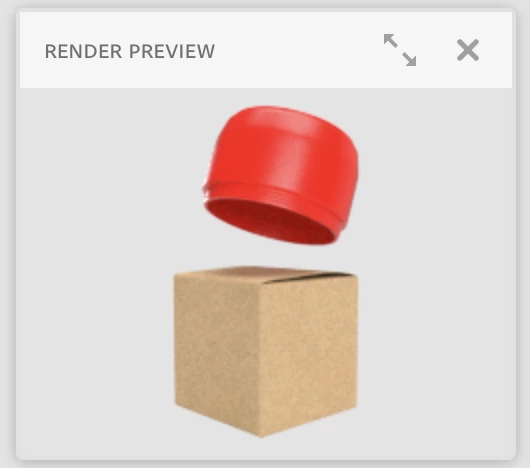
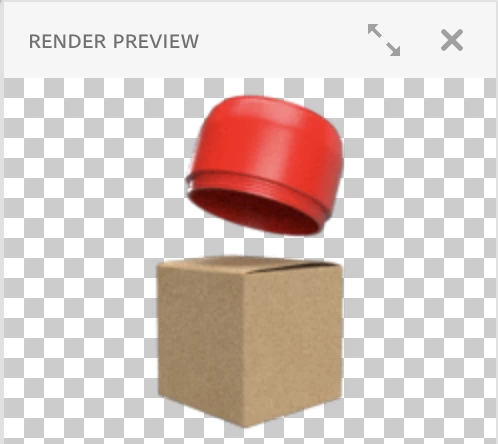
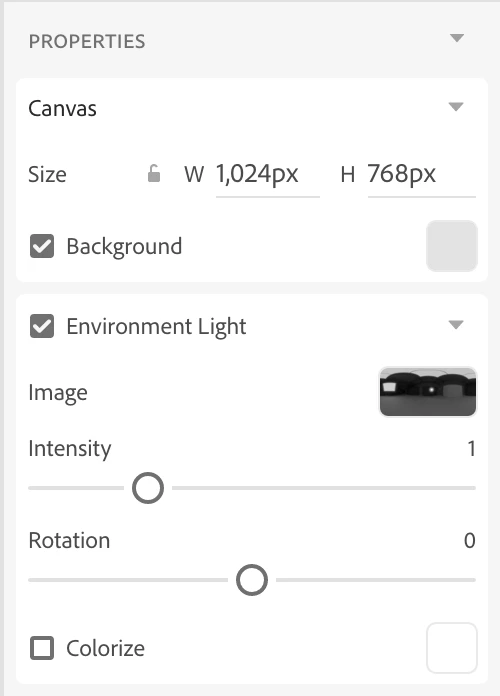
Actually, I was playing around with this a little bit and I think the issue is that when the background color is turned off we use black as the background color.  This can cause things to get significantly darker.

Here you can see the background visibility enabled and then disabled.  Since we use the background as some information about what your scene should look like it affects the lighting to some extent.  I'll review this with the team to see if it's accurate or something we should change, but in the mean time I would recommend rendering with the background enabled then just turning off the background layer in the Photoshop PSD output render.  That should give you the correct lighting with bounce light then you can turn the background off to have the transparency.
3 replies

BryanPSAuthor
Inspiring
May 31, 2018

This is my final result. You are my hero Please forgive me, I am beginer in Dimension CC.

JeanetteMathews
Adobe Employee
JeanetteMathewsCorrect answer
Adobe Employee
May 31, 2018

Actually, I was playing around with this a little bit and I think the issue is that when the background color is turned off we use black as the background color.  This can cause things to get significantly darker.

Here you can see the background visibility enabled and then disabled.  Since we use the background as some information about what your scene should look like it affects the lighting to some extent.  I'll review this with the team to see if it's accurate or something we should change, but in the mean time I would recommend rendering with the background enabled then just turning off the background layer in the Photoshop PSD output render.  That should give you the correct lighting with bounce light then you can turn the background off to have the transparency.
BryanPSAuthor
Inspiring
May 31, 2018

OK, I think we got it. The solution is background. Sometimes i preffer to render object into transparent PNG. But it look that better way is to render directly into layered PSD file, and then export object to PNG from Photoshop. With your setting there is no problem with dark places under hat.

JeanetteMathews
Adobe Employee
Adobe Employee
May 31, 2018

Hmm.... that looks suspicious to me.  We have global illumination which means light bounces off of the floor and objects around the scene.  The light should be bouncing off of that box and into the underside of the hat.  Any chance you can send me your .dn scene to take a look?  If so please send a link to a shared file or e-mail it to tickets@adobedimension.com with a reference to this forum thread so I know the context of the file.  I'll see what's going on!