


Inspiring
September 20, 2024
Question

Generate UVs Not Working

  • September 20, 2024
  • 4 replies
  • 1050 views

Whether applying the Generate UVs feature to the whole OBJ model or a magic wand selection, Dimension has an error applying an image or doesn't appear to generate the UVs.


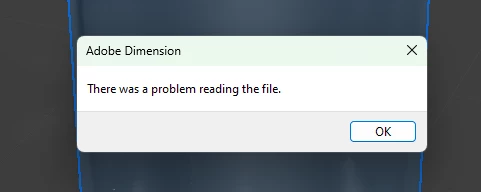
All the error says: There was a problem reading the file. This is referring to any PNG or JPG applied to the material, dragged-and-drop, or import image to model.


The OBJ file was made in Plasticity and exported as triangles. This was a cylindrical jar import test to see how we could fix the issue and import more complex designs. So far, no imported OBJs can be unwrapped in Dimension.

FYI, I tried attaching the OBJ and DN files to this but the setup doesn't allow files with the extension. It might be helpful to enable them in order to share working files for problemsolving.

This topic has been closed for replies.

4 replies

Inspiring
September 23, 2024

Second Update

An imported OBJ file you generate UVs for (left) or not (right) appears to apply some sort of mapping to materials.


Both now with generated UVs in Dimension. The right has adjusted to the new mapping.

But trying to apply an image shows an error:

Either by selecting the object or magic wand selection.

Clearly the generate UVs is working and the magic wand can even determine a continuous but limited group of polys/tris for mapping. It does it far better and quicker than Blender.

'There was a problem reading the file' is an obtuse message. I can't see image file type requirements in the manual either, but maybe I'm not looking thoroughly enough. I can see PNG and JPG are in the file selection, but are there meta and format requirements as well?

Inspiring
September 23, 2024

OK, I found two problems.


1) Even though Dimension embeds placed images, it can't do it if it doesn't have permission to a network location it's being dropped from, even though it doesn't reference it as a link after.

2) Having the imported OBJ file and PNG stored on the local drive allows the image to be placed, but whether using Generate UVs or not, the decal mirrors and flips (it stopped doing this after reinstalling), or distorts on the far side of the jar, which it does consistently now. Adobe Support have been given the issue and realise it's a programmatic error with Generate UVs.


Ares Hovhannesyan
Community Expert
Community Expert
September 23, 2024

Can you try Selected object UVs? Some time it help to correctly locate images on UVs.  


https://youtu.be/kWxFca4YNac?si=rzOIsiLepe_k8V_s

Inspiring
September 23, 2024

Update

I've tried applying an image after unwrapping it in Blender and it still has an error.


Inspiring
September 22, 2024

*3 days

Ares Hovhannesyan
Community Expert
Community Expert
September 20, 2024

You can share them via any cloud service.