



Graphic doesn't show as decal, only as fill on custom model.
Hey,
I'm a designer working for an arts organisation that creates art in public space often collaborating with architects and communities.
So first of all, I would like to say that dimensions is an amazing tool of visualising our works quickly from multiple angles, testing materials and being able to share the result with communities who aren't always convinced looking at architectural mockups.
I'm currently testing some mills we are about to produce that will have photographic content on them. I seem to have problems getting that content on the model.
I'm using Dimension v2.2
I've tried:
png images 412x2000px 72dpi
png and jpg images 1200x5760px 2000dpi
Both work when I use a prism from the adobe library, so I used that as an example of what is supposed to happen (left), the shape on the right is one of the mills (group1):
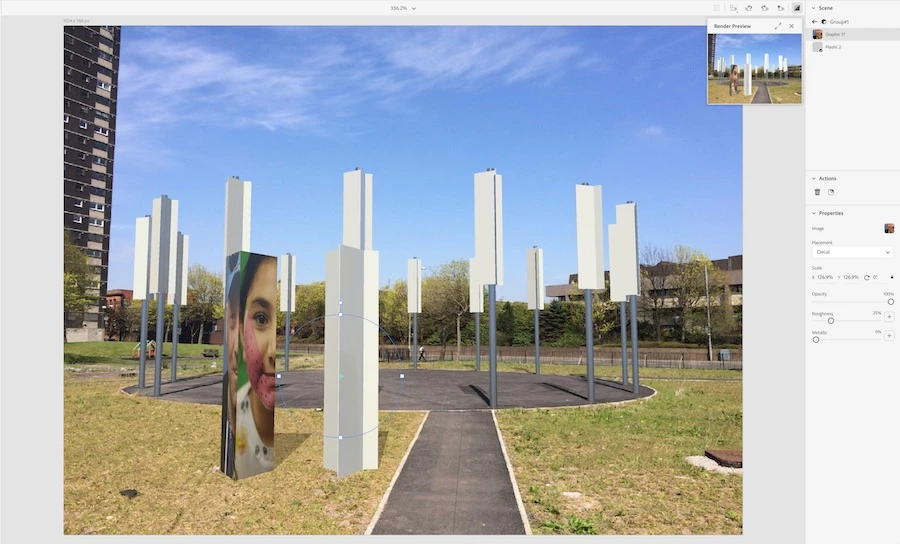
There is no image showing on the mill in decal mode.
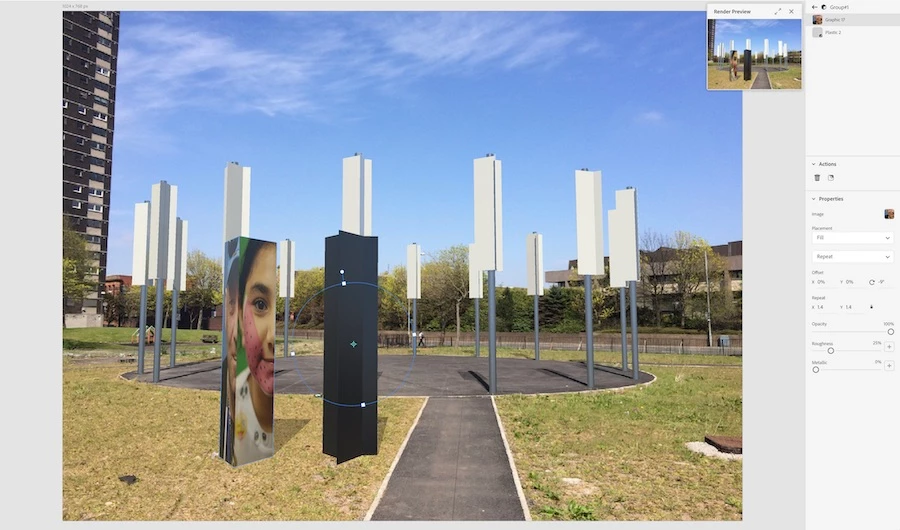
something of an image is showing in fill mode but I don't seem to get the logic behind what it shows as it just appears as a gradient mildly changes colour when it's rotated or when I increase the repetition number.
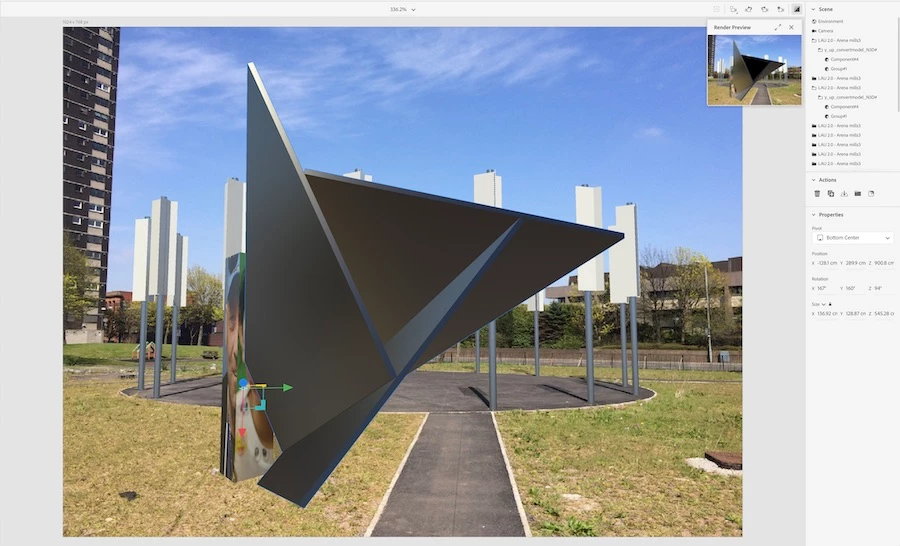
As you can see the model is nothing more than 3 shallow cuboids ranged in a prism shape.
I've tried to work both having the mills as a group and as a component in the Sketchup model before I imported it, to see if that would give me a different result putting on the graphics.
I'm out of tricks to try now, as I've only recently started using Dimension.
(let's leave out the option to rebuilt the shape from Adobe library cubes for now as I already modelled the mills and it wouldn't solve the problem for the future when the model will become more complex)
Would be great if I can get any direction for this.

.png)
.png)
 AdChoices