

Participating Frequently
May 30, 2021
Question

Graphic on models not displaying

  • May 30, 2021
  • 2 replies
  • 533 views

Hi,

Anyone has idea reagrding below screenshot. when i am trying to apply graphic on an object, it doesn't cover the whole surface of the object. object has a tobeleron shapes.
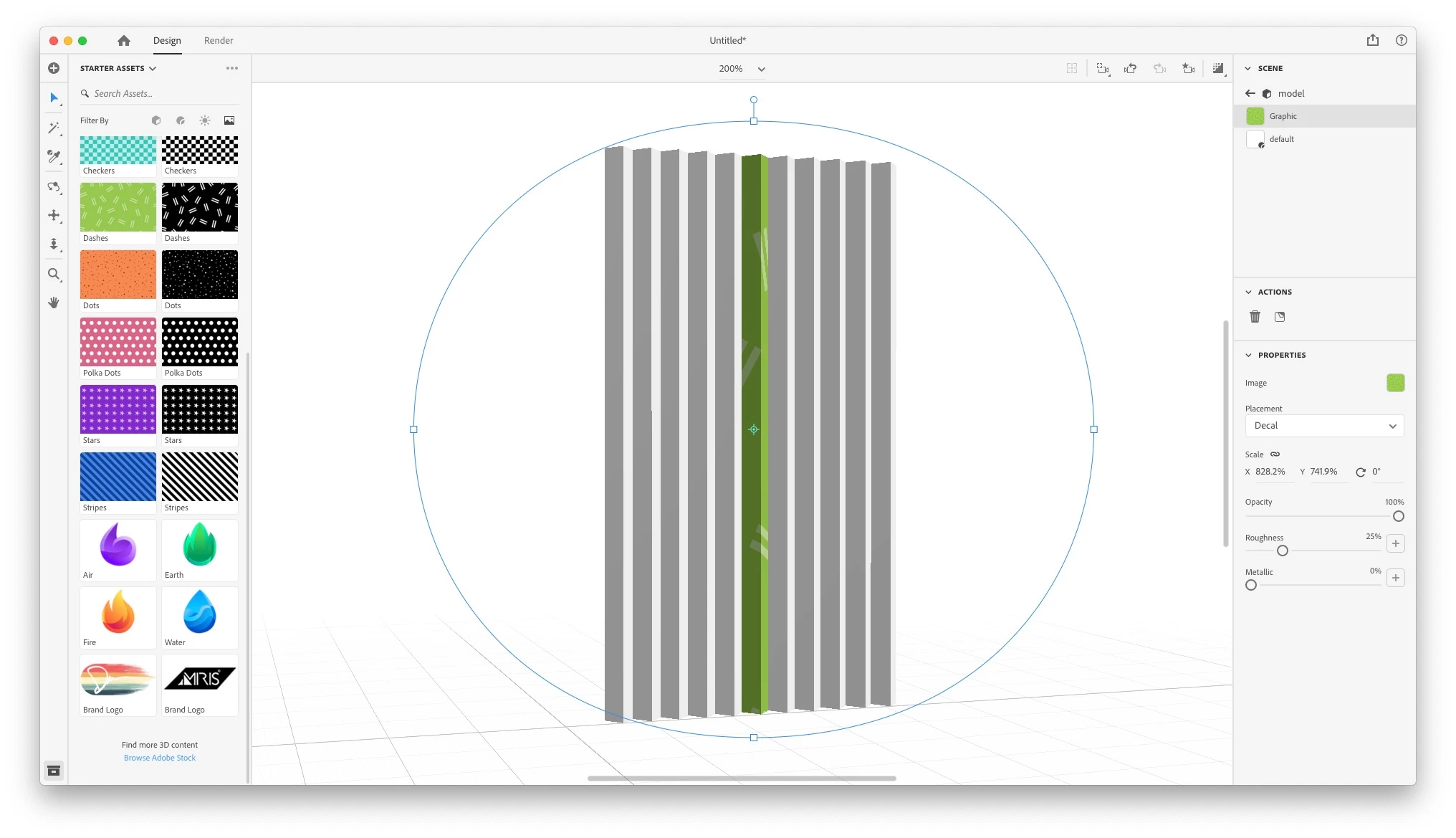

This topic has been closed for replies.

2 replies

Ussnorway7605025
Legend
May 31, 2021

he could ask Dimension to generate a new Uv map for the object then apply the decal again... imo the real cause of this issue is the way the model was made but the screenshot doesn't show the settings

Participating Frequently
May 31, 2021

The model was made in sketchup as a single object

Ussnorway7605025
Legend
May 31, 2021

yes sketchup is good software but sometimes it makes odd Uv maps to save space... just select the model and ask Dimension to generate a new Uv map should fix the decal issue

Ares Hovhannesyan
Community Expert
Community Expert
May 30, 2021

Dn see only object in your Scene Panel thats why cover that object. You need to apply decals one-by-one or you need to aggregate them into one by adding total object. 


Next possibility is to use Paste as instance feature after coping the original object. Copy it the use "Ctrl+Shift+V" to paste as instance. That allow you to place and edit any decal simultaneously on all objects. 


https://youtu.be/KeYNI7TOjLM

Participating Frequently
May 31, 2021

What I am trying achive is something like below, a lenticular type of object.

Ares Hovhannesyan
Community Expert
Community Expert
May 31, 2021

Interesting task. I am not shure about UV mapping. May be we need to use two objects? Will try ...