


Participant
March 22, 2021
Answered

How do we get .SBSAR material bumps from Adobe Substance to appear on Adobe Dimension models?
  • March 22, 2021
  • 3 replies
  • 1384 views


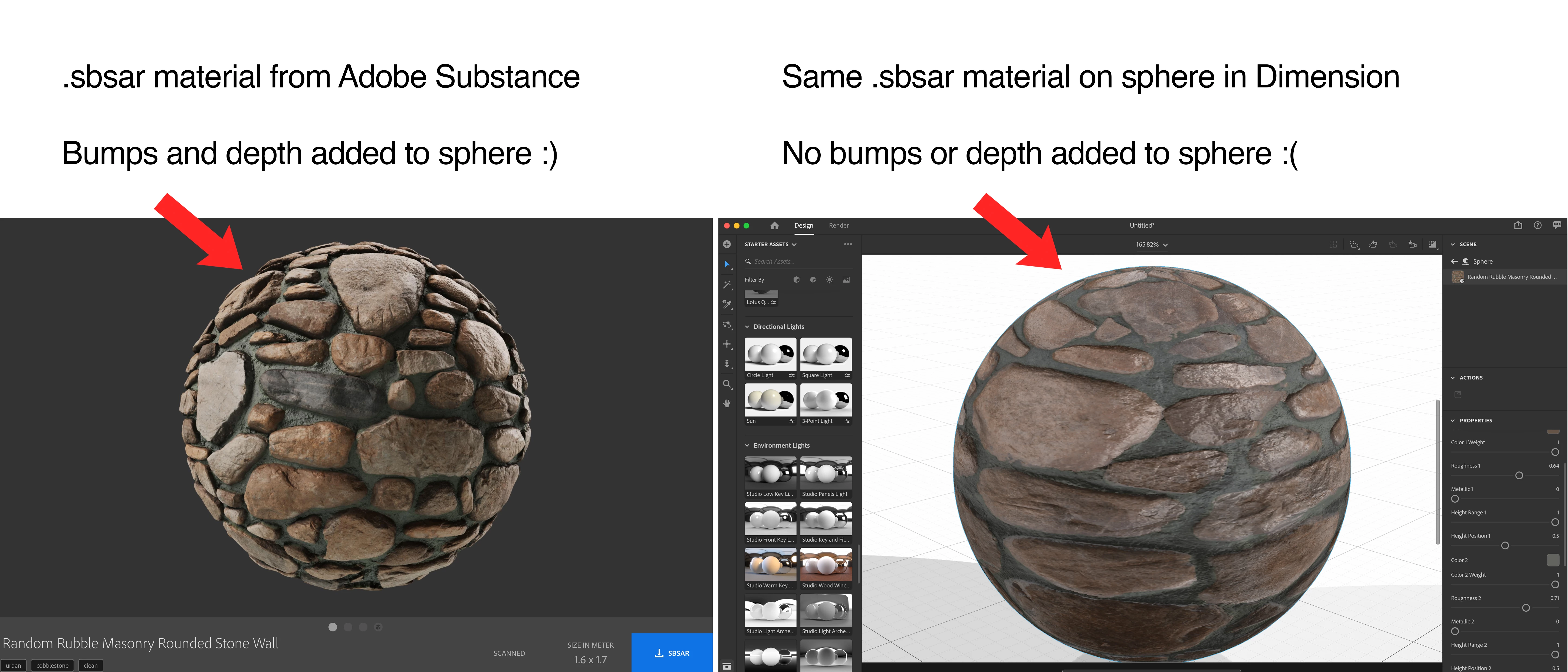
Hi, the SBSAR materials downloaded from Adobe Substance don't include the bumpiness. See how on a sphere in Substance the bumps affect the sphere shape and give it an extra dimension and shape, but in Dimension, the sphere is still just a sphere. And when it's rendered out, it doesn't include the bumps. How do I include the bumps? Thanks, 
This topic has been closed for replies.
Correct answer DitzlerPhoto

3 replies

Inspiring
July 19, 2022

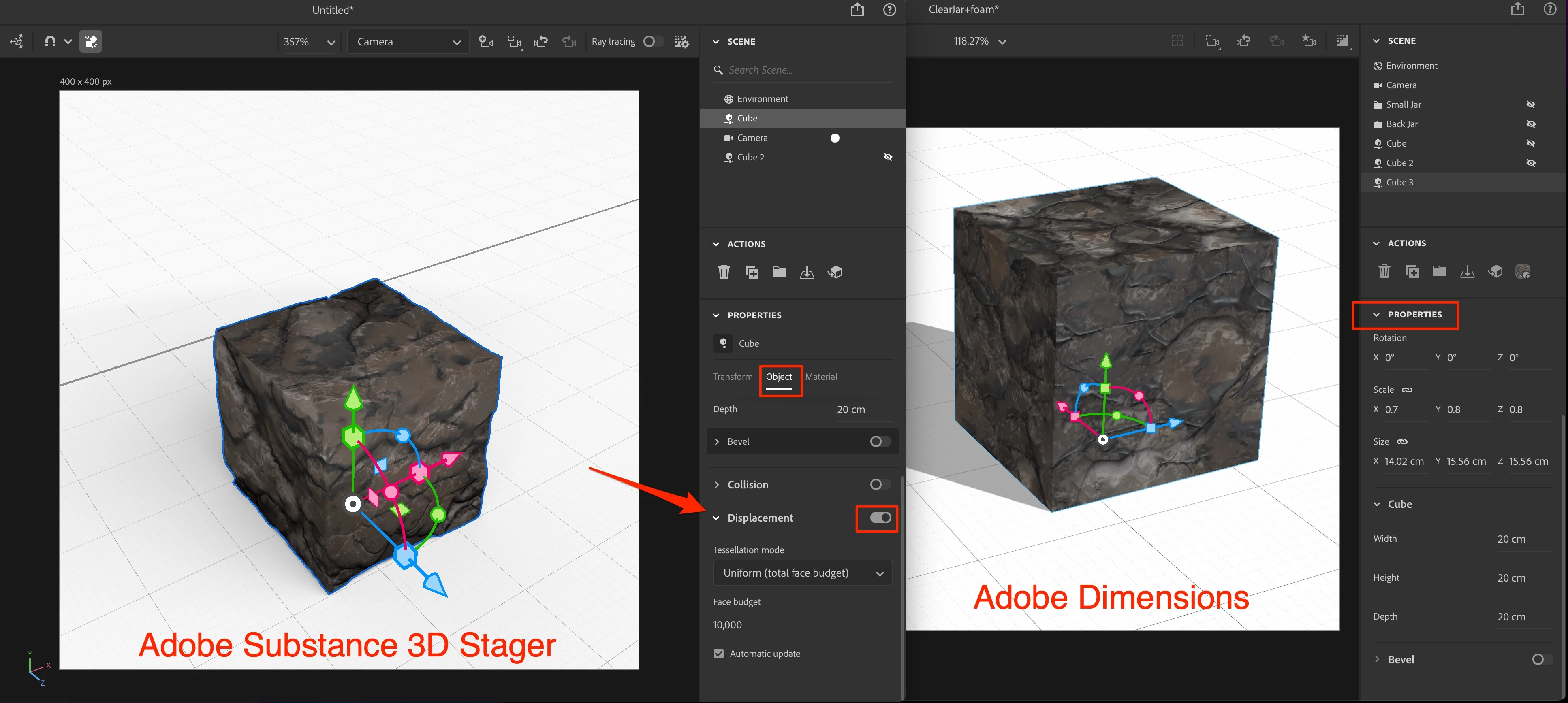
It doesn't look like Adobe Dimension supports this. If you apply the same material in Adobe Substance 3D Stager you get the option of Displacement in Properties > Object and that will turn on that feature. In this screen shot I have a simple cube using the same exact .SBSAR file but there is no Displacement toggle in Adobe Dimension.


(Attachment removed by moderator)

DitzlerPhotoCorrect answer
Inspiring
July 19, 2022

Ares Hovhannesyan
Community Expert
Community Expert
July 21, 2022

Yes they have different  engine's. That's why...

Ussnorway7605025
Legend
March 24, 2021

a normal map is more or less the same thing and Photoshop will make that or Blender

Ussnorway7605025
Legend
March 22, 2021

you can adjust the height sliders and \ or add a normal map

Participant
March 22, 2021

The height sliders don't give the sphere the bumps, and there's no option to add a bump map to SBSAR textures in Dimension. 

Ares Hovhannesyan
Community Expert
Community Expert
March 23, 2021

You can use PS. Import textured sphere with material as jpg into PS and Generate Bump or Normal Map. Then you can load that image into Dn Normals |+| icon to generate bump in Dn.