chadr81793577
Participant
April 27, 2020
Answered

How to create custom 3D Model and Import as OBJ

  • April 27, 2020
  • 2 replies
  • 3098 views

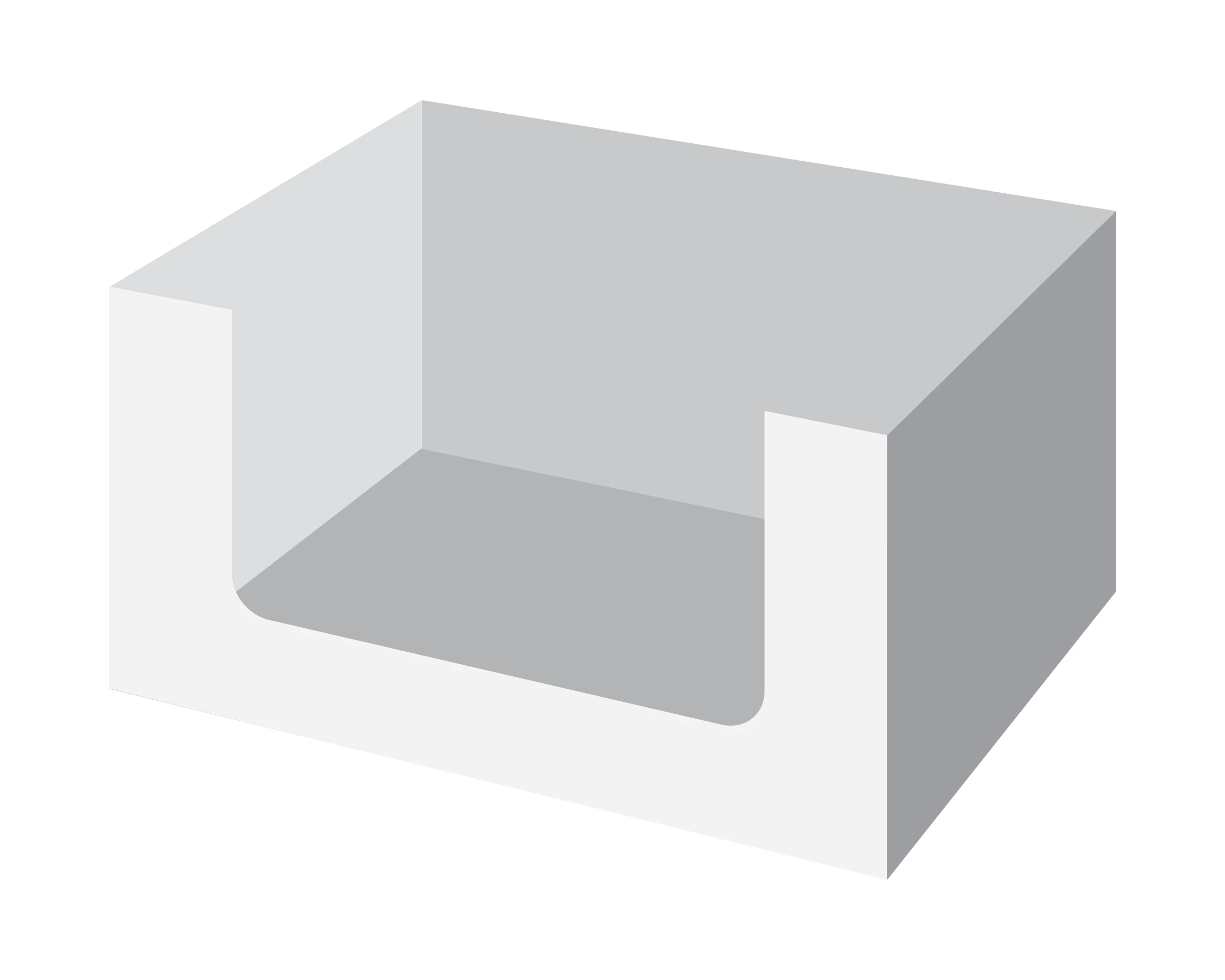
I'm attempting to create a 3D model of a corrugate tray which holds tetrapak juice cartons. Attached is a PNG of an illustrator 3D I created, hoping that someone with experience can supply me with the necessary steps. Is it even possible? Objective is to apply design to 3D in Adobe Dimension to show client fininished representation.
This topic has been closed for replies.
Correct answer Ussnorway7605025

there are 3 options and i'll let you decide which is best

example file to play with

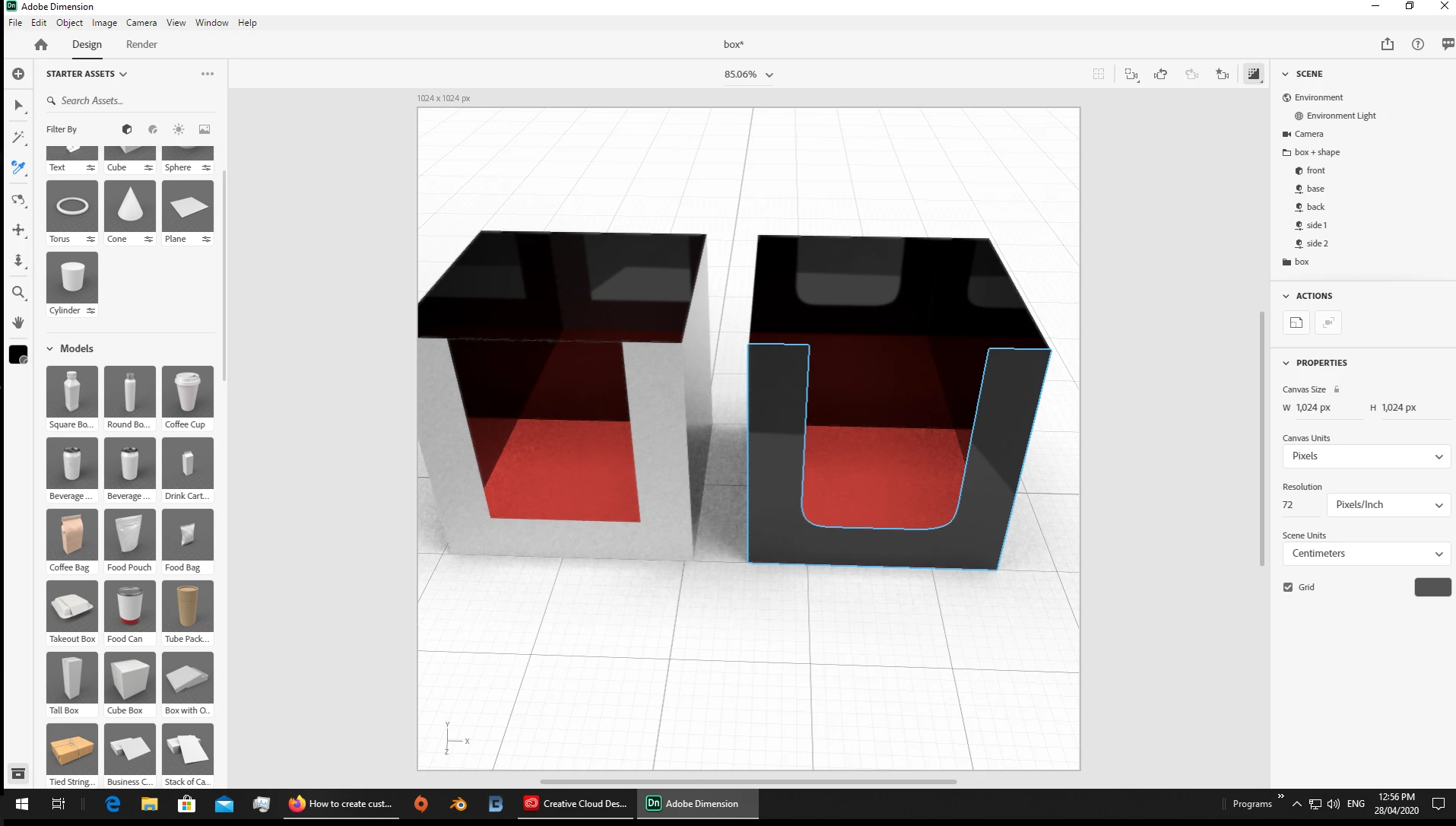
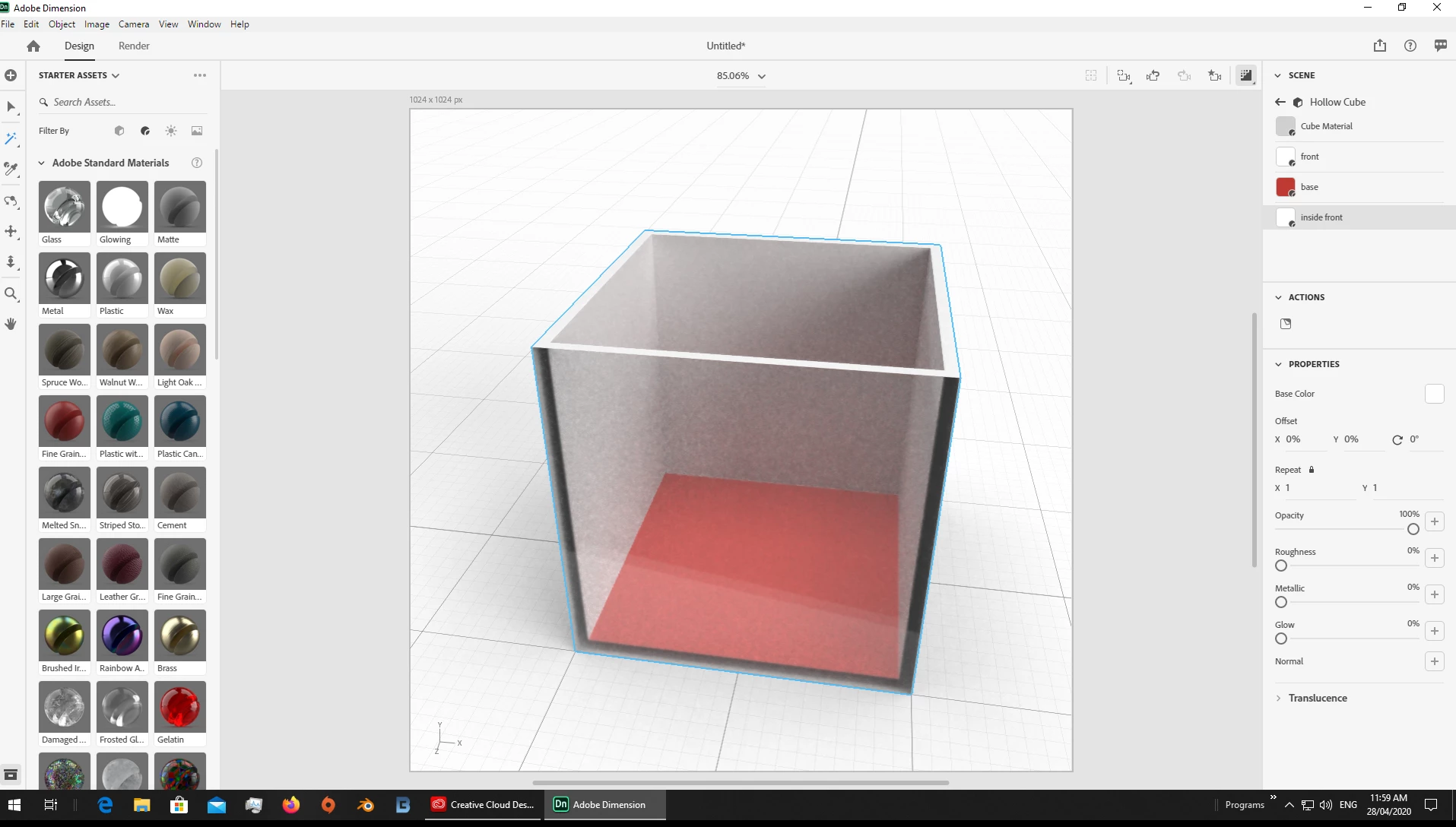
1 when you just want one or 2 faces removed from a box its quick and easy to do this in Dimension with just the magic wand tool

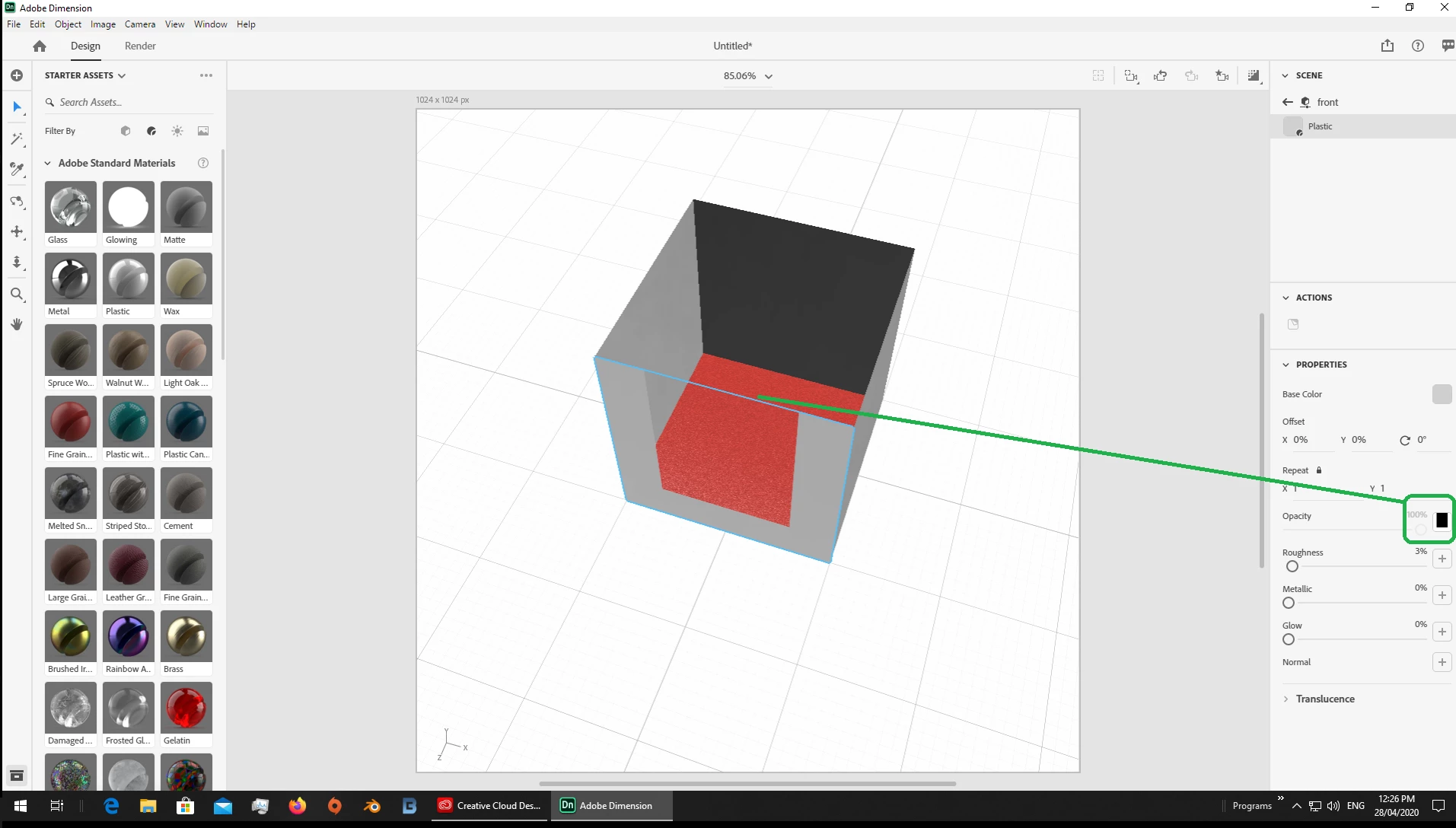
2 your shape is really 5 faces with one being a "custom" so option 2 is to build the box from flat faces [planes] and use an opacity map to hide the part not needed

+ its fast and ok for quick demos

- you can always see a line at the end of a map, ok if you have time to edit it out but clients could see it

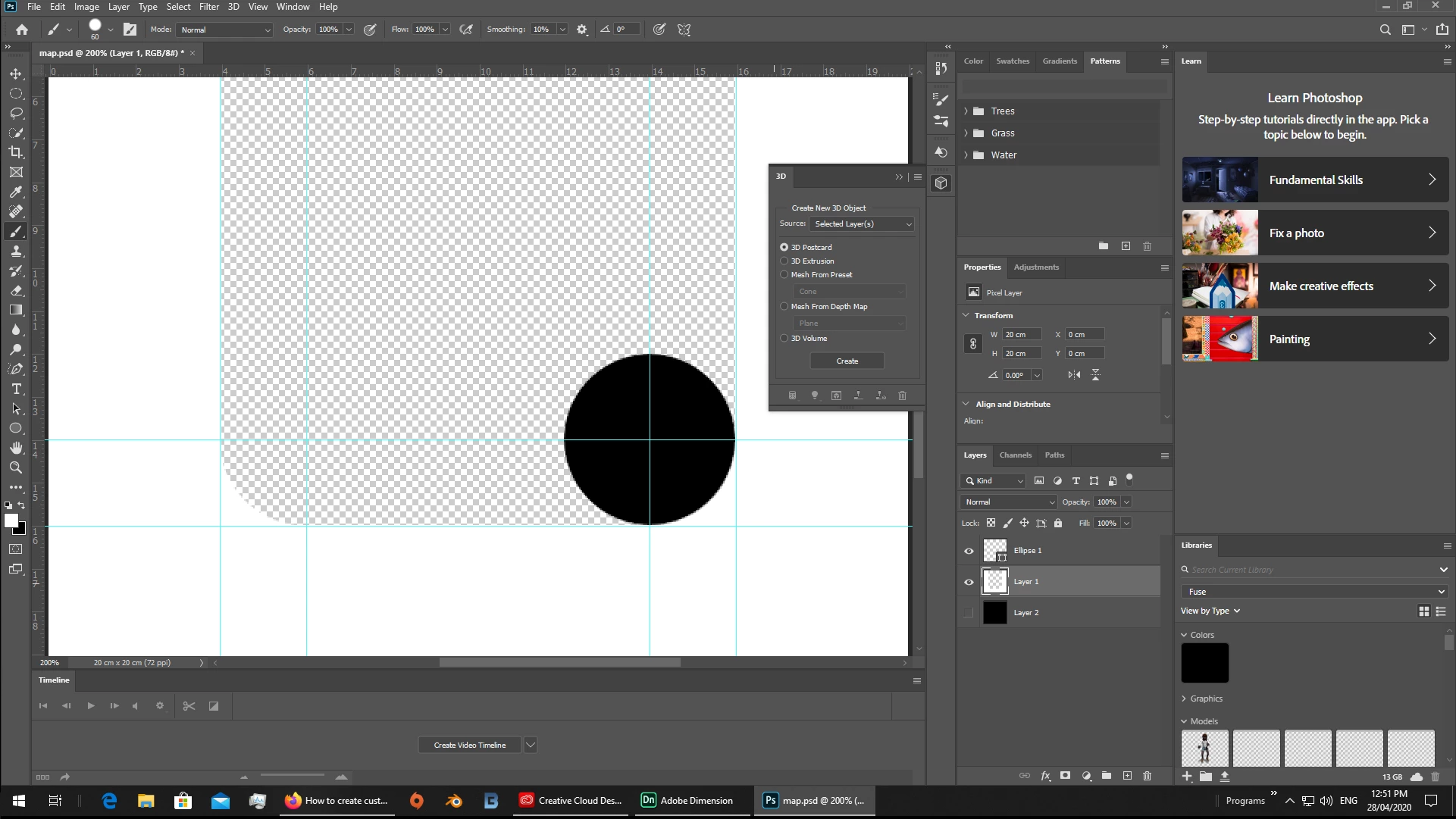
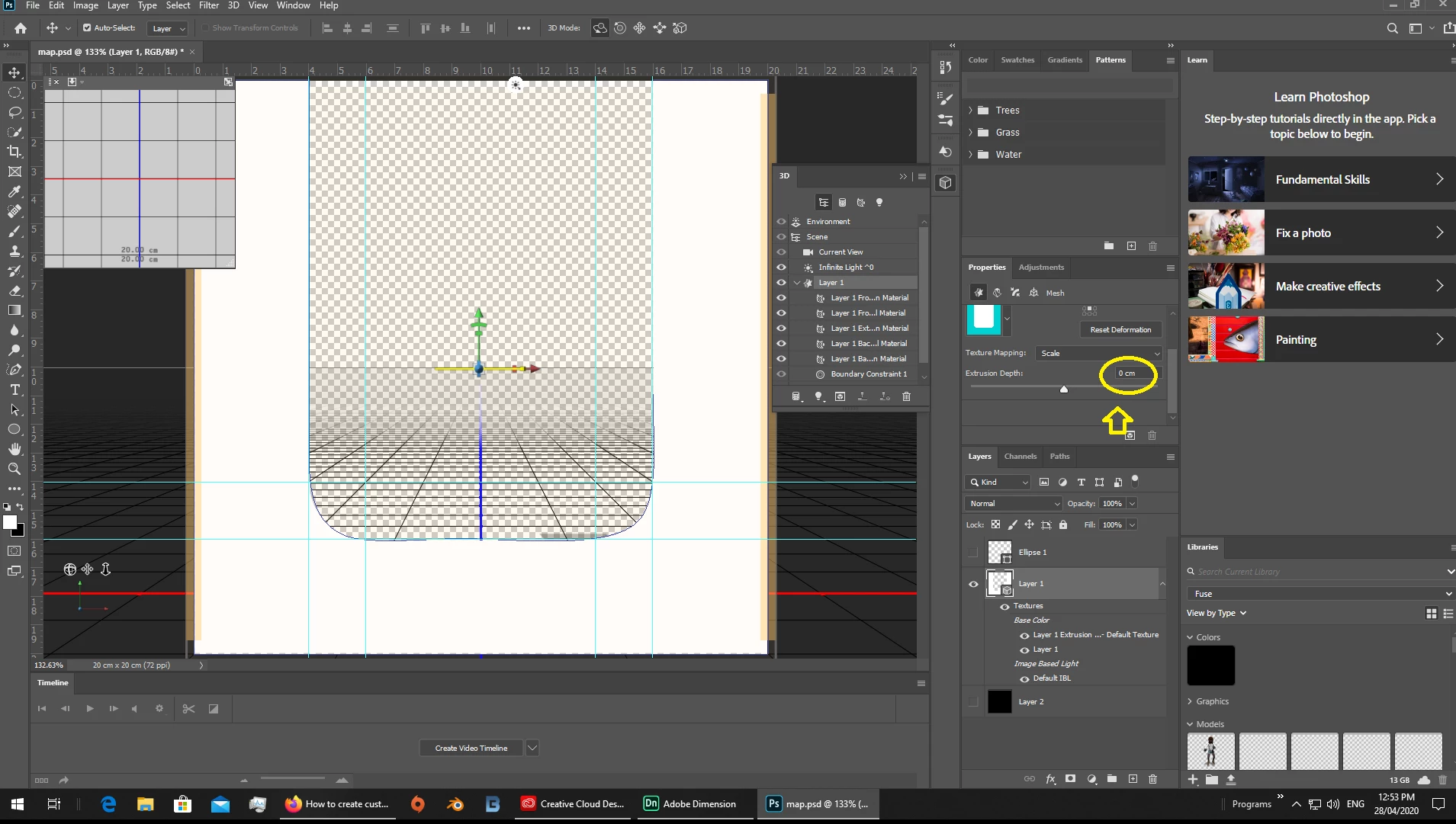
3 build the "custom" face [plane] in your 3D software of choice... I use Photoshop but Blender or even Maya are also fine

- takes longer than just using a map

+ looks better and once you make it then its there to reuse later

2 replies

Ares Hovhannesyan
Community Expert
Community Expert
April 29, 2020

There is also another psossibility to buid it from scratch.Use several plane parametric shapes and build it from scratch. 

Ussnorway7605025
Ussnorway7605025Correct answer
Legend
April 28, 2020

there are 3 options and i'll let you decide which is best

example file to play with

1 when you just want one or 2 faces removed from a box its quick and easy to do this in Dimension with just the magic wand tool

2 your shape is really 5 faces with one being a "custom" so option 2 is to build the box from flat faces [planes] and use an opacity map to hide the part not needed

+ its fast and ok for quick demos

- you can always see a line at the end of a map, ok if you have time to edit it out but clients could see it

3 build the "custom" face [plane] in your 3D software of choice... I use Photoshop but Blender or even Maya are also fine

- takes longer than just using a map

+ looks better and once you make it then its there to reuse later