


Participant
August 3, 2020
Question

How to merge objects in Dimension?

  • August 3, 2020
  • 6 replies
  • 11471 views

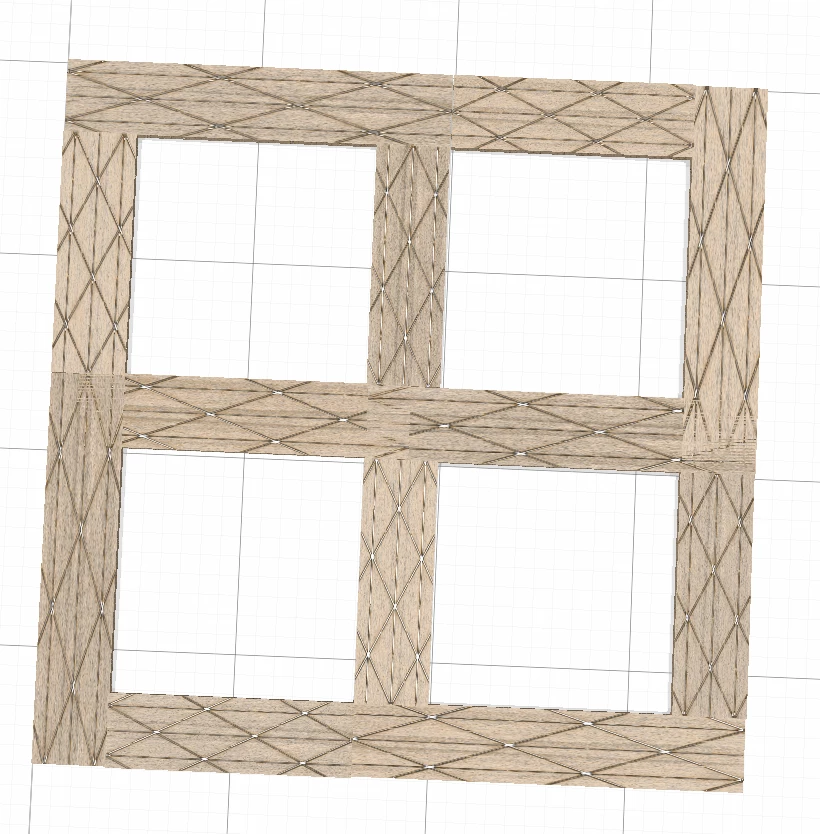
So I've searched for answers and I'm probably over-looking, because I can't seem to find any. I know I'm able to group objects together, but whenever I try to apply a material to my object, it isn't consistent. The texture scales differently for different sized objects and goes in different directions. I want it all to be flush and consistent as if it is one object. [First Picture]

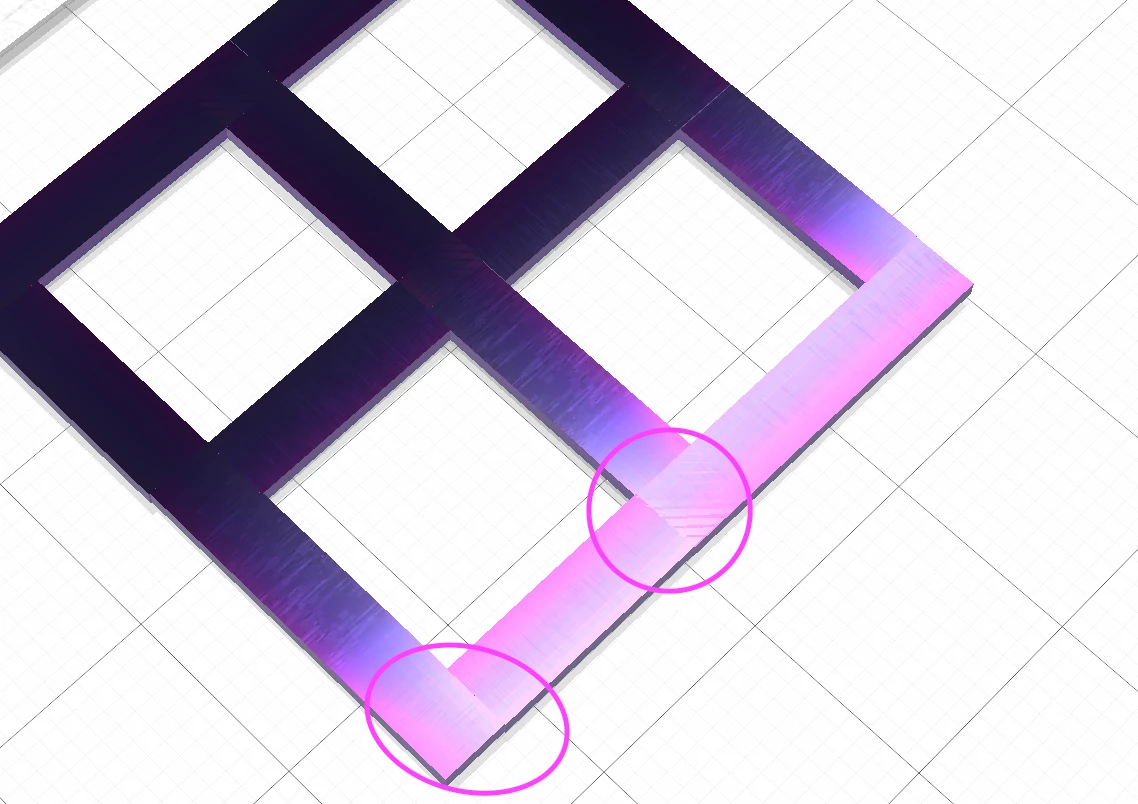
ALSO, If the shapes overlap and I apply a texture, I get a glitchy overlap that flashes every time I move the object. [Second Picture]

Please help me 😞
6 replies

Known Participant
October 10, 2023

Is there an answer for combining objects rather than grouping. I'm finding myself visiting Tinkercad to do the basics and then bringing the STLs back into Dimensions which I'd rather not do.

Ussnorway7605025
Legend
May 4, 2022

when you merge two 3D objects you make a 'temporary' new object but they keep their Uv maps because that way you can un-merge them again later


the op was asking why the patterns go all over the place and the answer is because the pattern follows the Uv map and you need to understand how Uv maps are used when working in 3D... its easy to fix his mistake [& he prob did]

Ussnorway7605025
Legend
April 26, 2021

yes he got two answers which he didn't bother to try or didn't return to say if he still wanted help


also this was a year ago and the Dev team have added a export uv option now to help people

https://helpx.adobe.com/au/dimension/using/exporting-model-uvs.html


Participant
May 4, 2022

Cut the snottiness. I came to this page with the same problem and your solutions do not work. There is NO way to seamlessly connect objects in Dimension that I have found - in fact even finding this page was like going on a scavenger hunt. The obvious reason for this is because Adobe couldn't afford the resources -this why they expect you to use opacity maps to create holes versus boolean. The UV models are crap and if you ever used them you'd know that. Half the time they overlap themselves, make no sense or don't even work. And - if you are using multiple objects that you want merged, who the hell wants 30 separate UV maps for a single object?!

Participant
April 26, 2021

I would also like to know if there is an answer for this problem!

Ares Hovhannesyan
Community Expert
Community Expert
August 5, 2020

Make them the same size Apply materials and then resize one. Did you try that?

Ussnorway7605025
Legend
August 3, 2020

Textures are applied to the UV map... What you want to edit must allow for that