


Participating Frequently
October 16, 2019
Question

Imported 3D model not behaving correctly (likely due to me not making it correctly)

  • October 16, 2019
  • 6 replies
  • 890 views

Hi—

This might be a PS issue, but since it shows in Dimension I figured I'd post here.

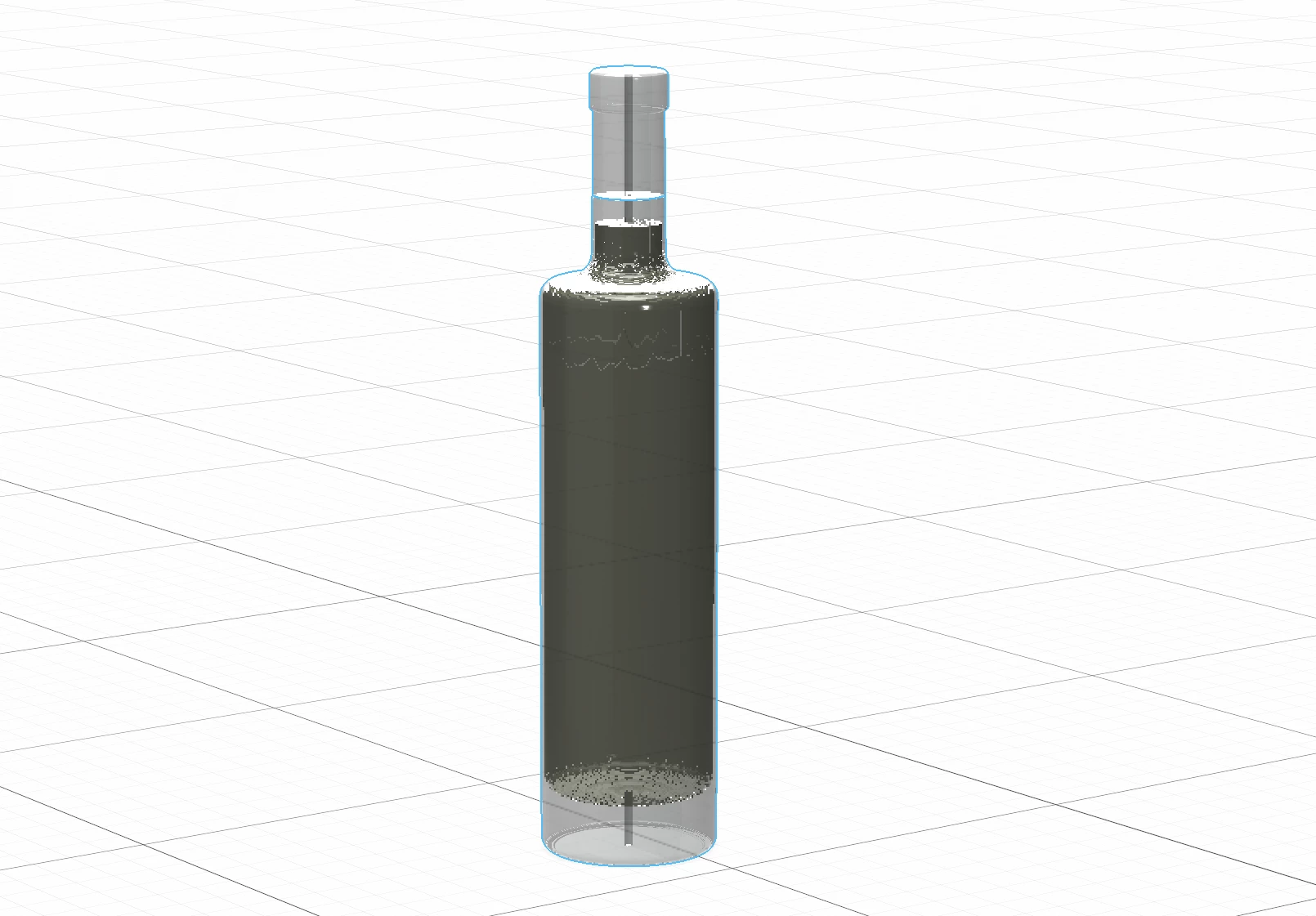
So I made a bottle 3D model in PS consisting of three pieces (bottle, content and top). 

I did my best in setting the extrusion depth to remove the hole in the middle when bending 360 degrees

to make the cylinder shapes. This seems fine in PS, but when importing the finished OBJ-file in Dimension

there you clearly see a hole (I think) throughout the middle of the model.


I've tried and tried for a couple of days now without any luck in avoiding this so now I turn to the Internet for help. It might be simple, but it's driving me nuts. Please see image for reference. The grey "hole" in the middle is what I want to get rid of.

    This topic has been closed for replies.

    6 replies

    Ussnorway7605025
    Legend
    October 19, 2019

    I like the zero trick... one of my tricks is to recal the mesh, and trim a small amount off for a cleaner rendor

    davescm
    Community Expert
    Community Expert
    October 17, 2019

    Hi

    The problem with using a Photoshop 360 degree extrusion is twofold. First the extrusion depth must be zero. Sometimes Photoshop substitutes a small value. That would get rid of your hole.


    However it would still leave the second issue, which is once extruded through 360 then the model has a front and back surface in the same 3D space. That is a big no-no in modelling and leads to a visible shadow in the rendered bottle.


    Much better to create the model in a 3D application like Blender from extruded circles. Blender also has the tools to model a proper screw thread on the glass / cap (screw modifier). That way you avoid those bad surfaces.


    Dave


    Participating Frequently
    October 18, 2019
    Dave — Thanks for replying. I've become quite familiar with the 360 extrusion front/back surface now and realise theres no way around it. I just wanted a basic frontal view of this bottle and managed to rotate it so that the shadow wasn't visible. For this little project I just figured I'd try and use what I already had – the Adobe CC subscription. But, this was a fun excercise so I might delve deeper into it and give Blender a go next time. Cheers!
    davescm
    Community Expert
    Community Expert
    October 18, 2019

    In Photoshop you can reduce the opacity of the front and back surface to 0% to try and hide that artifact, but the best way is still to model it differently , which requires a 3D application.

    Ares Hovhannesyan
    Community Expert
    Community Expert
    October 17, 2019

    I make bootles in Dimension using the assets that are available in Dn. Did you try that also?

    Participating Frequently
    October 17, 2019

    Thanks for helping out and taking time to provide images to help explain. I've been trying to figure this out using PS since there's a specific bottle shape I need.

    Ares: I thought Dn was for composites and rendering only.

    Anyway, I basically need a single front view of a bottle with some labels I've designed and managed to work my way around it this time. Later on I'll try to explore these things more. 

    Thanks again!

    Ussnorway7605025
    Legend
    October 17, 2019

    for this one I cut the top off and reset it to give a lip to catch the lid

    Dave is much better at 3d models than I am and bottles come in all shapes but these are Photoshop + Dimension only

    Ussnorway7605025
    Legend
    October 17, 2019

    i used the crosscut tool to snip the cap and a cylinder for the wine | beer


    I know Dave would use Blender instead and of course this label needs work but the point of the template is to give you a solid starting place... there is always Adobe stock or other 3rd party shops if you just want to buy a premade model

    Ussnorway7605025
    Legend
    October 16, 2019

    yes its the way you made the bottle in Photoshop;

    1 use the built in template to make a 3d bottle with correct settings

    2 export the bottle as an wavefront Obj with jpeg textures and then import that into Dimension

    Participating Frequently
    October 16, 2019
    Thanks for the reply. Those templates are pretty clean. But I can't edit the shapes, can I? I have a very specific type of bottle I need a model of, you see.