Participant
October 4, 2018
Answered

Inside Packaging Renders Black

  • October 4, 2018
  • 1 reply
  • 1107 views

This has a lot of steps so buckle up.

1: I created a basic dieline in Illustrator.

2: Saved it out to fold the design in Cinema 4D using its Fold My Design plugin since Dimension doesn't have a dieline folding extension or function that I am aware of.

3: Got the dieline shaped as I wanted for within Cinema 4D for presentation and exported as .obj

4: Opened New Document in Dimension and imported in my .obj (it tells me that "Dimension has detected potential errors in the model UVs which may affect the appearance of materials and graphics. Do you want Dimension to generate new UVs for this model?") I select replace and all is fine and the model is imported. Great.

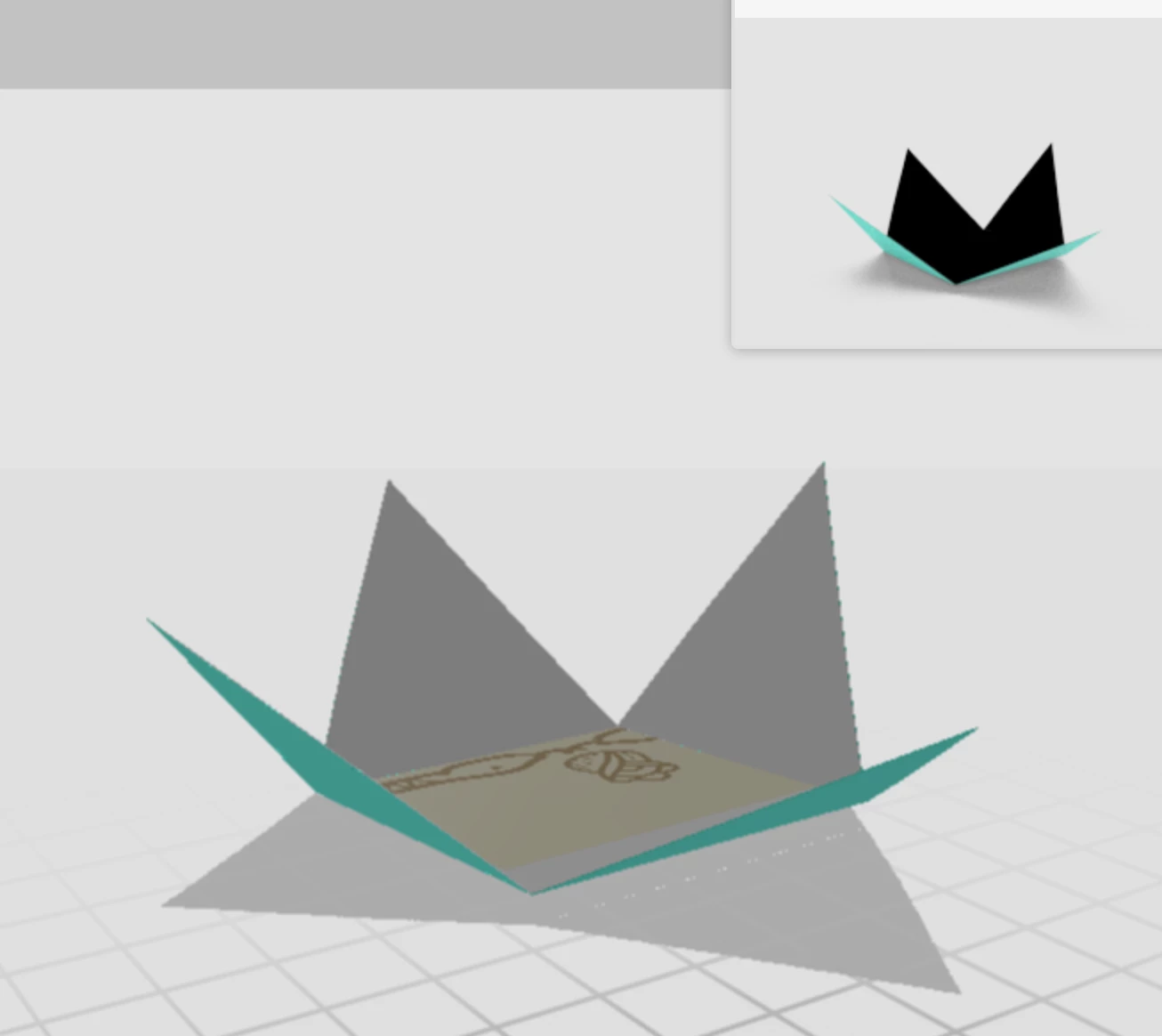
5: The problem occurs when I place a decal inside of the object, it renders black. Outside is fine. I set it to a seafood green and it shows up but the inside is black and not rendering the object or decal that I have placed inside.

See attached images.
    This topic has been closed for replies.
    Correct answer JeanetteMathews

    In regards to Step 4:  "Dimension has detected potential errors in the model UVs which may affect the appearance of materials and graphics. Do you want Dimension to generate new UVs for this model?")

    • Please note this is only potential errors.  You can skip this step if you know you setup your UVs properly.  Right now it shows for overlapping UVs, which is going to be removed in our next release.

    In regards to the issue in Step 5:  Rendering black.

    • The back sides of faces render darker in Dimension.  You'd need to extrude this to have both a front and back side.  This will be fixed in an upcoming release later this year.

    1 reply

    JeanetteMathews
    Adobe Employee
    JeanetteMathewsCorrect answer
    Adobe Employee
    October 5, 2018

    In regards to Step 4:  "Dimension has detected potential errors in the model UVs which may affect the appearance of materials and graphics. Do you want Dimension to generate new UVs for this model?")

    • Please note this is only potential errors.  You can skip this step if you know you setup your UVs properly.  Right now it shows for overlapping UVs, which is going to be removed in our next release.

    In regards to the issue in Step 5:  Rendering black.

    • The back sides of faces render darker in Dimension.  You'd need to extrude this to have both a front and back side.  This will be fixed in an upcoming release later this year.
    Participant
    October 5, 2018

    Word. Thanks Jeanette!