Participating Frequently
December 10, 2024
Answered

Is there a way to flip a texture in Dimension?

  • December 10, 2024
  • 1 reply
  • 974 views

I'm using an imported model  (made in Cinema 4D, exported as .obj) in my scene. When I try to place a texture on it it appears flipped (mirorred) and I can not figure out how to mirror it back without editing texture itself. The same with a decal.

I've tried different export options regarded to UV and even normals flipping - nothing changes. 

Tried also Object -> generate UVs -> didn't help

This topic has been closed for replies.
Correct answer Ares Hovhannesyan

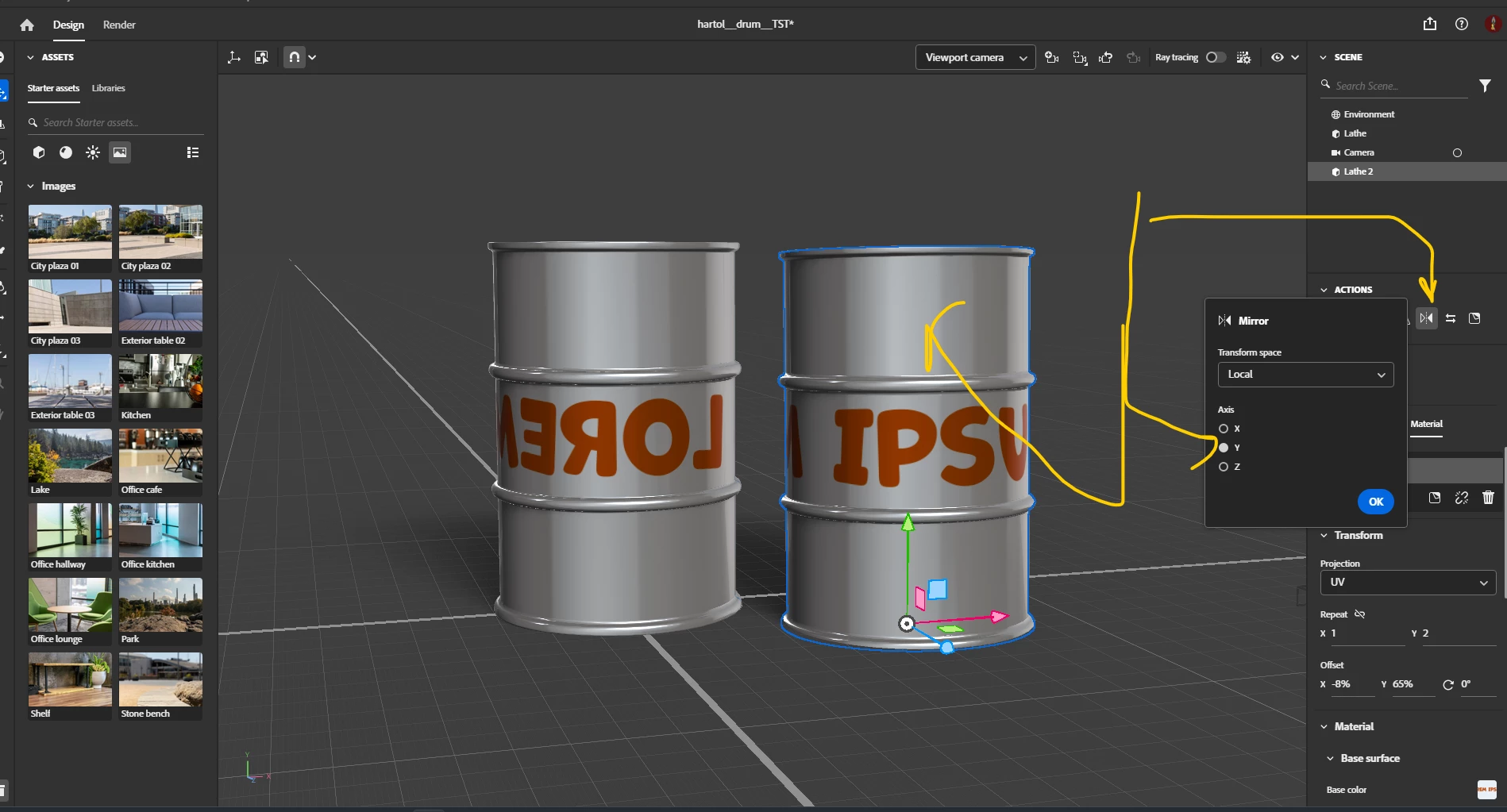
You need to Mirror your object. See capture. (IMHO Dn during import do not correctly understand object postion)

1.Select object

2.Select Mirror and mirror as Y.

3 Move to ground..

3. Any image  will be in correct position

1 reply

Ares Hovhannesyan
Community Expert
Community Expert
December 10, 2024

Can you try this? https://youtu.be/kWxFca4YNac?si=13bG2h0el888OCxc

Is it possible for you to share the object via any cloud for testing? Thanks

Participating Frequently
December 10, 2024

here you go. The scene and the texture.

https://we.tl/t-JuIVfx03YL


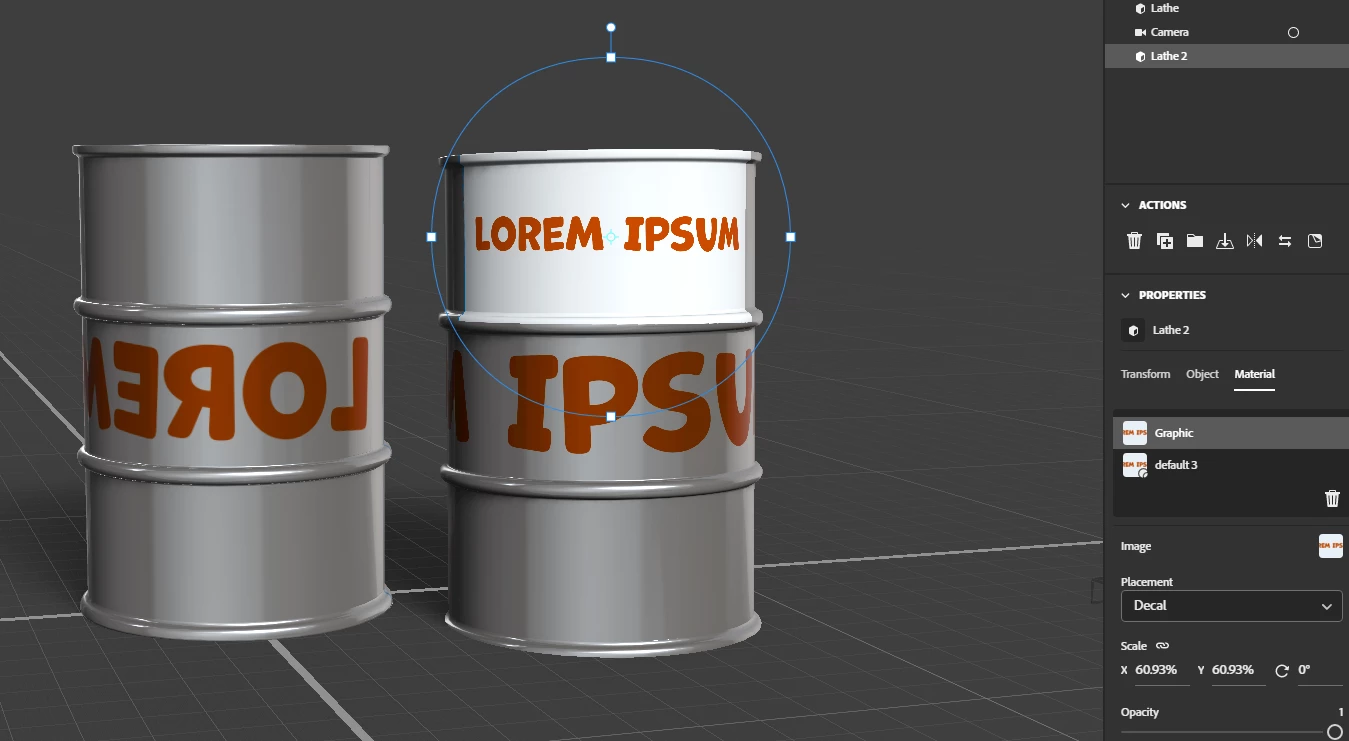
This is what it brings me:


Ares Hovhannesyan
Community Expert
Ares HovhannesyanCommunity ExpertCorrect answer
Community Expert
December 11, 2024

You need to Mirror your object. See capture. (IMHO Dn during import do not correctly understand object postion)

1.Select object

2.Select Mirror and mirror as Y.

3 Move to ground..

3. Any image  will be in correct position