



Issues with material consistency
Hi all, hoping someone may be able to help me!
I have been using Dimension for a few months now and overall, it is working well for the projects I work on. However, I sometimes run into an issue where materials will appear differently from part to part - despite the fact that every part has been created the same and has the same material applied. It comes across as though some have more of a metallic appearance. I should note, the models I use are ones I create in other programs and import as FBX files. The parts that are affected seem to be totally random. We have done investigating on our end into how the parts are created, but there are no inconsistencies that would create any differences.
I understand the design vs. render mode have different visibilities, thus, this issue seems to go away once the model has been rendered. However, the issue is still apparent when the model is uploaded to a sharable 3D scene. I love the ease and benefits of being able to share these 3D links with clients, however, with the inconsistencies of material appearances, we aren’t able to use it.
I am unable to share a full model, but here is a snippet of what I’m referring to – this whole section should be one consistent blue (the lighter, less metallic looking blue).
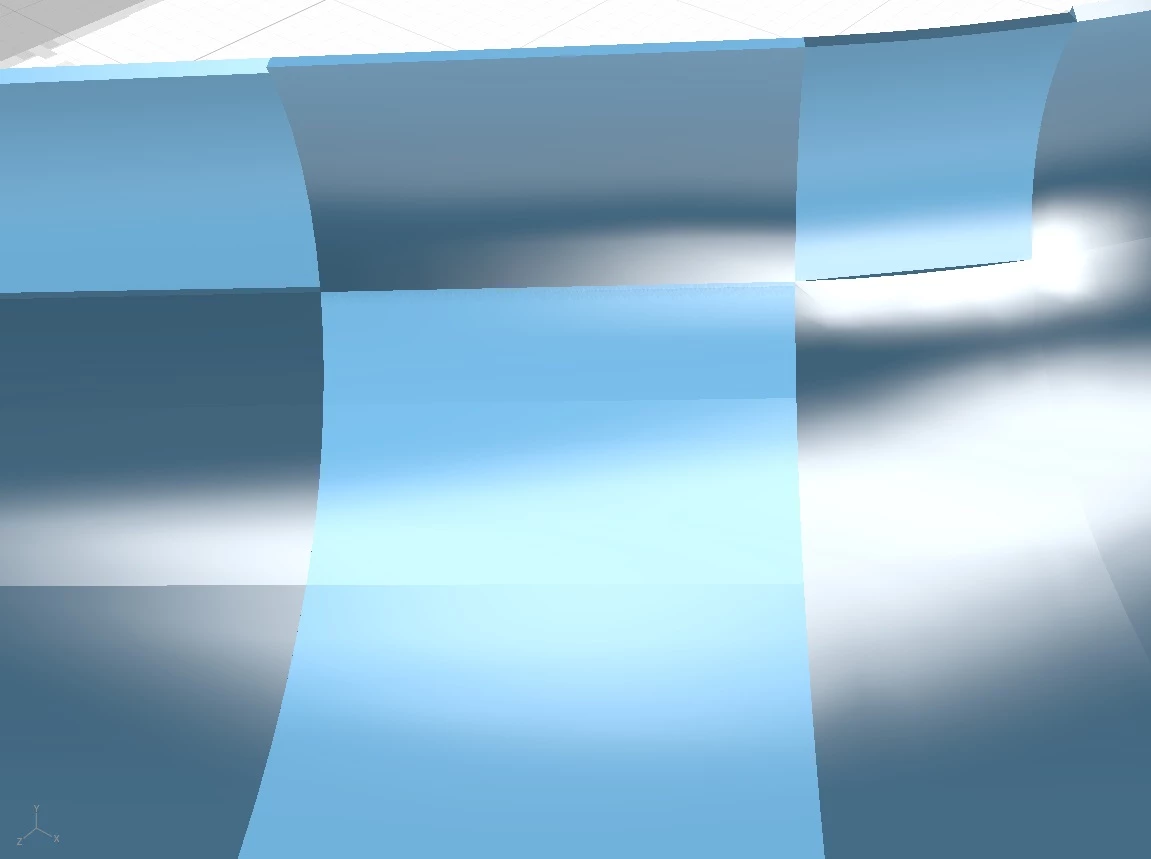
I will also note – I have tried loading the same model into Adobe Substance and I experience the same issues. Anyone else running into similar issues or able to offer solutions?
Thanks in advance - any suggestions are very much appreciated!


 AdChoices