


Known Participant
April 10, 2021
Answered

Loading custom substance textures into Dimension via Creative Cloud - Is this possible?

  • April 10, 2021
  • 2 replies
  • 1375 views

Hi, 


I'm trying to load a custom Substance texture into "My Library" via Creative Cloud so I can use it in

Dimension.


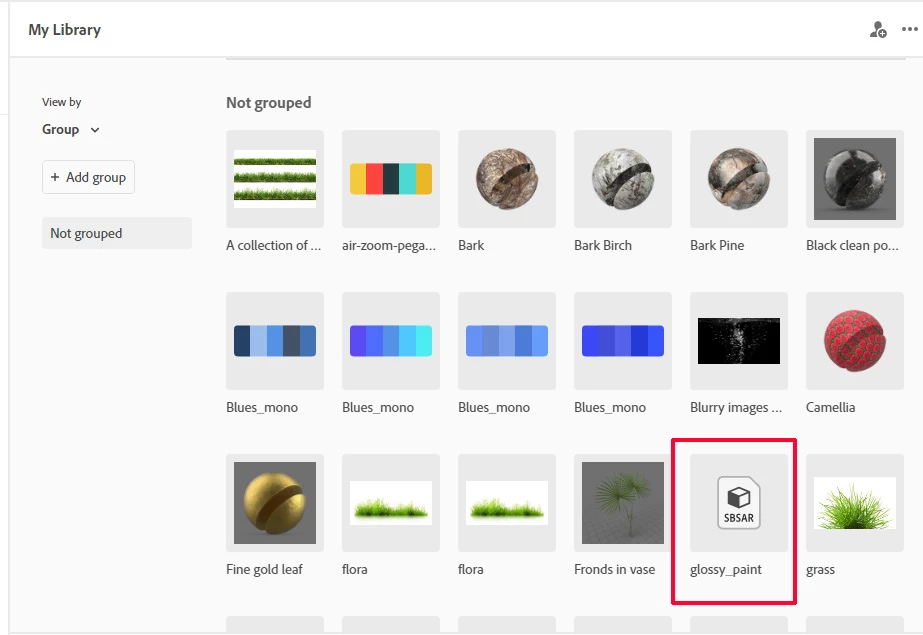
It says that SBSAR files are supported but I just get an icon - see below:
Supported files


https://helpx.adobe.com/uk/creative-cloud/help/supported-formats-creative-cloud-libraries.html


I've only got them to work through purchasing via Adobe Stock or using the Capture Software on my phone that does sync to My Library (showing up fine in my screen grab)


Is this a bug or is Dimension only half supporting Substance textures?


It won't work if I import it locally and place on a custom model either.


Any alternatives?


Kind Regards

Giles


This topic has been closed for replies.
Correct answer Ussnorway7605025

No it's not just you... Adobe Dimension is a different Dev team to Adobe Creative cloud and they don't talk to each other or test their stuff actually works before telling people BS


Substance texture files are not supported by creative library and neither are Dimension Dn files for that matter regardless of what the help files say

2 replies

Ussnorway7605025
Ussnorway7605025Correct answer
Legend
April 12, 2021

No it's not just you... Adobe Dimension is a different Dev team to Adobe Creative cloud and they don't talk to each other or test their stuff actually works before telling people BS


Substance texture files are not supported by creative library and neither are Dimension Dn files for that matter regardless of what the help files say

boyo77Author
Known Participant
April 12, 2021

Thanks everyone, 


That's a real shame. This software has so much potential yet falls short on

critical things like this.


I get it, they want people to buy assets but surely they can allow some customised textures

rather than just ones shot on your phone or free ones?  


That said, the rendering is actually pretty nice.

Ares Hovhannesyan
Community Expert
Community Expert
April 11, 2021

Please review https://community.adobe.com/t5/dimension/how-to-add-new-material-presets-in-adobe-dimension-library/td-p/10782412.


From my side I use following workaround. 

  1. Create new sphere (or any other 3d model) 
  2. Import new substanse material on that object
  3. Add that object into Library 
  4. Create any new object
  5. Use Sample tool to copy material on your new object


In htis way you can keep your substanc material in Libraries. Otherwise keep it localy.