Participant
December 19, 2019
Answered

Modeling Issues (Decal Distortion)

  • December 19, 2019
  • 3 replies
  • 3434 views

Alright so this maybe my novice 3D modeling skills, poor comunication between two programs, or any number of other factors... but I've been scracting my head over this for a while now and the community here is rather good about solving, or at least explaining whats happening, so thank you in advance to anyone who can help me!


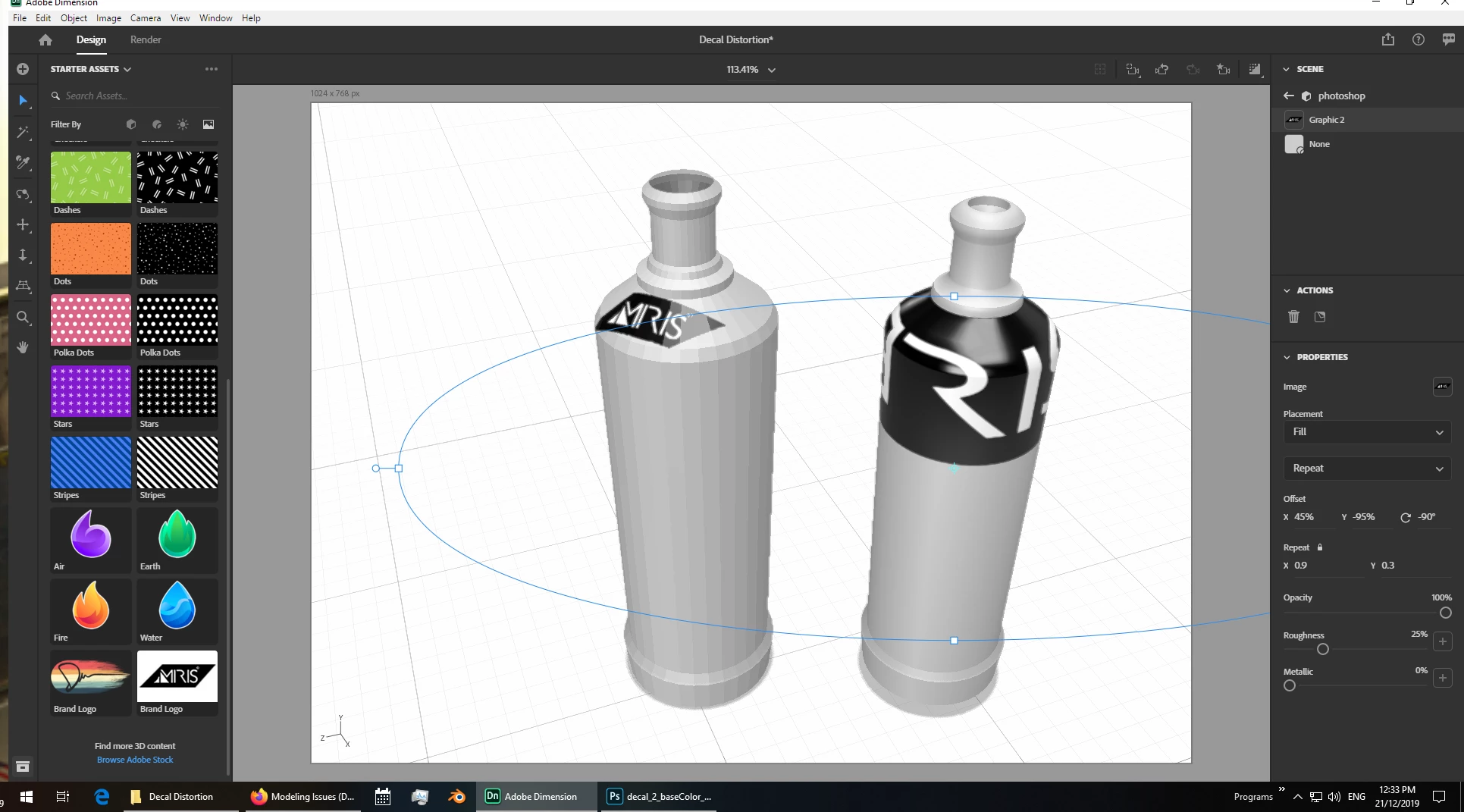
I have created a model in blender 2.81 with no modifiers, no subdivisions, no shade smooth properties, just a model at the bare bones... now this may seem familar to some who have helped me in the past because it is a similar bottle that I did take all the way across the finish line and it looked great but I have stripped it back to the bare minimum to try and solve an underlying issue. I am having trouble understanding the distortion I am seeing at the neck of the bottle with decal placement (reguardless of scale). It makes no sense to me when every other portion of the decal responds perfectly to the bottles curves.


Again thank you in advance to anyone who can help I am very new to 3D modeling and Adobe Dimension but desperately want to learn!


I have attached a link including:

2 Videos (one of the model in blender for refrence, and one of my Dimension file issue)

Both working files (blender model, and dimension project file)

.obj & .mtl file


https://transfer.agencymosaic.com/link/Dle9Kx6kDNOUOr1g1ySpBI


This topic has been closed for replies.
Correct answer Ussnorway7605025

the decal is trying to follow the UV map i.e, Dimension is not very smart and offen gets it wrong when unpacking a model


option 1 build the model to shape then use a fill i.e, a fill will follow the model

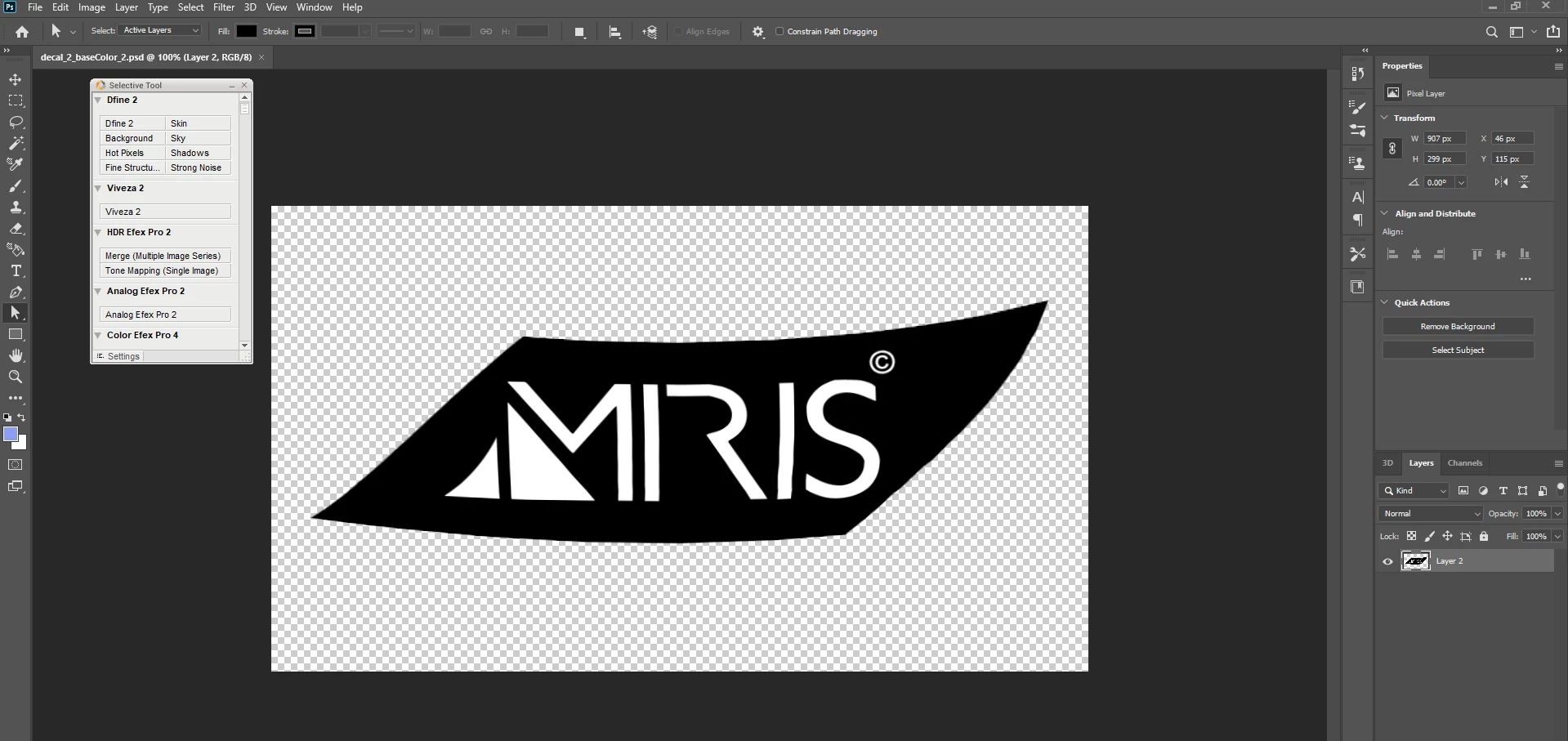
option 2 edit the image itself i.e, a decal will follow the uv map of the model (as Dimension decides to unwrap it) and you have little control over it... great when it works but a bugger when it gets it wrong, anyway you can edit the image in Photoshop to curve up the ends for example

option 1 is always going to give a better result than option 2 because when you edit the image you risk a bad rendor

that model you made has some major issues with backfaces which will swap light and shadow around... just so you know mate

3 replies

acameron1
Participating Frequently
January 15, 2021

This video may be helpful to others who are having difficulty with label decal wrap distortion:

https://youtu.be/bH54Mn6Lpgs

Ussnorway7605025
Legend
December 22, 2019

you gave us a video of your issue plus the Dn file to demo with so you have a solid understanding of how to get your questions sorted

yes 3D is a bit of a wild west with every software bringing its own rules ... learning new things everyday is part of the fun mate

Ussnorway7605025
Ussnorway7605025Correct answer
Legend
December 21, 2019

the decal is trying to follow the UV map i.e, Dimension is not very smart and offen gets it wrong when unpacking a model


option 1 build the model to shape then use a fill i.e, a fill will follow the model

option 2 edit the image itself i.e, a decal will follow the uv map of the model (as Dimension decides to unwrap it) and you have little control over it... great when it works but a bugger when it gets it wrong, anyway you can edit the image in Photoshop to curve up the ends for example

option 1 is always going to give a better result than option 2 because when you edit the image you risk a bad rendor

that model you made has some major issues with backfaces which will swap light and shadow around... just so you know mate

Participant
December 22, 2019

Thank you! 3D is not easy haha everytime I think I've got a grip on it I hit another road block.