Participant
April 4, 2020
Answered

.obj displaying incorrectly (with extra planes) in Dimension

  • April 4, 2020
  • 2 replies
  • 2103 views

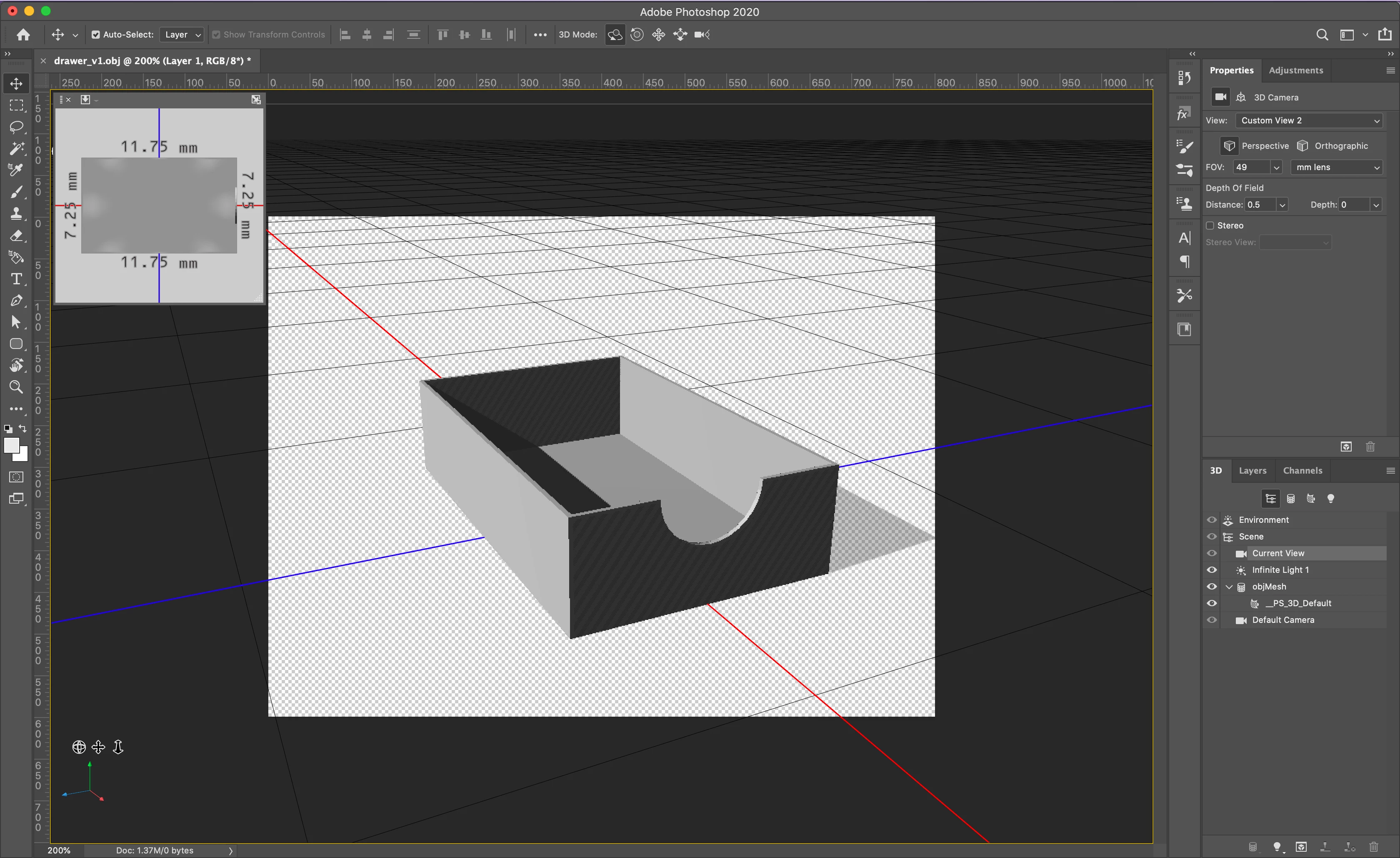
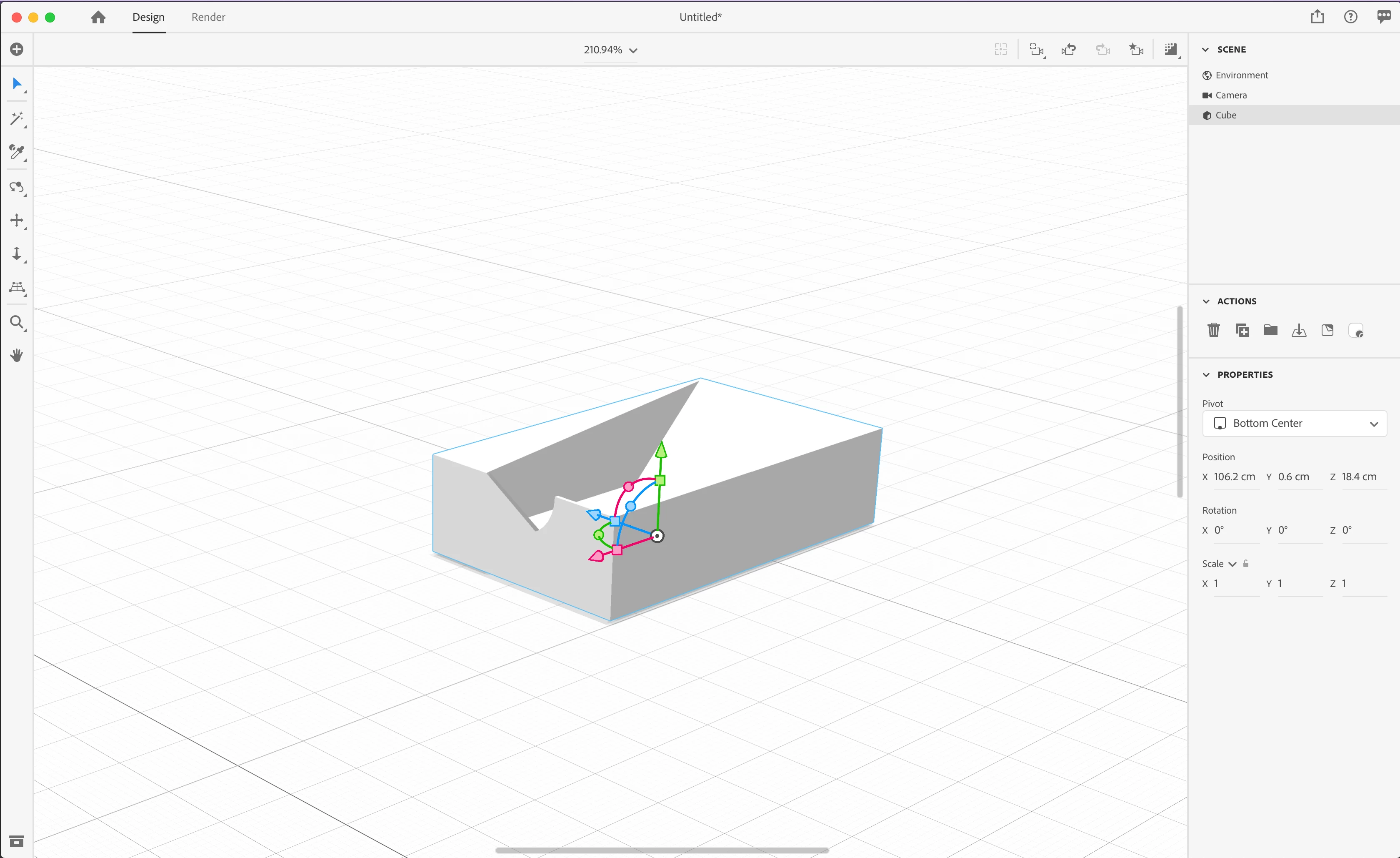
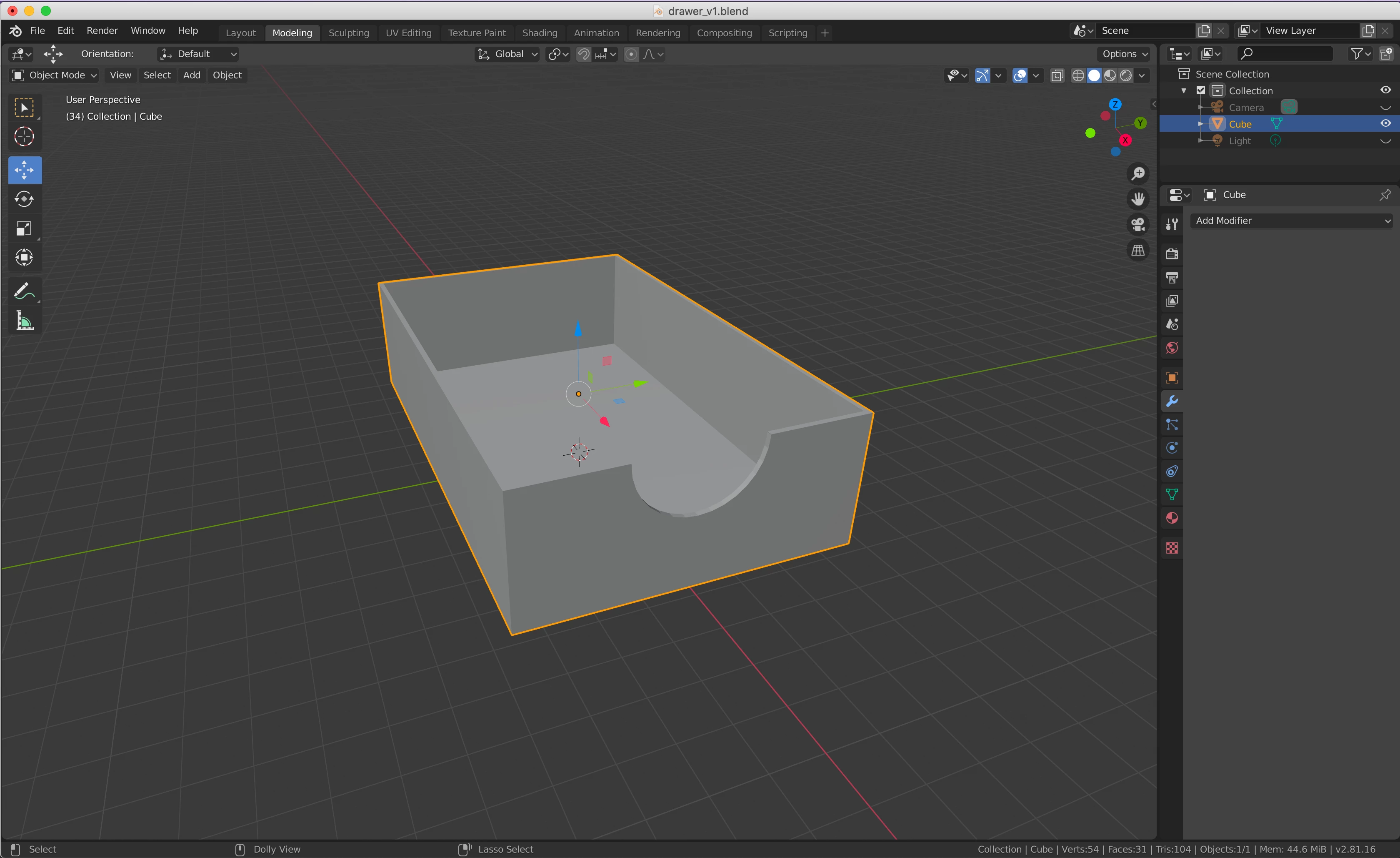
Hi, I created a simple 3D model of a drawer using Blender, and exported it as an .obj. As you can see from my screenshots, the model displays fine in both Blender and Photoshop, but carries strange additional planes when imported into Dimension. Any idea why this would be, and how I can fix it?


I created this drawer by applying a difference between two rectangular shapes (using Boolean modifier), and then a difference between the resulting shape and a cylinder. Would there be a better way to create this shape in Blender for use in Dimension?


Thank you!


This topic has been closed for replies.
Correct answer residenthipster

I will try this, thank you!


I ended up working around the issue by importing the individual sides of the drawer into dimension, moving them into place, and then grouping them. I've had to do this before because of issues with decals applying to all faces. 

2 replies

J. Stuart Johnson
Inspiring
April 21, 2020

It's my guess, if you've used boolean operations there is a good chance it likly generated some n-gons ( 5 or more points) and something isn't handleing it well. I would try editing the object in Blender to correct any poly's in the area or split any poly's 5 or more points and see if that help or convert the object to quads or triangles. If you can view normals in Blender, you might also check if one is facing incorrectly or if there is double poly in that area.

Ussnorway7605025
Legend
April 4, 2020

how to fix = convert the file to wavefront Obj in Photoshop then Dimension will read it correct

residenthipsterAuthorCorrect answer
Participant
April 11, 2020

I will try this, thank you!


I ended up working around the issue by importing the individual sides of the drawer into dimension, moving them into place, and then grouping them. I've had to do this before because of issues with decals applying to all faces.