VytasGaizutis
Participant
March 9, 2018
Answered

Objects aren't casting shadows when rendered or in render preview

  • March 9, 2018
  • 3 replies
  • 1978 views

I see shadows in the main viewport. When I rotate my light, they rotate accordingly. However, shadows aren't appearing at all on surfaces in the render preview or on final render.

Any ideas?

This topic has been closed for replies.
Correct answer JeanetteMathews

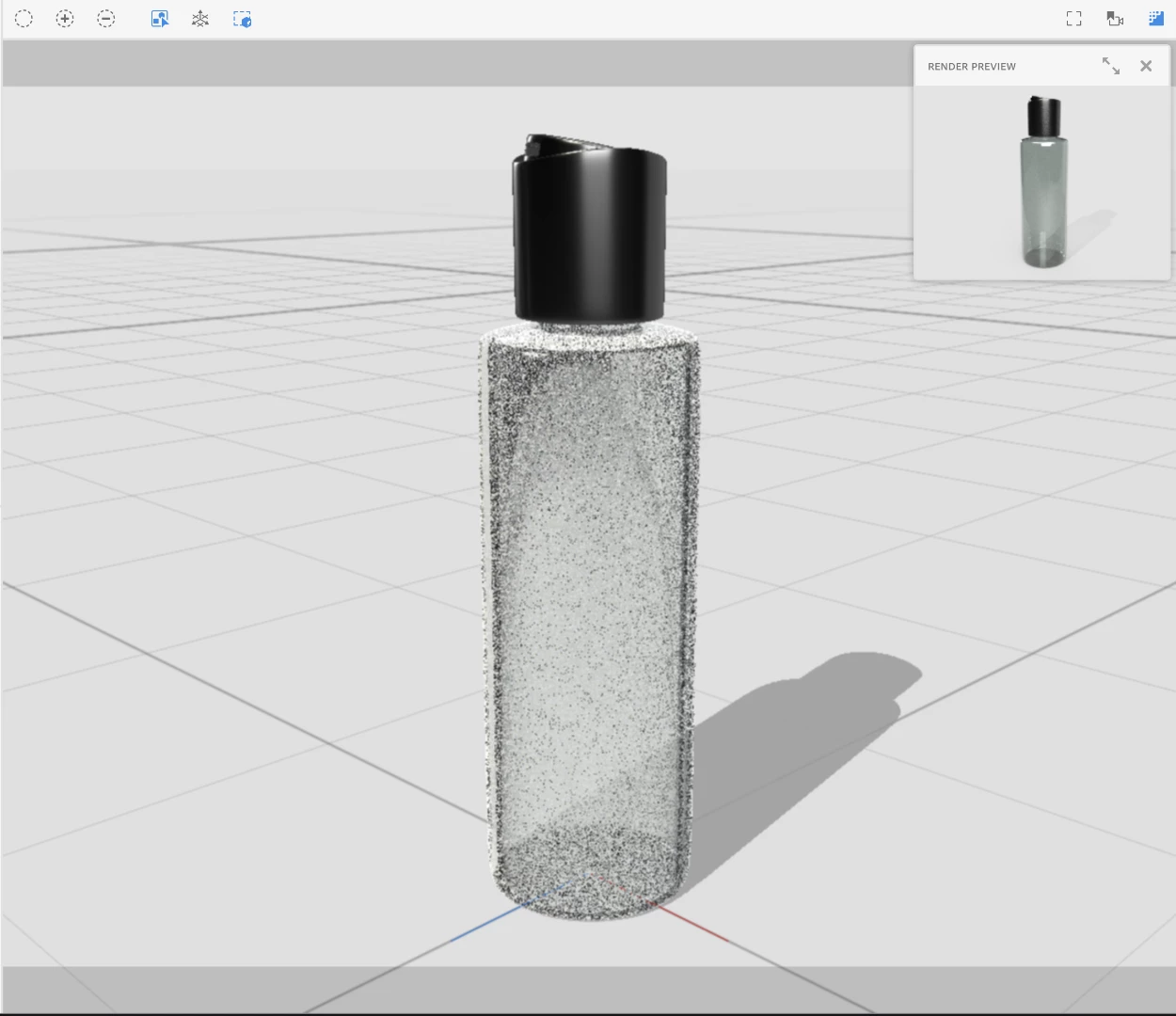
The main canvas/viewport is only a very rough preview designed to be fast, but it is not accurate for many things including glass, translucency, reflections, and shadows.  Be sure to turn on the render preview in design mode (default shortcut is \ )when finalizing your design before doing a final render in render mode.  As you can see from this screenshot the render preview looks pretty different and is much closer to the actual final render.  Previewing the render takes some CPU and battery though so we close it by default.

3 replies

JeanetteMathews
Adobe Employee
JeanetteMathewsCorrect answer
Adobe Employee
March 10, 2018

The main canvas/viewport is only a very rough preview designed to be fast, but it is not accurate for many things including glass, translucency, reflections, and shadows.  Be sure to turn on the render preview in design mode (default shortcut is \ )when finalizing your design before doing a final render in render mode.  As you can see from this screenshot the render preview looks pretty different and is much closer to the actual final render.  Previewing the render takes some CPU and battery though so we close it by default.

Inspiring
March 10, 2018

- Happens to me too. Sometimes, when I apply a background, and I use Match Image, the sun light is not triggered because the program understands that there is no need. When we want to force more shadow, we activate sun light.

- You may also be applying a light style that emits a lot of light from all sides, which will cause a decrease in the shadows. Try to activate the sunshine and set the height and cloudiness.

- See if the ground plane is on. If it is not, it will not show the shadows.

Ussnorway7605025
Legend
March 10, 2018

add a different background image (with lights, sun etc) then put the original back in