


Participant
June 8, 2021
Answered

Objects with same material appear in different colours

  • June 8, 2021
  • 1 reply
  • 498 views

Hello together!

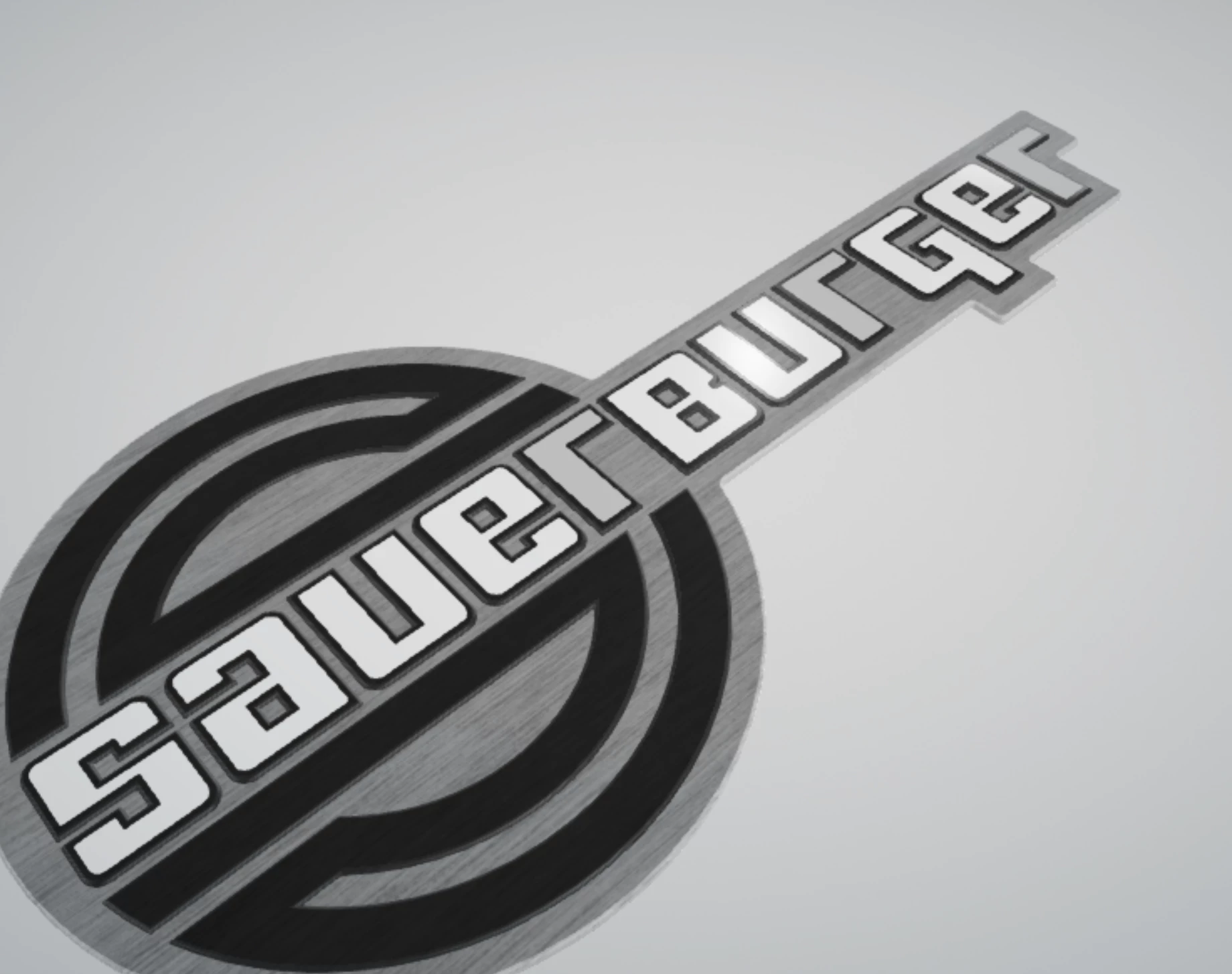
The aim is to represent signs and emblems realistically. To do this, I load an .obj file into Dimensions and then provide it with the materials. Since a few weeks we have again and again problems with the materials. As you can see on the following picture, some letters are displayed darker than others (in this case all  "r"), although they have all been assigned the same white material. In the edit view the material is uniform but as soon as it is rendered you can see the difference. Does anyone know what the problem is?

Thanks for your help!
This topic has been closed for replies.
Correct answer sophiev1676054

Upload it at any cloud drive and share a link here. Thx


Hello, in the meantime we have solved the problem. The model was created in Cinema 4D. The error was that the extruded areas were saved as so-called N-gon (Caps Type). If you change the way to „Quadrangles" and then export the file as an .obj file, the problem disappeared in Dimensions.

1 reply

Ares Hovhannesyan
Community Expert
Community Expert
June 8, 2021

The first problem that can cause such a difference is light directions. Try to play with them.

Participant
June 9, 2021

Thanks for your answer!

Unfortunately, I have already tried that. It is not a gradient and it does not change when you rotate the model. The dark area clearly refers only to the "r".

I would like to send the original file to you but I can´t attach files. (Error message: "The attachment´s materialfehler.dn content type (application/octet-stream) does not match its file extension and has been removed")

Ares Hovhannesyan
Community Expert
Community Expert
June 9, 2021

Upload it at any cloud drive and share a link here. Thx