olipowell
Participating Frequently
June 16, 2021
Question

Problems with uneven surface in object

  • June 16, 2021
  • 1 reply
  • 636 views

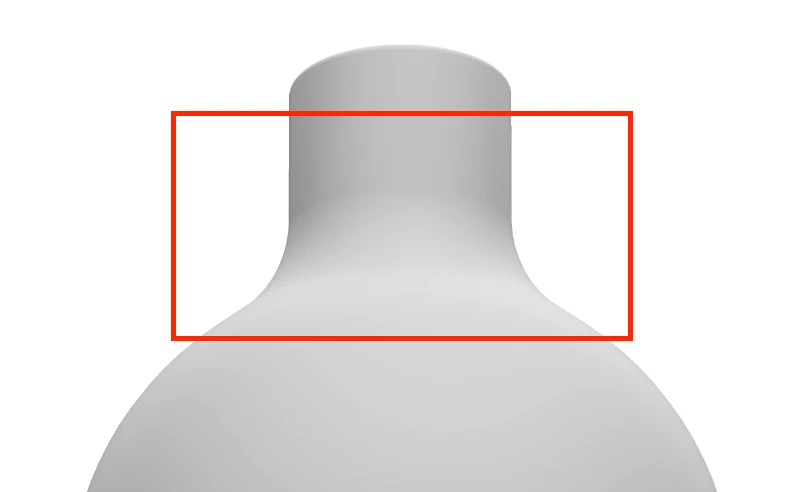
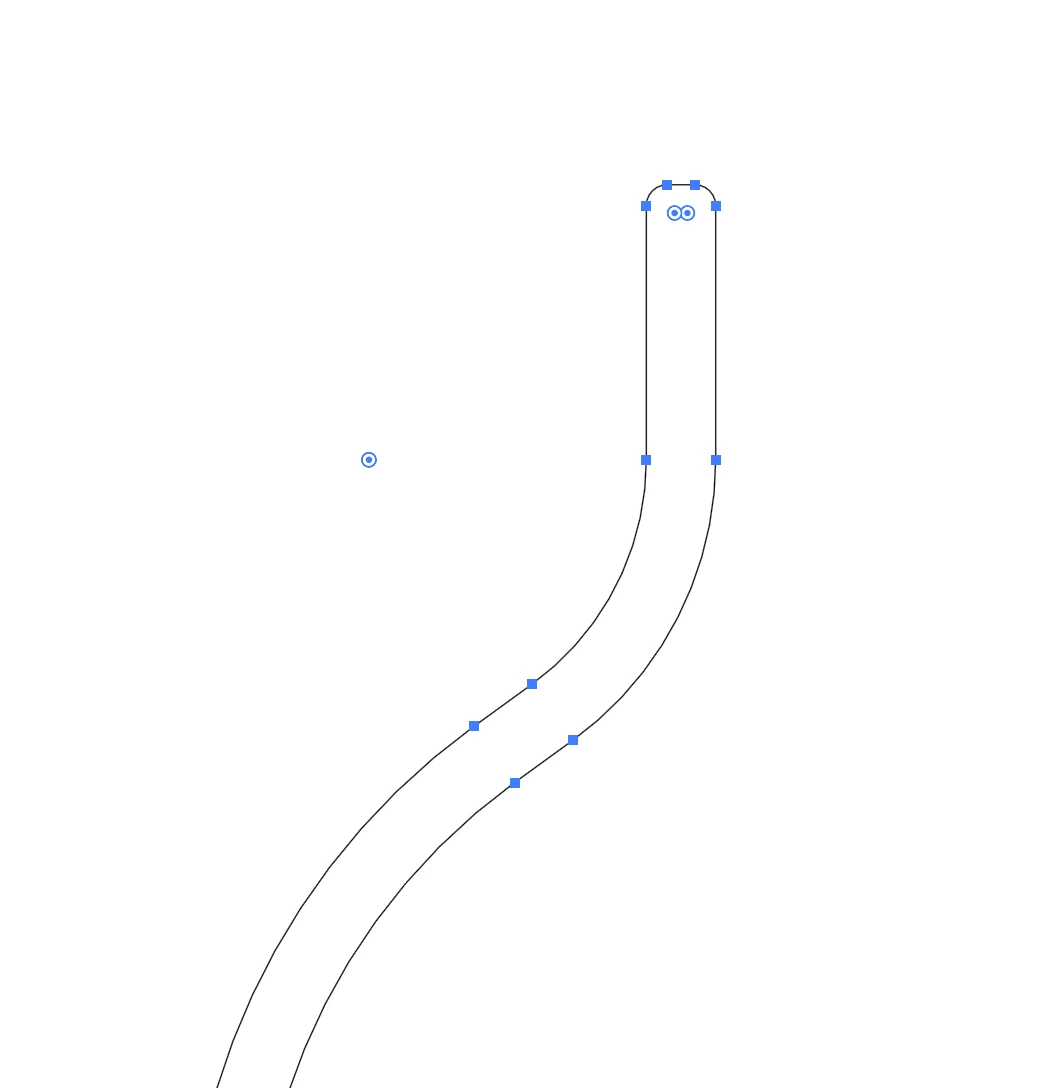
Hello, does anyone have any tips for smoothing out this uneven section in my object? The shape is made in illustrator, pasted into photoshop with a 3D Extrusion applied to create the final object. The problem seems to originate from the anchor points in the vector, but can't be adjusted without compromising the shape.


Thanks!


This topic has been closed for replies.

1 reply

Ussnorway7605025
Legend
June 16, 2021

try a sharp edge with top right


that extrusion looks very thick as well so set it to .1 which is the min Photoshop can rendor... also generate the Uv map (1024*) before exporting to get the best surface

olipowell
olipowellAuthor
Participating Frequently
June 17, 2021

Thanks! I'm getting more uneven texture (banding) after I've made those changes. I feel like it's quite temperamental when pasting from Illustrator to Photoshop. Slight changes in the initial shape, seem to have unexpected results.


Ares Hovhannesyan
Community Expert
Community Expert
June 17, 2021

Can I advice you to make this shape from your jpg file. Make new path in Ps or make 3d from selection in Ps. Also you can grayscale your image for removing these artifacts before extruding.