


Participant
April 8, 2022
Question

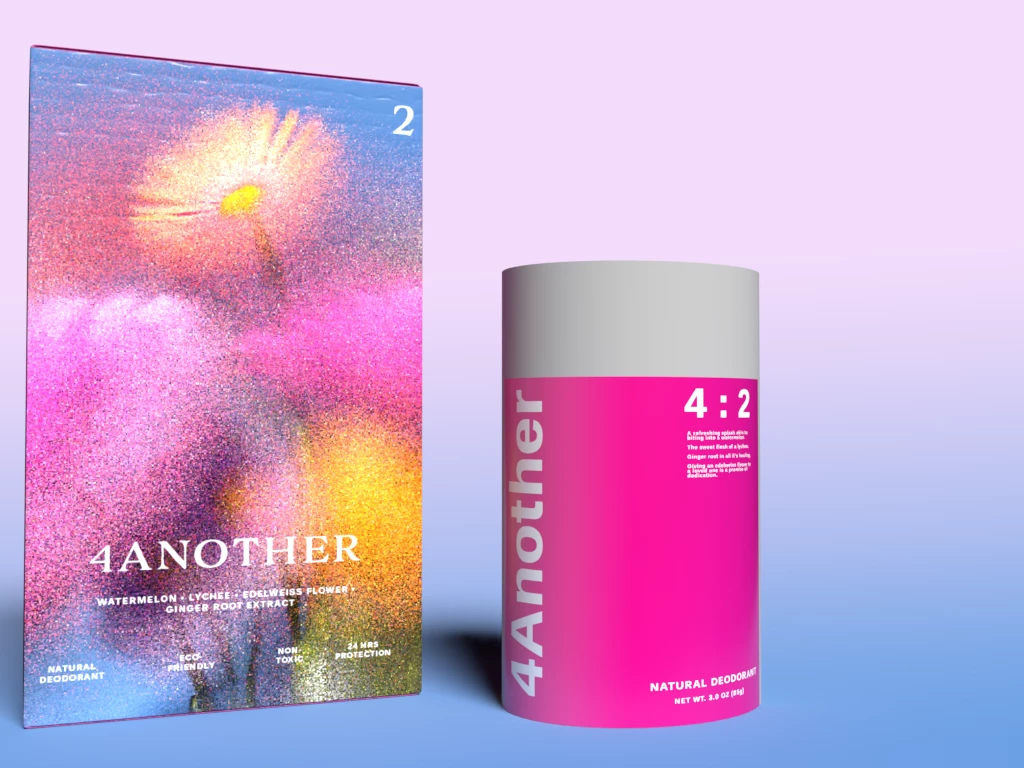
Render decals coming out blurry

  • April 8, 2022
  • 2 replies
  • 481 views

I've sifted through the topics on here about this but can't seem to find a solution. So far I've tried changing resolution of the decal, file type, rasterizing, chaning materials on model, experimenting with lighting, etc. to no avail. Is there some rule for having those decals come out sharp?
This topic has been closed for replies.

2 replies

Ussnorway7605025
Legend
April 21, 2022

I'm going to assume you want the back text [not the white sent 1 cut out]

try [in photoshop] a overall canvas of 2048X2048 pixels [not inches]

white background layer, black forground text [use a web safe font first before testing some random font off the internet]... save this as Png [not jpg or bmp] and test your rendor against the box you have


results should be sharp as a knife

Ussnorway7605025
Legend
April 8, 2022

is this image on transparent background & what material is the model set to?

ashah93Author
Participant
April 20, 2022

Hello,


Here are some specifications as I've been toying around. I used illustrator to make the file. Placed in photoshop, set to cymk color mode at 300dpi psd file. The graphic is 2.5 by 3 inches and so is the base of my model, but when I place it in Dimensions it scales down. I set it to no background (transparent I'm assuming?). I set the material to plastic, didn't work, now I set the material to matte and it currently looks like this. The label is suppsoed to be wrapping around but I just wanted to show on front for demonstrative purposes.