


Inspiring
September 20, 2024
Answered

Render Doesn't Reset After Use

  • September 20, 2024
  • 2 replies
  • 474 views

After successfully rendering a scene, the PNG saves correctly to the location, but the render status says 'Cancelled' and the export settings is greyed out with the Cancel All button available.
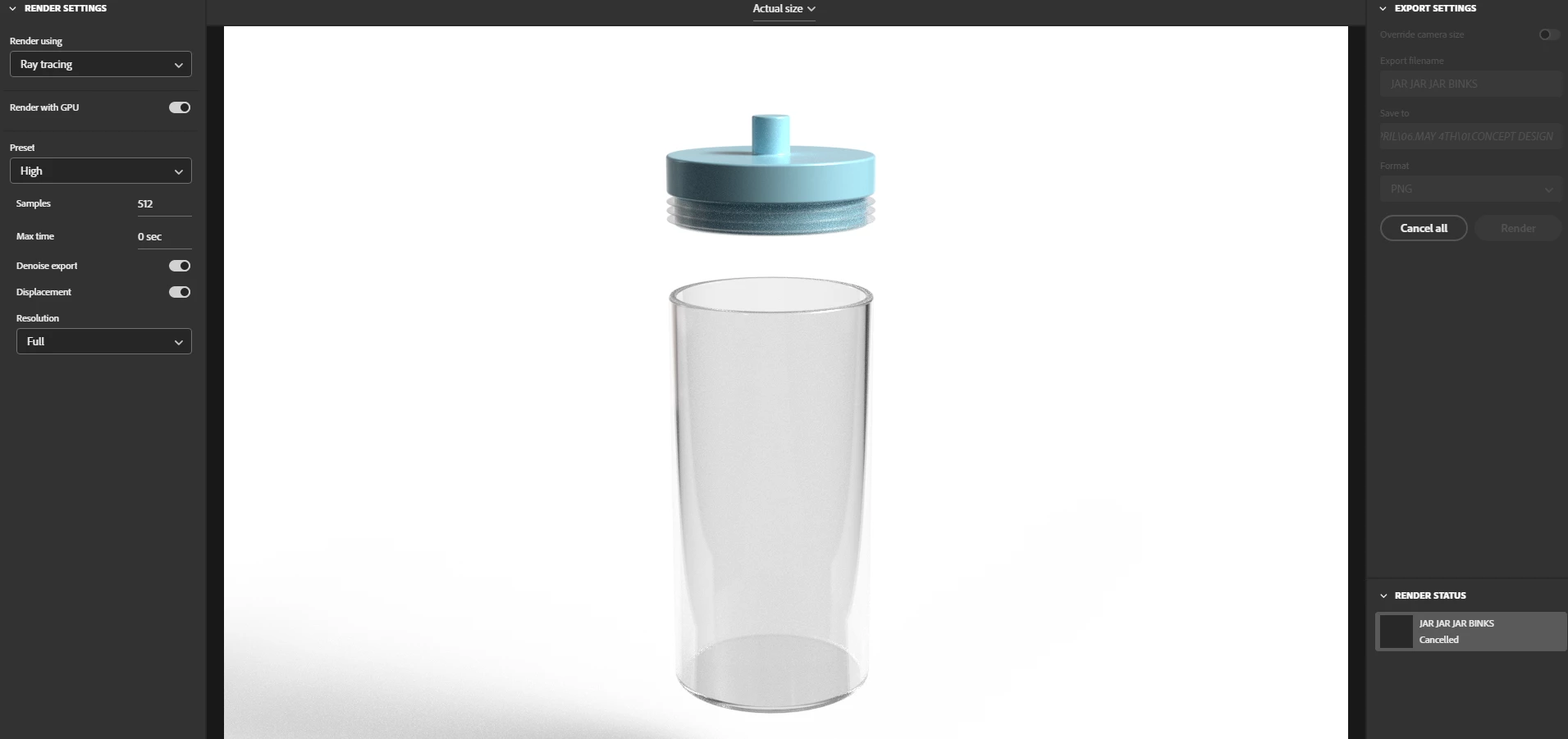
This is occurring across our entire team on updated versions of Dimension. The only way to fix it so far is to save and reopen the project file to reset the rendering feature.

This topic has been closed for replies.
Correct answer Optimistic_Gazelle3455

Found the issue.

It won't reset the render process if you render to a network location. It can't fetch the status after it's rendered the first time. Unless the network permissions are changed for Dimension, it must render to a local harddrive to render.

Why Dimension is the only program amoung Photoshop, Illustrator and InDesign that needs a separate IT permission setup by default, I do not know.

2 replies

Optimistic_Gazelle3455AuthorCorrect answer
Inspiring
September 23, 2024

Found the issue.

It won't reset the render process if you render to a network location. It can't fetch the status after it's rendered the first time. Unless the network permissions are changed for Dimension, it must render to a local harddrive to render.

Why Dimension is the only program amoung Photoshop, Illustrator and InDesign that needs a separate IT permission setup by default, I do not know.

Ares Hovhannesyan
Community Expert
September 23, 2024

Thanks for posting solution. 

Ares Hovhannesyan
Community Expert
September 20, 2024

Not happened on my machine Win 11 with Nvidia RTX 4060. What is your hardware?

Inspiring
September 22, 2024

I'm not sure the OS and GC are the contributors to this error.


I have W11 and RTX A2000 12GB.