


Participant
January 15, 2022
Question

Rendering Help
  • January 15, 2022
  • 2 replies
  • 346 views

Hello,

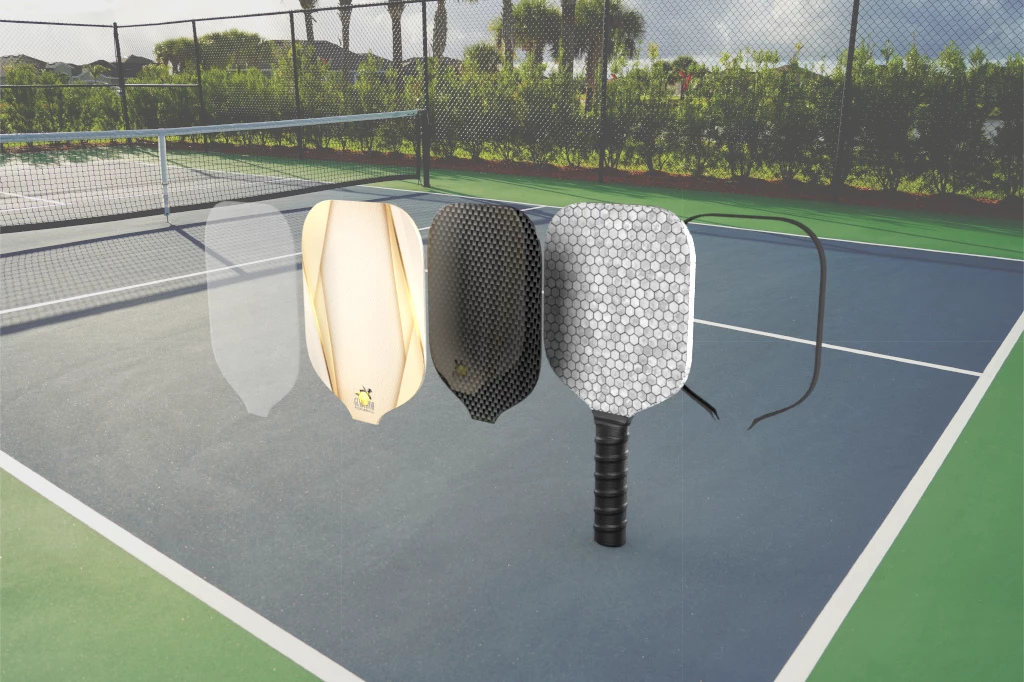
I am new to Dimensions and created a model of pickleball paddles and the different layers they are constructed in. The image looks great before I render it but when i render it the image seems flat and blurry. How do I get it to render super crisp and clear? Please help!

This topic has been closed for replies.

2 replies

Ko.Maruyama
Community Expert
Community Expert
January 16, 2022

note:
if Dimension is rendering it as a blurry value, increasing the resolution of the rendered image will not make it any sharper.
But if there's something about a texture that is low resolution, a higher, sharper material texture may help your image look more in focus when rendered.


It's possible that there is DEPTH OF FIELD on your camera that is causing a blurry focal render.

If this is the case, make sure that you have the "Focus Preview" (first icon on the left at the top) on when looking at your work.

Ussnorway7605025
Legend
January 15, 2022

flat and blurry?

looks ok to me but you could try adding another small backlight

Ares Hovhannesyan
Community Expert
Community Expert
January 15, 2022

Dimension will decrease resulution to 72ppi. Try to increase resolution in Ps after rendering PSD file or make it sharper.