Known Participant
November 27, 2020
Answered

Strange result when rendering to PSD

  • November 27, 2020
  • 5 replies
  • 917 views

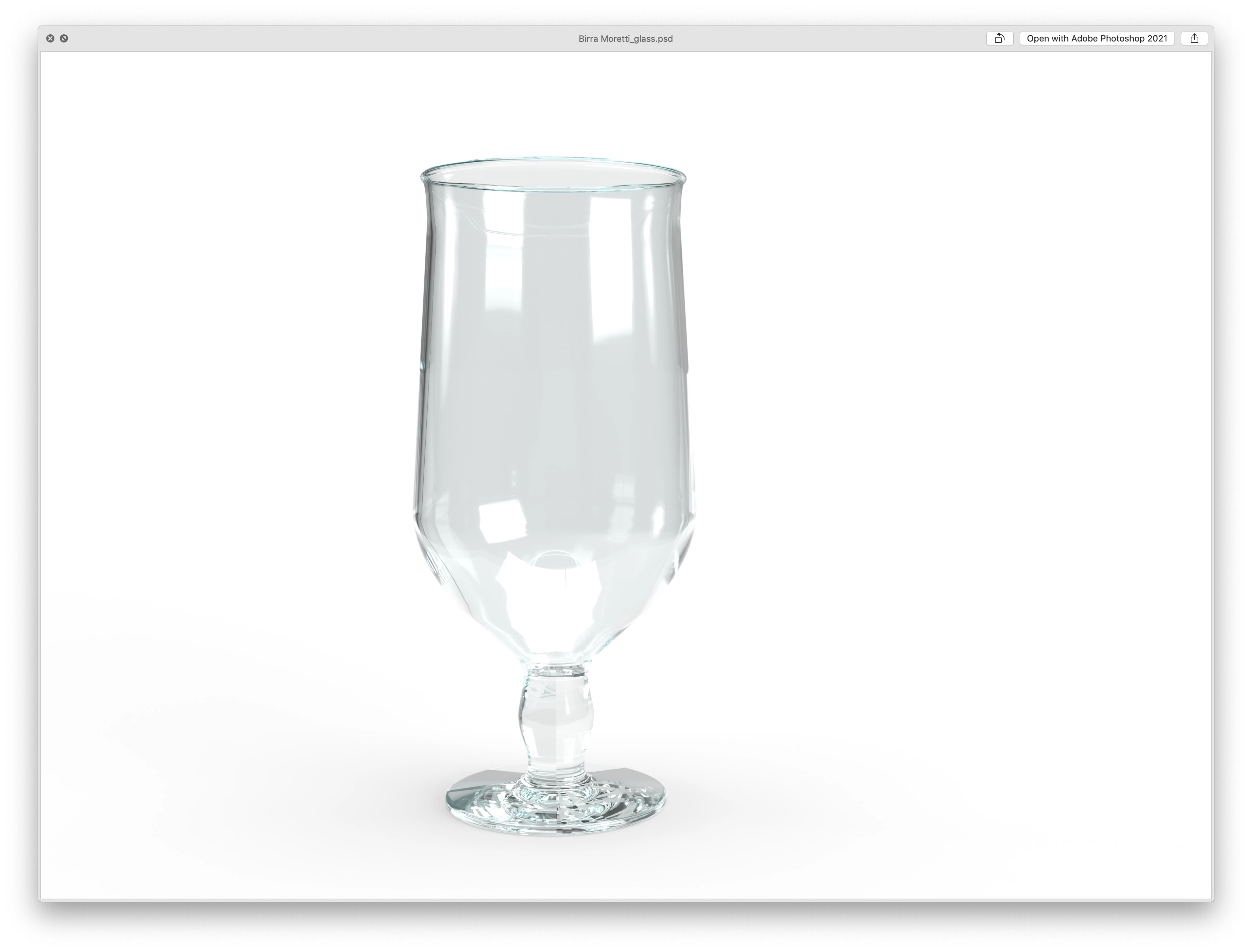
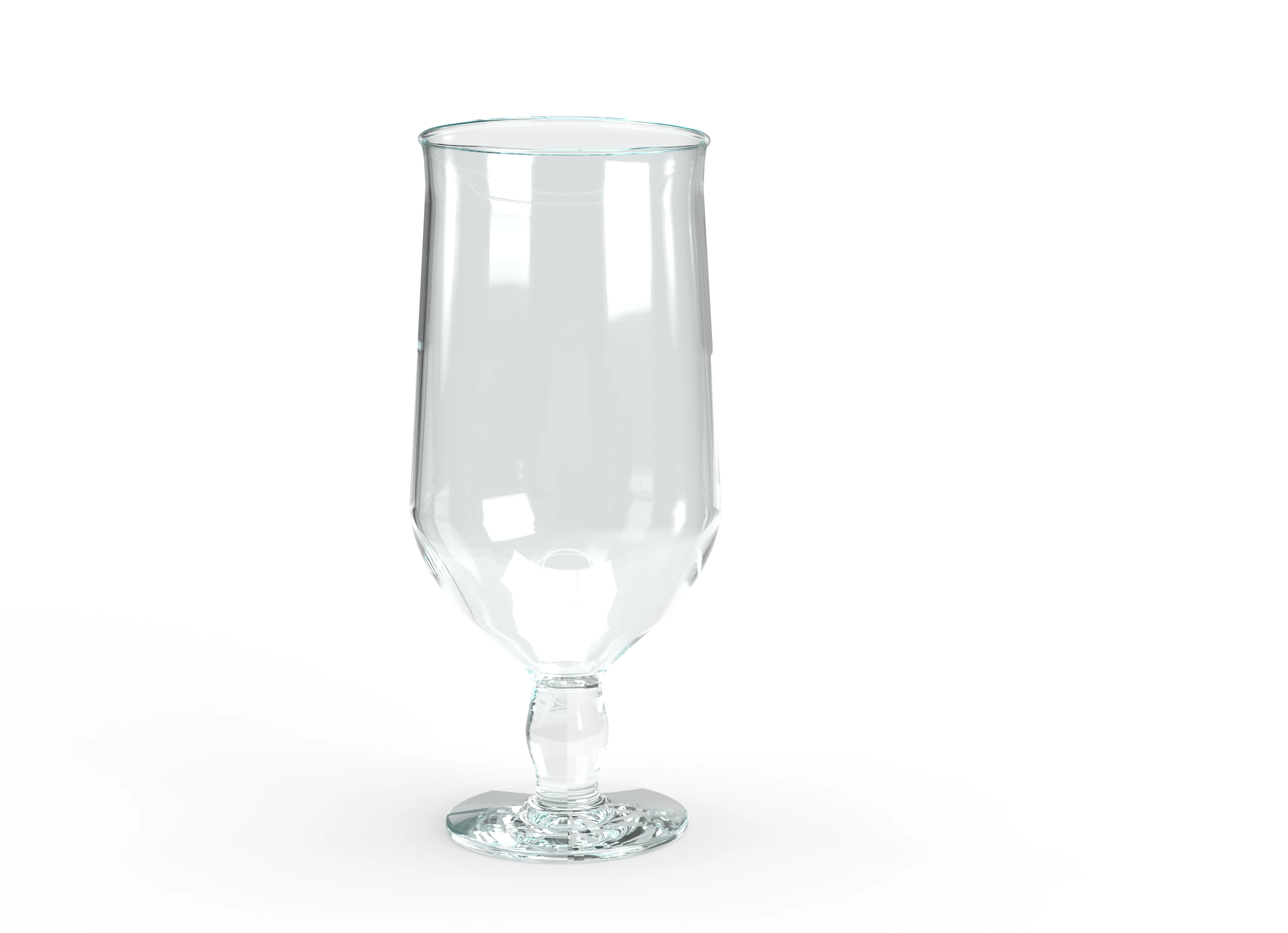
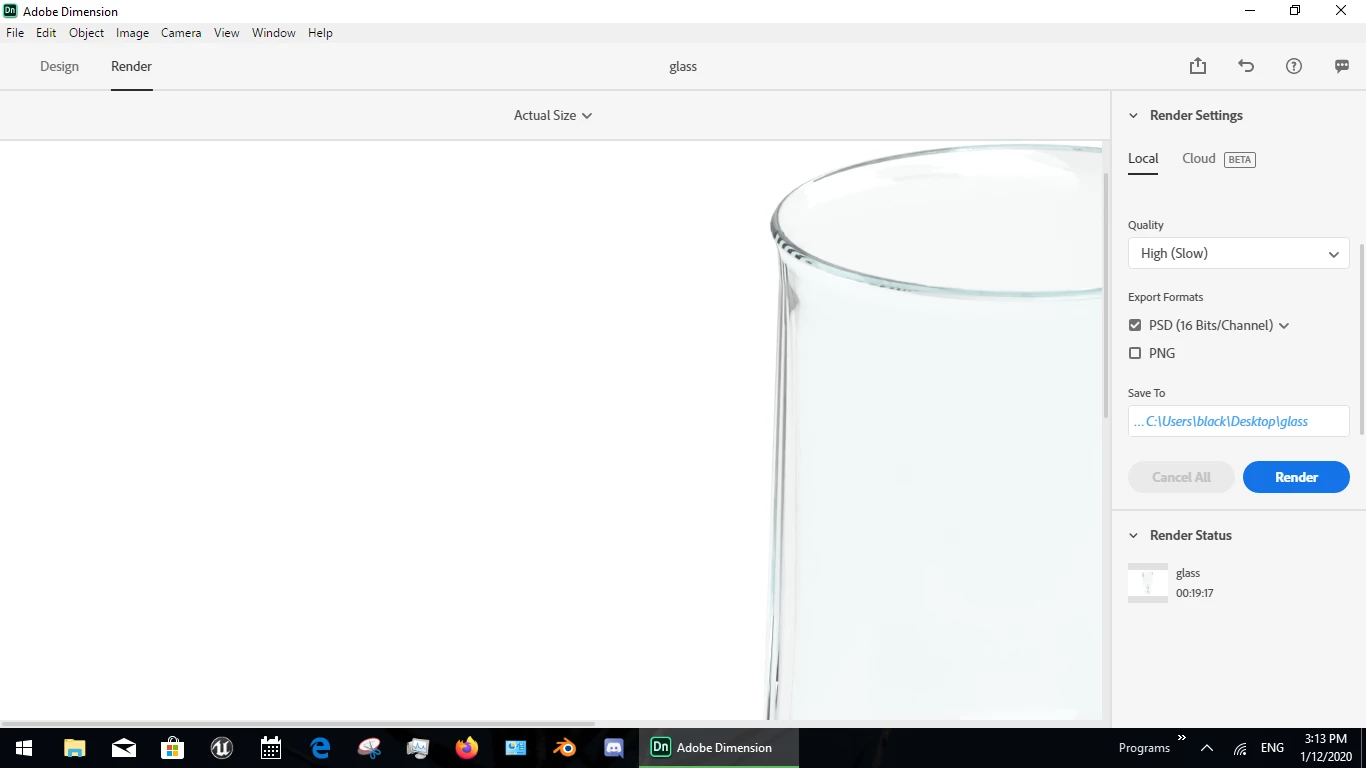
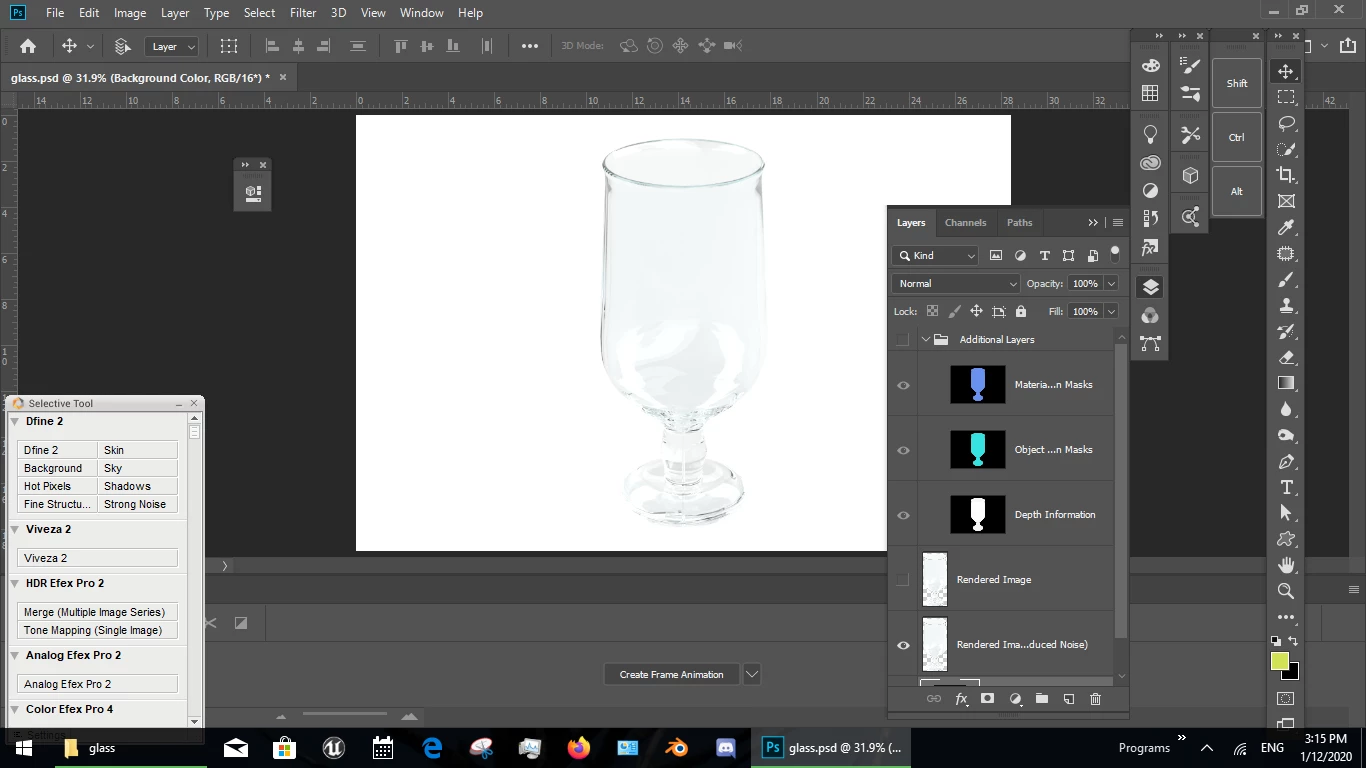
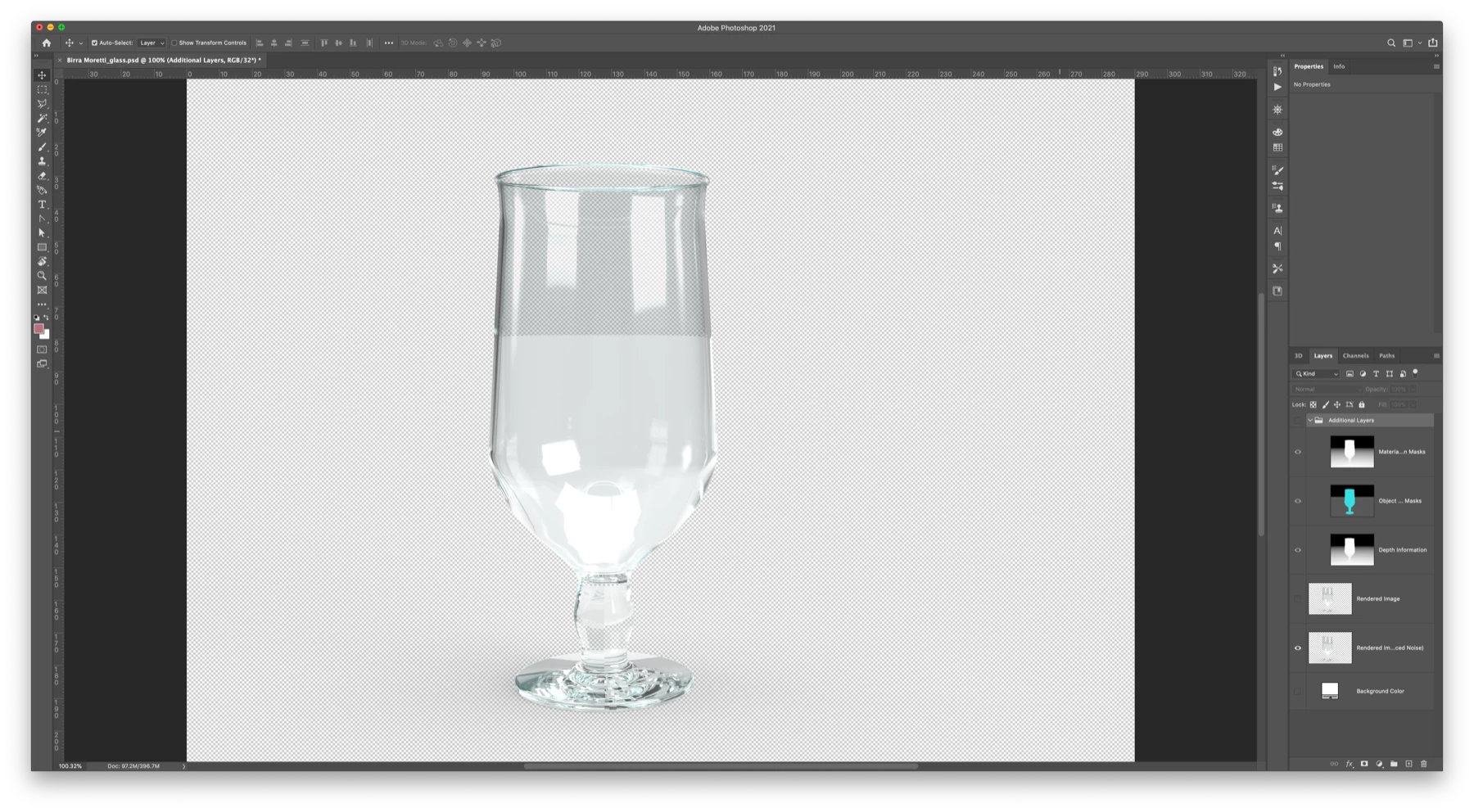
When I render my object from Dimension to a PSD, I'm getting a strange result. The preview of the PSD looks fine, but when you open it, only half of the glass is transparent When I export the PNG, it's fine, but I need it to be transparent.

Any help appreciated

Thanks
This topic has been closed for replies.
Correct answer Ussnorway7605025

when you look at your extra layers the line cutting the glass about half way up is the groundplan... if you turn that off Dimension will not rendor it [see example]


5 replies

Ussnorway7605025
Legend
December 15, 2020
what I would like is the whole object to be transparent when I open it in Photoshop

what you are describing is opacity

note you will get best results by rendoring the same background image in Dimension so that the lights match up but if you want to be able to move the glass around (or just don't have the background image) then a basic square pattern looks ok

Known Participant
December 15, 2020

That's great, thanks for you help

Ussnorway7605025
Legend
December 1, 2020

my glass is transparent because I made the model that way... if you want me to test your glass then share the model and I'll take a look at it

Known Participant
December 2, 2020

That would be really helpful, here is link to the file: https://we.tl/t-g2hPzV2ds4

Ussnorway7605025
Legend
December 2, 2020

the model has mistakes in the UV map that will show at certain camera angles however transparency is fine


Ussnorway7605025
Ussnorway7605025Correct answer
Legend
December 1, 2020

when you look at your extra layers the line cutting the glass about half way up is the groundplan... if you turn that off Dimension will not rendor it [see example]


Known Participant
December 1, 2020

Thanks, that's really helpful. The line has now disappeared.
However, the glass is not transparent. Is there a way to still keep the transparency of the glass?
I know I can achieve this with different laters / layers effects in photoshop. Just wondered if can do in the render?


Ussnorway7605025
Legend
November 27, 2020

the line is the ground plane showing in the glass i.e, Dimension is doing what you asked it to do

Ares Hovhannesyan
Community Expert
Community Expert
November 27, 2020

What you mean when you say "The preview of the PSD looks fine, but when you open it, only half of the glass is transparent "

You open PSD file in PS or export PNG from Ps and then open it? Thanks

Known Participant
November 30, 2020

Hi there, so basically when I open the PSD file in Photoshop only half the glass is transparent. The PNG is exported from Dimensions.

I can see in the "Additional layers" group that there is a layer called "Object Selection Masks" which is black and grey and I think this is causing the problem. Unsure how to fix it though?