

Participant
March 17, 2018
Question

Tears in render / Jagged Shading

  • March 17, 2018
  • 2 replies
  • 435 views

Hi, When render at certain angles I get these "tears" in the render, this jagged pixelated area the arrow is pointing to. This is using Dimension's silver material. Whats causing this and how do I fix it?
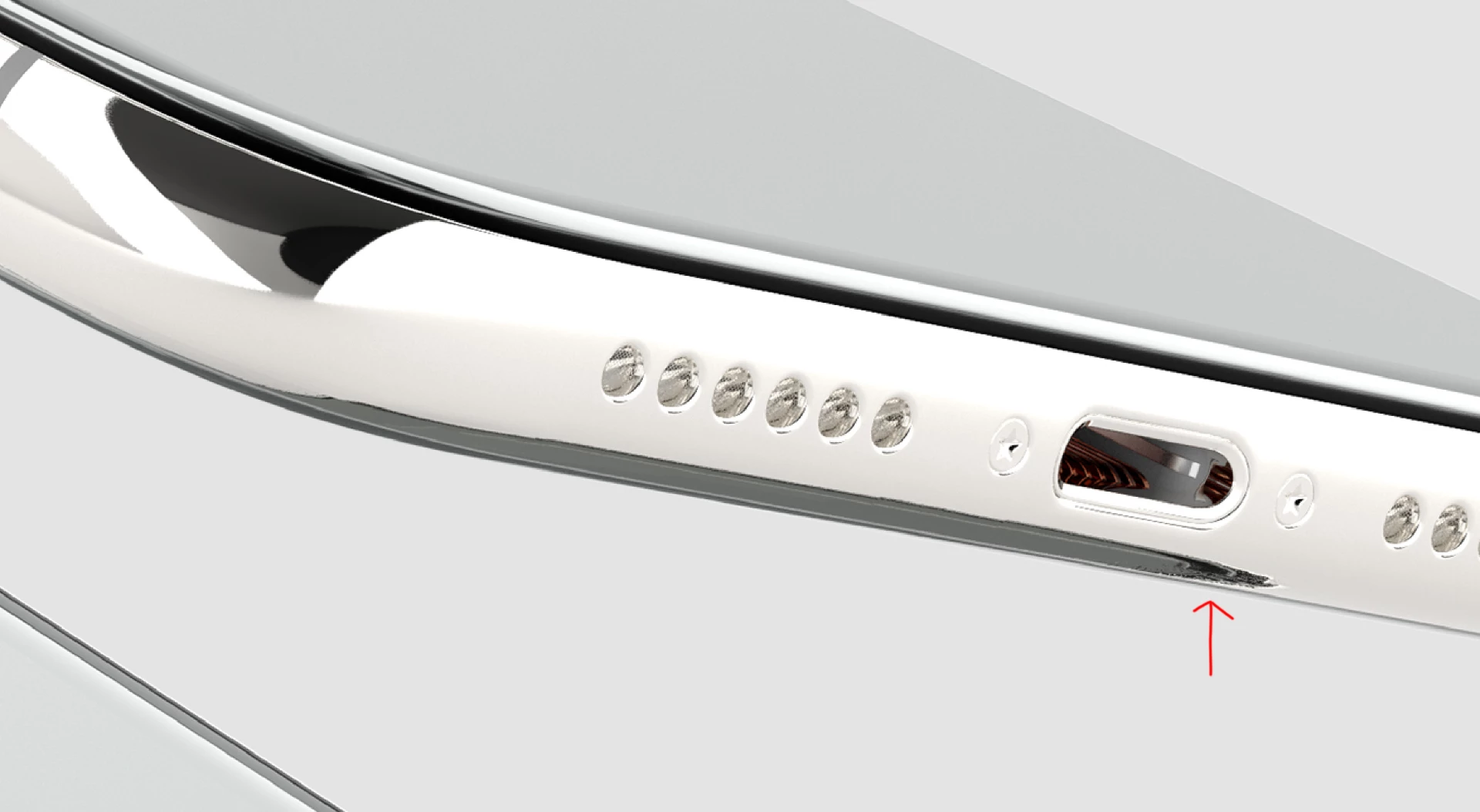

This topic has been closed for replies.

2 replies

JeanetteMathews
Adobe Employee
Adobe Employee
March 19, 2018

Dimension uses Image Based Lighting (IBLs) where a 360 image is wrapped around the scene in a sphere and projects light inward.  IBLs are essentially images and they have resolution and pixels.  Depending on the angle and zoom factor this image may be projected onto the model in a way that makes those pixels in the image more or less visible. 

  • You can try another lighting setup, there are several that ship with the application in the Images tab.  Each image has a unique configuration of pixels so it may just show up slightly different.
  • You can adjust your rotation of the lighting in the properties panel to move the pixelated area out of view
  • You can adjust your 3d view rotation and zoom factor.  Being zoomed in more will highlight pixels more.
  • You can also add some roughness to the model surface which will help scatter the lighting a little bit.  Double click on the model to edit the material and just adjust the roughness a bit.

Example of adjusting the zoom and orbit of the camera which shows the pixels of the IBL more.

Adjusting the roughness will scatter the lighting making the pixels softer (the .gif quality looks banded, but it's pretty smooth!)

Inspiring
March 18, 2018

This is the reflection of its Light environment in conflict with the structure of the modeling. Do you map the model before importing? Map correctly? I always mapped the bad models.

Participant
March 19, 2018

I'm pretty new with 3d, what is mapping the model?

On a side note, I opened the model with Blender and found that there were duplicate vertices. I removed them and tested in Dimension and it seemed better, could have just been the angle though