MH57
Inspiring
April 5, 2021
Answered

Traingular shapes?

  • April 5, 2021
  • 1 reply
  • 1315 views

Hi, I'm rather a newby with Dimension, but I hope I find a solution for something I'm trying.
I'm builing a wall for a house simulation where in the top floor the wall is recling. 
I've been looking to build this with block shapes, made out of cubes. Everything is ok, until the last part near the roof where I would need a triangular block. 
Can this be created somehow?
Thanks for any tips!

This topic has been closed for replies.
Correct answer Ares Hovhannesyan

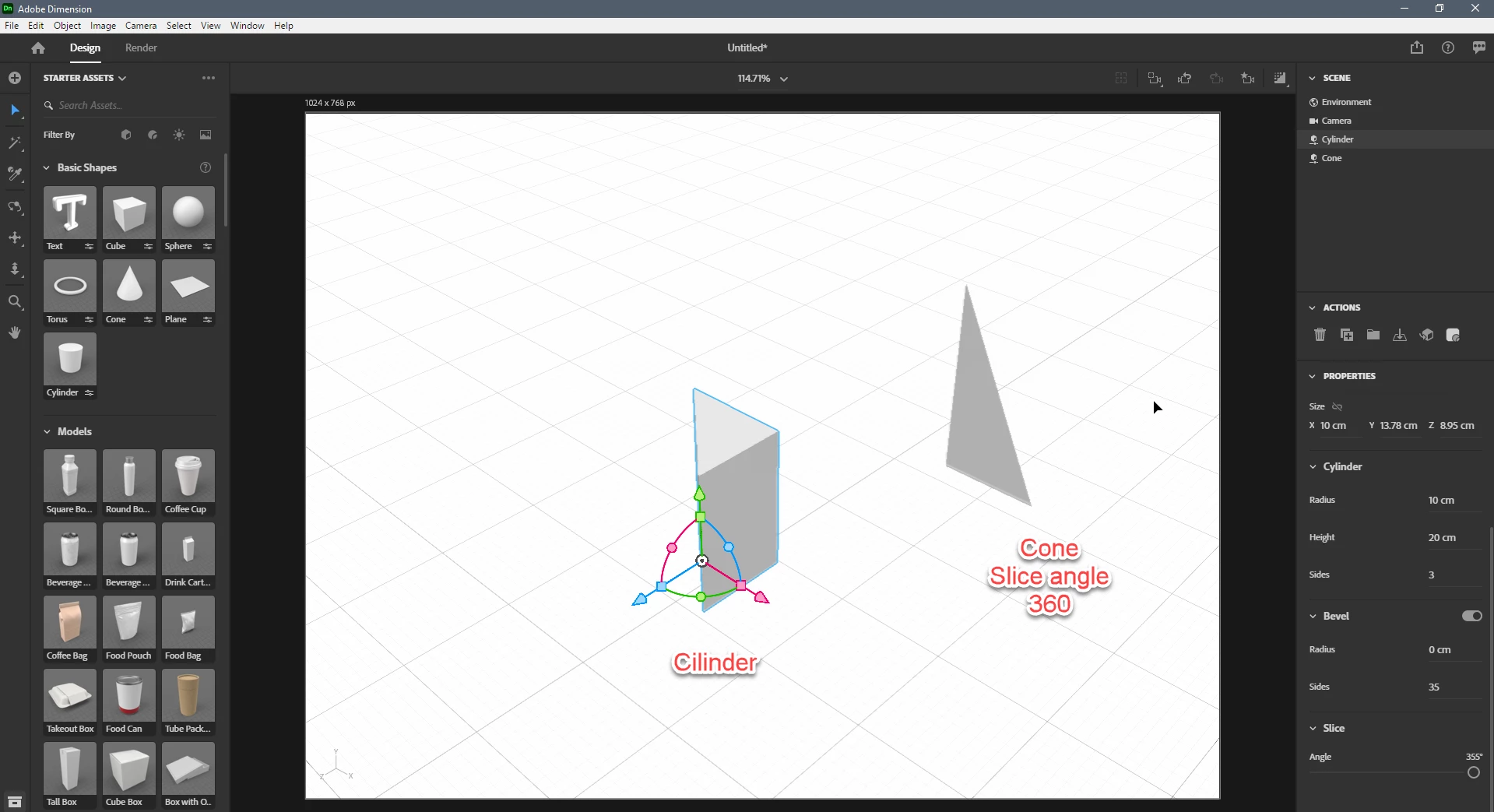
Here is 2 triangular object one created from Cone (slice angle: 360, but it not possible to change depth). And Cilender: Settings are available for that triangular is shown in property panel. Are they acceptable fo you?


1 reply

Ares Hovhannesyan
Community Expert
Community Expert
April 5, 2021

You can use Prism from assets or Basic Shape (Cone). Basic Shapes have properties that you can customize and get your prism.

Here is video about how to use Basic Shapes in Dn

https://youtu.be/d8WnTChQP0I


MH57
MH57Author
Inspiring
April 5, 2021

Thanks Ares, I already tried out prism. but I struggle to get a tringle block with overall the same thickness and the a 90 degr corner and two 45 degr. Also with Cone I get stuck with getting one corner 90 degr.

Ares Hovhannesyan
Community Expert
Community Expert
April 6, 2021

You can creat it in Photoshop, export as obj and import into Dn. Or try to create compund object and group it before using in Dn.


You can also use Microsoft 3d buider as it allows to make boolean operations.